01What Is an Agent Operating System?
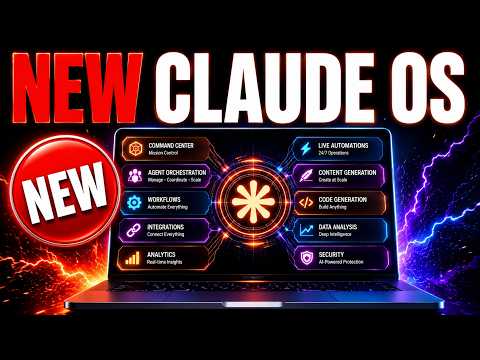
An agent operating system is a central place where you can run all your AI agents together. It gives them a shared memory, so they can work side by side. You can automate almost anything and connect it to your favorite apps.
You can also build and customize it as much as you want.
In this episode, Julian Goldie explains how this system works and answers common questions from his community. He shows how it helps you manage multiple agents without switching between tools. The system is very flexible and works with different AI models.
02Main Features of the Agent OS
The Agent OS has many useful features. Here are the main ones shown in the episode:
- Central control – You can operate all your agents from one place.
- Memory – The system remembers information across tasks and agents.
- Automation – You can automate almost any workflow you need.
- App connections – Connect it to your favorite apps easily.
- Custom modules – There are about 30 different modules you can install, like Hermes Apollo for voice.
- Game Studio – You can create simple 3D games right inside the system.
You don't need all the modules. You can pick and choose the ones that fit your needs.
03How to Set Up Your Agent OS
Setting up the Agent OS is simple, even if you are not technical. Julian says he is non-technical and he set it up himself. Follow these steps to get started:
- Get the Agent OS zip file from the Air Profit Boarding (or build your own).
- Give the zip file to your AI agent, like ChatGPT or Claude.
- Tell the agent to install and configure the Agent OS on a local port.
- Wait for the agent to install everything automatically.
- Review the configuration for each module and pick the ones you want.
- Install any additional modules you need, like Hermes Apollo for voice.
The installation folder includes a markdown file that guides your agent through every module. This makes the process very smooth.
04How to Use the Agent OS for Automation and Games
Once your Agent OS is set up, you can use it for many tasks. Julian shows a few examples. For automation, you can connect it to apps like LinkedIn and set up follow-ups.
A community member named Sheena shared how she automated LinkedIn follow-ups with her own custom Agent OS. She gave an example and tips for others.
You can also build games. To create a game, open the Game Studio and type the type of game you want. The system builds it for you.
One community member named Lee shared a one-shot 3D game he made. This lets you mix personal fun and business in one system.
The Agent OS works with different AI agents. You can use ChatGPT, Claude, or others. Everything is interchangeable, so you are not locked into one provider.
05Results and Community Wins
The episode highlights how community members get real results with the Agent OS. Julian mentions that the community has 199 pages of testimonials and wins from people who got great results. He shows a shared example where someone asked for a way to automate LinkedIn follow-ups, and Sheena provided a working solution.
Being part of the community means you get help fast. Julian answers questions daily, even ones posted just 20 minutes before. People share value that you wouldn't find in public groups because there is a filter for expertise.
This leads to practical, tested solutions.
06Tips for Saving Tokens and Avoiding Mistakes
Tokens can run out fast, especially with frontier models. Julian recommends a token minimization playbook to reduce usage. Several open-source tools can help:
- Caveman – Reduces the number of output tokens.
- Headroom – Compresses the tokens used.
- RTK – Also compresses tokens, similar to Headroom.
Using these tools can stretch your token budget. You can get more out of models like Claude 5 or others. Avoid the mistake of thinking you need to be technical.
Julian is non-technical and set up the system fine. Also, don't install every module – only pick the ones you need.
07Who Should Use an Agent Operating System?
An agent operating system is for anyone who uses multiple AI agents and wants to manage them in one place. It is great for business owners, creators, and even people who want to have fun building games. If you automate tasks, connect apps, or run AI workflows, this system can save you time and effort.
It matters because it brings everything together. You no longer need to switch between different tools. With shared memory and automation, your agents can work together smoothly.
This can make your work more efficient and fun.