01What Is the Agent Operating System?
The agent operating system is a system that lets you run multiple AI agents together in one place. You can have a builder, designer, video maker, and SEO expert agents all working at once. It improves every time you use it because it has a memory setup inside.
You can automate almost anything with it. It includes custom workflows like open montage and open design. You can also swap out the brains and plug in different models as they come out.
There are even local and free AI coders inside the system.
02Main Features of the Agent OS
The agent operating system is packed with features that make automation easier. Here are the main ones you get:
- Multiple agents: video, music, SEO, and coding agents all in one system.
- Memory setup: the system remembers past work and improves over time.
- Custom workflows: like open montage and open design for specific tasks.
- Model swapping: plug in different models as they are released, like Terra or Fable 5.
- Local and free AI coders: run offline without Wi-Fi.
- Loop engineering system: set a goal and let agents loop until it's done.
You can run it on almost any device, from an old laptop to a Mac mini, or even your phone with Tailscale.
03How to Set Up the Agent Operating System
Getting started with the agent operating system is simple, even if you are not technical. Here is how to do it:
- Get the system from the AI Profit Board classroom. Go to the new daily update section.
- Find the video tutorial, the last update date, and the zip file to install it.
- Download the zip file and unzip it on your computer.
- Follow the video tutorial to set up your workspace and connect your models.
- Choose a model for your agents, like Terra or Fable 5, to start.
You don't need a fancy setup. Even an old laptop can run this system because it uses APIs for most models.
04How to Use the Agent OS: Examples and Steps
Once you have the agent operating system set up, you can start using it right away. Here are some ways you can use it, based on the episode.
For coding and building, use the local engine. It's free, private, and runs offline. You can preview anything you build, and everything is saved in your workspace.
For long tasks, use the loop engineering system. You set a definition of done, pick a starting point, and choose a model. Then select how many rounds it loops and which model judges the work.
You can monitor the workspace to see if it looks good.
Another loop method is goal mode. In Hermes and Codex, you can set a goal and the agent loops for up to 20 rounds until it's done.
05Results and Comparisons: Which Models Work Best
In the episode, Julian compared different models and shared results. He found that Opus 5 is disappointing. It gets distracted easily, is super slow, and uses up a lot of tokens.
Fable 5 is faster and better, doing tasks three times as fast in some cases.
He also talked about rate limits. GPT-5.6 sole with Hermes agent gets rate limited a lot quicker than Terra. Using Terra can help avoid rate limits.
He stopped using Codex in ChatGPT because it runs out of tokens faster than anything else.
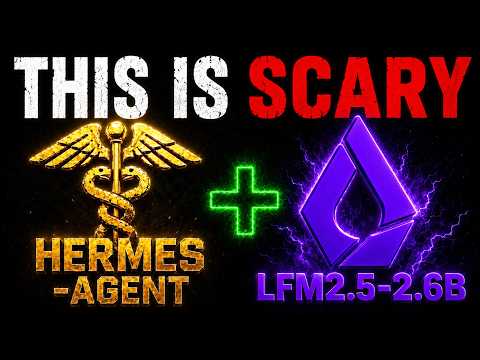
For local models, he tested LFM 2.5 2.6B and recommends it. It's the fastest and best model he has seen on Mac Studio or any Mac. It just dropped yesterday.
Using LFM with Hermes agent works nicely because it's so fast.
06Tips, Limits, and Mistakes to Avoid
Here are some tips and warnings from the episode to help you get the most out of the agent operating system.
- Switch models to avoid rate limits: use Terra instead of GPT-5.6 if you hit limits.
- Use blank slate profiles: this reduces the tools in Hermes agent, making it faster and using fewer tokens.
- Be careful with Opus 5: it is slow, uses many tokens, and can be frustrating.
- Don't rely on local models for heavy tasks: they are not that great, but LFM 2.5 2.6B is good for Mac users.
- Reducing token usage: you can use open source projects like RTK or Caveman to cut down tokens, but you shouldn't have to with good models.
Remember, the system is lightweight, so you don't need a powerful computer. Just make sure your internet connection is stable for cloud models.
07Who Should Use the Agent Operating System?
The agent operating system is for anyone who wants to automate tasks with AI, even if you are not technical. Julian himself is non-technical and uses it easily. There are over 207 pages of testimonials and wins from community members, so many people are succeeding.
It matters because it saves serious time. You can set one goal and walk away while the agents work. You can run everything from your phone or an old laptop.
It's a powerful way to multiply your output without needing a big setup.
If you want help, the AI Profit Board community has 3,800 members online 24/7. You can post questions, join weekly coaching, and meet people in your local area who are building with AI agents.