01What Is an Agentic Operating System?
An agentic operating system is a system that lets you build, run, and manage AI agents that automate tasks for you. It works by letting you create custom workflows, turn them into skills, and schedule them to run automatically. You can also connect it to multiple devices and choose which AI models power each part.
In this episode, Julian Goldie explains how you can use an agentic operating system to handle tasks like uploading product lists to suppliers, analyzing content, and refreshing data daily. The idea is to describe what you want, let the AI build the workflow, and then use it with a click of a button.
02Key Features of an Agentic Operating System
Your agentic operating system comes with several powerful features that make automation easy and flexible.
- Custom skills: Turn any repeated workflow into a skill with a nice UI so you can run it in one click.
- Tabs in the agent OS: Skills appear as tabs, so you can access them whenever you need.
- Scheduled routines: Run tasks on a daily schedule without manual clicks, like analyzing content or refreshing data.
- Multi-device support: Use Tailscale to connect the agent OS to your desktop, laptop, VPS, or mobile.
- Model switching: Create separate profiles to test different models and switch between them easily.
These features let you build a system that works for your specific needs, whether you're an individual or a team.
03How to Set Up Your Agentic Operating System
Getting started with an agentic operating system is straightforward. Here are the steps Julian recommends based on his own setup.
- Choose a base AI tool. Julian recommends Claude CLI because it's smooth and easy to work with.
- Describe the workflow you want, like uploading products to a supplier. Tell Claude the API endpoint or website you need to use.
- Ask Claude to turn that workflow into a skill, then create a tab in the agent OS for it.
- If you want it to run automatically, ask Claude to set it up as a scheduled routine, like daily.
- To access it from multiple devices, create a Tailscale account and install it on your main computer and other devices.
- Toggle Tailscale on whenever you need to connect from another machine.
That's it. Once you do this, your agentic operating system is ready to handle your tasks.
04How to Use the Agentic Operating System for Real Tasks
Julian shows several real uses for the agentic operating system. One example is taking an exported product list and uploading it to a supplier portal. You can turn that into a skill that runs automatically.
He also runs Hermes Muse on a schedule every day to analyze content and find new ideas. Hermes Astros refreshes daily too. He didn't have to click anything; it just ran on a routine.
For team use, you can give staff access through Tailscale. That way, they can connect to the machine where the agent OS is set up and use the skills they need.
You can also plug in your existing Codex subscription into Hermes, so you don't need to pay extra for API access.
05Best Models for Your Agentic Operating System
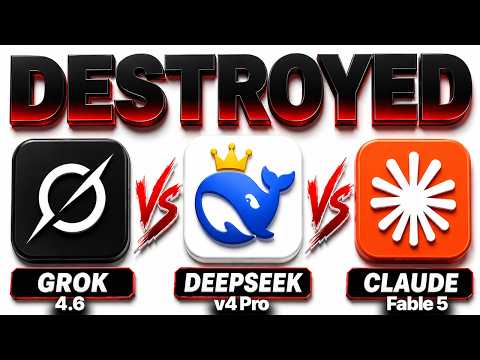
Julian tests many models. He says the best one for orchestrating the whole agent OS is Claude Fable 5. For agentic tasks, he prefers DeepSeek v4 Pro, which is very agentic and affordable.
He also mentions GLM 5.3, which matches Claude Fable 5 on benchmarks and is good for coding tasks. If you need a local model, LFM is fast and was designed with the Hermes agent harness in mind.
He creates separate profiles for each model, like GPT 5.6 or Quen 3.8 Max, so he can switch between them easily. This way, you can use the best model for each job.
06Results and Price Cuts in the AI World
Julian shares good news about OpenAI's big price reductions. He thinks they did this to stay competitive with models like DeepSeek.
He also talks about the Quen 3.8 27b model, which was just released. It's available on Ollama and LM Studio. It runs well on Mac because of MOX support, but it might be too big for a Mac Studio.
On a DGX Spark or RTX, it's fantastic.
LM Studio will tell you if a model is too large for your setup. For example, it said 'likely too large' for Julian's machine, and he agreed.
07Tips, Limits, and Mistakes to Avoid
Julian offers several tips to get the most out of your agentic operating system.
- Always keep a backup of your skills and the CLAUDE.md file before making changes.
- If you don't have a recurring workflow, try deleting skills and the CLAUDE.md file—Claude may perform better.
- Don't delete those files if you have many specific skills, because you'll lose detailed guidelines.
- Test models in separate profiles so you can switch without messing up your main setup.
- Use Tailscale to connect multiple devices, but remember to toggle it on when needed.
Also, be aware that some models may be too big for your hardware. Check with LM Studio before downloading.
08Who Should Use an Agentic Operating System?
An agentic operating system is for anyone who wants to automate repetitive tasks and build custom workflows. It's especially useful for businesses and teams that need to upload products, analyze content, or refresh data regularly.
Julian uses it for SEO and creating guides, but you can use it for coding, data entry, or anything else. Because it supports multiple devices and team access, it scales well from solo users to organizations.
If you want to stay competitive and save time, building an agentic operating system is a smart move. It lets you focus on creative work while the AI handles the routine stuff.