01What is Awesome LLM Apps? A Free AI App Catalog
Awesome LLM Apps is a GitHub open-source project that gives you 100+ pre-built AI agents, agent skills, and RAG apps. It has over 121,000 stars, making it one of the most popular AI catalogs online. You can use it with Cloud, Gemlite, GPT, or any other model you prefer.
The catalog includes hand-built apps that are ready to use. For example, there’s a self-improvement agent skill that gives your coding agent a new app-building skill in one click. You also get starter agents, research agents, and even a chat-with-your-website tool.
The idea is simple: instead of building apps from scratch, you pick a recipe from the catalog. Then you plug it into your agent system, and it does the work for you. It’s like having a recipe book for AI apps.
02Main Features of Awesome LLM Apps and the App Lab
The catalog is packed with features. Here are the key ones Julian highlighted:
- 100+ open-source AI agents covering different use cases, from travel planning to data analysis.
- RAG apps that retrieve from your knowledge base to train agents.
- Multi-agent teams like the mixture-of-agents setup for better outputs.
- MCP agents and autonomous game-playing agents, like an AI chess agent.
- Chat integrations with Gmail, Substack, and your own website.
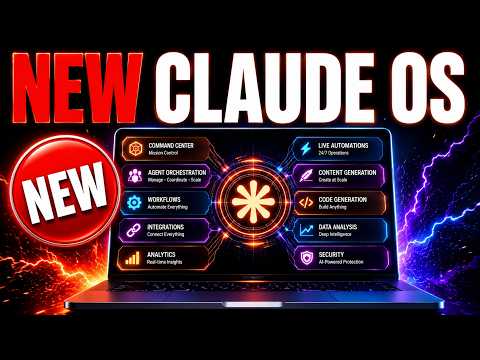
The episode also introduced the app lab system inside the agent OS. This tab lets you build any app from the catalog in one click. For example, an AI travel planner was built and generated a full itinerary instantly.
All apps are AI-powered, not just static code. That means they keep working and improving with the model behind them.
03How to Set Up Awesome LLM Apps with Omniroute
Setting up Awesome LLM Apps is straightforward. Follow these steps from the episode:
- Go to the Awesome LLM Apps GitHub repository (it’s open source and free to use).
- Browse the catalog and find an app you want, like the deep research agent.
- Copy the GitHub URL for that specific app.
- Open your agent system (like the agent OS or Claude) and say: 'Install this and build out [app name] as a new tab.'
- If you use Omniroute, plug the URL into Omniroute and let it code the app for you.
- Use free cloud models like Gemlite or GPT to run the app without paying API costs.
Julian tested this with three apps and they worked immediately. The setup takes less than a minute because the recipes are already done.
04How to Use Awesome LLM Apps: Examples from the Episode
Julian showed several ways to use the catalog. First, he built an AI travel planner. He typed in a destination and the number of days, then hit 'generate itinerary.' The app produced a step-by-step daily roadmap for Italy, which could be converted into calendar events.
Second, he set up a mixture-of-agents system. This lets multiple agents work together as a council, similar to Fusion or Hermes. The idea is that collaboration gives better outputs than a single powerful model.
Third, he used the chat-with-anywhere page to plug in a website and talk to it directly. This is useful for customer support or research.
He also mentioned the deep research agent and the habit tracker. You can build any of these by giving your agent the recipe URL.
05Results and Tests: Free Models Work Well
Julian tested the system with free cloud models, and the results were impressive. The travel planner worked 'straight away, first time round.' The itinerary was detailed and useful.
The mixture-of-agents setup also worked smoothly. It gave accurate responses because multiple agents cross-checked information.
He addressed a common concern: 'aren't free models too weak for real apps?' His answer was no. The output from the free models was very good.
The key is using the right recipes. With Awesome LLM Apps, you don’t need to spend hours building an app. The recipe does the heavy lifting.
06Tips, Limits, and Mistakes to Avoid with Awesome LLM Apps
Julian shared important tips for getting the most out of the catalog:
- Always grab the specific app URL before telling your agent to build it.
- Use free models to save money, but test the output first.
- Don’t try to build apps from scratch; the recipes are faster and avoid errors.
- Be specific about which app you want and where you want it (e.g., as a new tab).
He warned against using ChatGPT for everything because building an app without a recipe can take three hours. With the recipe, it’s one click.
A limit is that free models may not or may not work for every complex app. But for most common use cases, they perform well.
07Who Is Awesome LLM Apps For and Why It Matters
Awesome LLM Apps is for anyone who wants to build AI apps without coding. Julian said, 'You don’t need to be technical with your agents anymore.' Even complete beginners can use it.
It matters because it removes the biggest barrier to AI adoption: time. You don’t need to spend hours planning, testing, and iterating. The apps are pre-built and ready.
Businesses can use this to create custom tools like travel planners, research agents, or website chatbots. Freelancers can offer app-building services without hiring developers.
Finally, it’s free and open source. That makes AI development accessible to everyone, not just big companies.