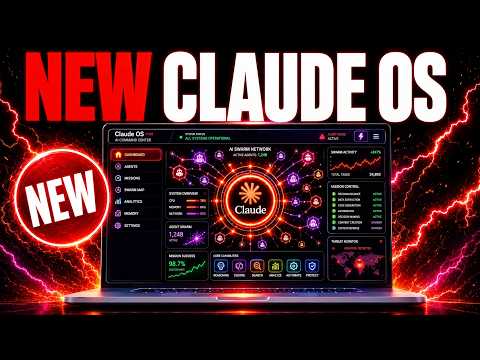
01What Is a Claude Agentic Operating System?
Claude Agentic Operating System is a custom-built mission control interface that brings multiple AI agents together in one place. Instead of using separate tabs for different tools, you get a unified dashboard where all your agents can talk, share memory, and work on tasks together.
This system was built over about two months as a fun project. It started as a basic chat but grew into a full operating system. The main goal is to solve the mess of having agents in different windows with no shared memory.
Everything is stored in one place, and you can see all your projects and progress.
02Main Features of This Agent Mission Control
This operating system includes several powerful components. Here are the main features shown in the episode:
- Hermes Agent – a chat interface that supports multiple profiles for different AI models like Claude, Quen 3.7, or Grok Build.
- Hermes Voice Agent – a voice-activated agent that wakes up with a wake word, listens in real time, and can control your browser and local files.
- Hermes Oracle – pulls the latest news, links to tweets, and can draft social media content.
- Agent Mastermind – a group chat where agents can bounce ideas off each other and add ideas to a pipeline.
- Paperclip System – a pipeline that tracks everything your teams of agents have built, with an inbox where agents can message you.
- Memory System – thousands of notes and memories that all agents use to give personalized answers.
03How to Set Up Your Agent Operating System
You can build this system from scratch or get a ready-to-install version. Here are the steps to build it yourself:
- Open Claude (or any AI coding agent) and ask it to build a simple mission control dashboard. Give it a screenshot or describe the style you want.
- Tell the agent to add a chat window for each agent you plan to use, like Hermes or Claude.
- Add a group chat section where agents can talk to each other in one place.
- Add a pipeline view that tracks every project and lets you see when each was created.
- Add a memory system where agents can save notes and pull them later.
- Set up a schedule loop so agents run automatically (e.g., Hermes Oracle refreshing every 24 hours).
- Test the system by giving it a simple challenge, like "give me ideas for an SEO app."
04How to Use the Agent Operating System: Examples
In the episode, Julian showed several ways to use this system. For example, you can use the voice agent in the background on a second monitor. It listens to you and replies in real time.
It can also control your browser and local files without you touching the keyboard.
For content creation, Hermes Oracle pulls the latest news automatically every 24 hours. You can then have it draft social media posts from that news. Another example: the agent mastermind can read your Obsidian vault, bounce ideas off each other, and add good ideas to your pipeline.
You just drop a challenge like "give me great ideas for an SEO app" and the agents work together to deliver.
Finally, you can use the system to run outreach campaigns. Set up an outreach tool that sends emails on a schedule. The agents handle everything without prompting.
You just check the outputs later.
05Results and Comparisons: Hermes vs Claude Fable 5
Julian tested Hermes Agent against Fable 5 on many examples. He found that Hermes Agent is either right up there with Fable 5 or actually beating it in some cases. This is impressive because Hermes uses older models together.
The system also proved flexible when Fable 5 was taken down. Instead of rebuilding everything, Julian swapped the CLI in about 10 seconds by telling the agent to replace Fable 5 with Obsidian 4.8. This saved a full day of work.
The episode also showed a video fully generated by a team of Hermes agents. And when NotebookLM released a free short-video generator, the team linked it via MCP in less than 24 hours.
06Tips, Limits, and Mistakes to Avoid
Julian stressed that you should only build in the features you actually use. It is easy to add every new tool, but that makes the system messy. Keep it simple and organized.
Another important tip: focus on the system, not the model. Models get taken down, run out of tokens, or change subscriptions. If you build a flexible system, you can swap CLIs in minutes instead of days.
Also, avoid building too many sub-agents at once. Start with a few profiles and expand only when needed. The memory system is powerful but requires regular updates; your agents can handle that automatically if you set up loops.
07Who Should Use This Agent Operating System
This system is for anyone who uses multiple AI agents regularly and wants them to work together. Julian says non-technical people can use it because the system is built with step-by-step tutorials and community support. Over 194 pages of testimonials show wins from people of all skill levels.
It matters because it saves time and removes the hassle of switching between separate tools. Agents share memory, run on loops, and improve over time without manual work. Julian spends about three to four hours a day improving the system for his community.
If you want a ready-to-install version, you can get it inside the AI Profit Board community.