play the audio
Claude Dynamic Workflows (Opus 4.8): The Goldie Swarm Stack + UltraCode Toggle Demo
Claude Dynamic Workflows launched with Opus 4.8, enabling a single instruction to spawn a swarm of dozens or hundreds of AI helpers working in parallel, with additional agents acting as judges to verify and try to break the output before it reaches you. The script cites a developer rebuilding a roughly 750,000-line codebase in 11 days using hundreds of agents with two reviewers per piece, a task that would normally take a human team months. It introduces the “Goldie Swarm Stack” system—command, swarm, verify, watch, keep—and explains that UltraCode is the toggle that activates the swarm while Dynamic Workflows is the engine. The speaker contrasts running workflows in a terminal versus a dashboard with a live map and workspace, advises using workflows for big jobs due to higher token costs, and promotes the AI Profit Boardroom offering with an UltraCode toggle, roadmap, coaching calls, and resources.
00:00 Dynamic Workflows Breakthrough
00:43 Goldie Swarm Stack Overview
01:17 How Swarms Actually Work
02:10 Verification Agents Fight Errors
02:52 No Coding Required Examples
04:39 Dashboard Versus Terminal Setup
05:12 UltraCode Toggle Demo
06:16 Token Costs When To Use
06:38 Step By Step Swarm Stack
08:08 Why Workflows Scale Better
08:56 Why You Must Start Now
09:44 Final Call To Action
Claude Dynamic Workflows launched with Opus 4.8, enabling a single instruction to spawn a swarm of dozens or hundreds of AI helpers working in parallel, with additional agents acting as judges to verify and try to break the output before it reaches you. The script cites a developer rebuilding a roughly 750,000-line codebase in 11 days using hundreds of agents with two reviewers per piece, a task that would normally take a human team months. It introduces the “Goldie Swarm Stack” system—command, swarm, verify, watch, keep—and explains that UltraCode is the toggle that activates the swarm while Dynamic Workflows is the engine. The speaker contrasts running workflows in a terminal versus a dashboard with a live map and workspace, advises using workflows for big jobs due to higher token costs, and promotes the AI Profit Boardroom offering with an UltraCode toggle, roadmap, coaching calls, and resources.
00:00 Dynamic Workflows Breakthrough
00:43 Goldie Swarm Stack Overview
01:17 How Swarms Actually Work
02:10 Verification Agents Fight Errors
02:52 No Coding Required Examples
04:39 Dashboard Versus Terminal Setup
05:12 UltraCode Toggle Demo
06:16 Token Costs When To Use
06:38 Step By Step Swarm Stack
08:08 Why Workflows Scale Better
08:56 Why You Must Start Now
09:44 Final Call To Action
Full transcript
Claude Dynamic Workflows just dropped with Opus 4.8 and this is the biggest jump in AI agents we've seen for a long time because here's what Claude Dynamic Workflows does. You can type one instruction and instead of one helper working alone, Claude spins up a whole swarm of helpers, dozens, sometimes hundreds, all working at the same time, all checking each other's work before anything reaches you. And here's the proof it's real. A developer used Claude Dynamic Workflows to rebuild a huge software project around 50,000 lines of code and hundreds of helpers worked side by side, two checkers on every single piece.
The whole thing was done in 11 days by AI agents. That kind of job used to take a whole human team months and now you can automate it. Now, the whole reason this stuff feels confusing to most people is because they're missing a simple system for running it. So I wanna give you mine.
I call it the Goldie Swarm Stack, five steps, command, swarm, verify, watch, and keep. You give one command and a swarm of helpers takes the job apart. Other helpers verify the work. You watch it happen on a live map and everything you build gets kept in one place.
Hold those five words in your head because everything I show you today hangs off them. And stick with me because near the end, I'll also show you the one toggle that makes running this whole stack 10 times easier and 10 times more powerful. Now, first of all, let me explain what Claude Dynamic Workflows actually does because it's simple once you see it. Think about how you use your AI right now.
You ask it something, one helper goes and does things, then the next thing, then the next thing, one at a time, right? And if the job is big, well, you could sit there watching words crawl down the screen for an hour. And at the end, you kind of just hope you got it right. Right, that's the old way.
One worker, one line, lots of waiting. Claude Dynamic Workflows flips that. So you can give it one plain instruction, Claude breaks a big job into small pieces, and then it hands each piece its own helper. And those helpers all work at the same time.
So work that took all day now happens when you grab a coffee. And Anthropic turns this on with a setting called Ultra Code. Don't let the name scare you. Ultra Code is just the button that wakes up the swarm, and Dynamic Workflows is the engine that runs it.
That's step one, step two of the stack right there. Now, here's the part that most people miss, and it's step three, which is verify. And it's not just that you get more helpers, it's that the helpers actually fight each other. So let me explain.
When the work is done, Claude sends in other helpers to act like judges, and their only job is to poke holes in the work, to try and prove it wrong, to break it. And only the stuff that survives, that fight reaches you. Now, you know how AI sounds super confident, even when it's totally wrong? We've all seen that.
Claude Dynamic Workflows actually fixes that. Nothing gets to you until other agents have tried to tear it apart first. And Opus 4.6 helps here too. It's much more honest about flagging its own mistakes.
So you get the model owning up to its own errors, plus a swarm double checking on top. Now, I've helped over 3,000 business owners learn the stuff inside AI Profitable Boarding, and a lot of them have never even touched AI before. So if you're sitting there thinking, Claude Dynamic Workflows sounds way too technical for you, I want you to hear me. They're not.
And let me break that belief right now, because it's a big one. You do not need to be a coder to use Claude Dynamic Workflows. People hear Claude Code and agents, and they freeze up. They think it's only for tech people and hoodies.
It isn't. If you can type a sentence into a chat box, you can run this sort of workflow. You just type what you want to play in English. The swarm does a heavy lifting, and you just read the result.
So quick example here, you could tell it like, build me an SEO plan and a blog for my website about a new AI tool. One sentence, and the workflow would split that up and send helpers to write, helpers to check, and hands you back the finished thing. And that's the job that you see your whole afternoon. Now, we've actually built this agent operating system around swarms, because if you're not technical, 99% of people watching this are not technical.
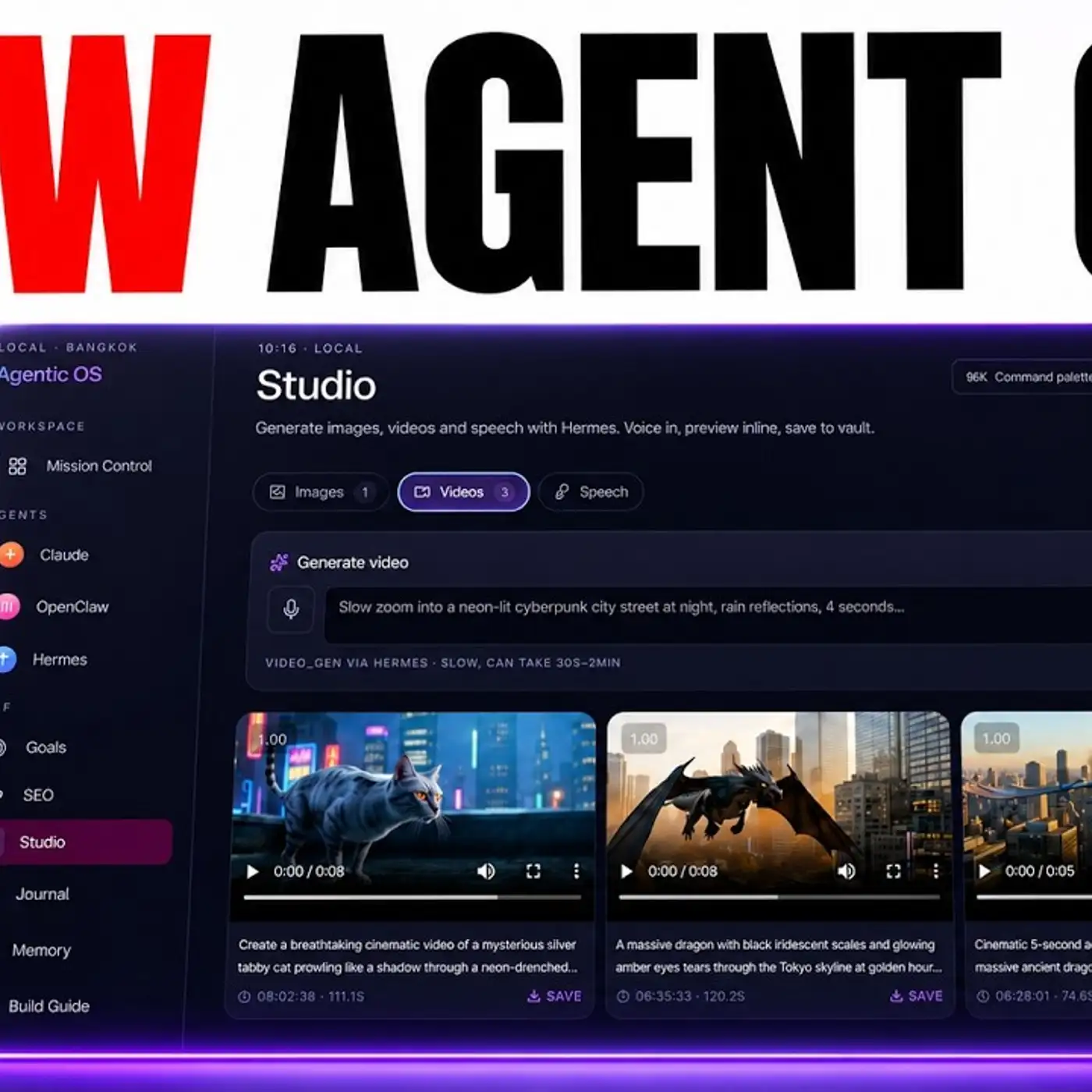
There's no way you want to manage this all inside the terminal, right? You want something where you can visualize it, you can see what's happening, you can chat back and forth with it, and also you can see all your history. You just don't get that inside the terminal. So if you want to go deeper on this, here's where I'd point you.
Inside the AI Profitable Building, we've actually built Cloud Dynamic Workflows straight into our agent operating system with a simple Ultra Code toggle, which you can see over here, so you can flip the whole swarm on without touching a single command. We've also got a 30-day roadmap that walks you through your first workflow, plus workflows for building SEO content, finding leads and doing customer research whilst you sleep. We run four coaching calls every week where you can share your screen and we'll set up your first workflow live with you. And a lot of our 3,000 plus members are already running these workflows for real client work right now.
You also get the agent operating zip file, a video tutorial, and daily updates as we make it better. Link in the comments and description, or go to the aiprofitable.com. Okay, so now let me show you actually how to run Cloud Dynamic Workflows. And this is where I want to be really honest with you, because there's two ways to do it, right?
And they're not the same. The first way is the terminal, and that's just using this setup over here, right? This is the proper tech person setup. In the terminal, you turn on Ultra Code, or you can type workflow in your message and it runs, right?
And it works, but here's the thing. You're staring at a wall of text, lines scrolling past. You can sort of see things are happening, but you can't really see your swarm. You can't easily show it to a client, and it's not friendly if you've never touched a terminal in your life.
So I actually built something different. I've wired it into our agent operating system, same power underneath, totally different experience on top. So instead of a black screen, you get a clean dashboard. You can type your mission in plain words in a box.
You hit launch, and then you watch the whole swarm come to life on a live map. Every helper is a glowing dot, lighting up as it works. And that's step four of the stack, which is watch. And the best part with this is there's a simple toggle right there for Ultra Code.
So you flip it on and Cloud spins up the whole swarm. You flip it off and you're back to normal. Quick chat, right? No commands to remember, no setting to dig for, just a switch.
That toggle is the thing I promised you at the start. It's what makes this whole stack 10 times more powerful and easier, and because it's all in one dashboard, it's 10 times more useful as well. And you can see everything that you've built previously as well, so you can see this full website, which we've built with Ultra Code right here. Super simple and easy to do.
So it's your choice. If you're a techie and you don't mind the green screen or our dashboard with the toggle, where you can actually see the swarm show off. Most of our members go with the dashboard for obvious reasons. Now here's something important so you don't waste money.
The workflow uses more tokens than the normal chat. That just means it costs a bit more to run. So use it for the big jobs, the full audits, the deep research, the huge cleanups, the plan you really want stress tested, but for little questions, just flip the toggle off and normal code with Cloud is better, right? Save the workflow for when it counts.
Now let me walk you through back through the GoldieSwarm stack now, step by step, so you can run it yourself. So step one is command. So you give one plain instruction, something like, for example, audit my whole project or find every problem on my website, that's it. And you're the conductor now, right?
You don't play every instrument. You just point the orchestra, right? Step number two is swarm. So the job gets split into pieces and each piece gets its own helper.
Now it won't always spawn hundreds. If the task is small, it spawns just a few because firing up hundreds for a tiny job would burn tokens for no reason. So when the job is big, the helpers all work at once. So hours of work happen in minutes.
Step number three is verify, right? This is one people sleep on. So other helpers come in as judges and try to break the work. They poke holes, they challenge it.
Only what survives gets through. So you get checked work, not guesses. That's a huge chunk of your quality control done for you. And step number four is watch.
And this is where the dashboard wins. You watch the whole workflow, run on that live map. Every helper is a glowing door. You can see two web searches happening at the same time.
You can see new helpers spawn as a job grows in the terminal. All of that is hidden behind scrolling text. So on the dashboard, the magic stops being invisible. You can see it and you can show it, right?
And step number five is keep. So everything the workflow builds lands in one tiny workspace inside the dashboard. Nothing gets lost. You can open it, you can preview it, you can use it, show it off.
It's all in one place. So command, swarm, verify, watch, keep. That's the whole Goldie swarm stack. Now, I want to break a second belief that I know is creeping in as well.
You might be thinking, this is cool, but it's just a fancy chatbot. It's not really doing serious work. Go back to that 50,000 line rebuild. Hundreds of agents, two reviewers on every file, 11 days for something that would take a human team months.
That's a real workhorse, not a chat toy. And here's why I can pull that off when a normal chat can't. In a normal chat, every little result piles up in Claude's memory until it gets full and slow and confused. A workflow keeps all that mess out of the way.
The plan lives in the workflow itself, not in the chat. So Claude only sees the final clean answer. That's what lets it run hundreds of helpers without falling apart. So this isn't a toy.
It's a system that does real work, checked work, at a scale one chat could never touch. Now, let me break the third belief because this is one that quietly holds people back, which is, you know, you might be thinking, fine, but I'll learn this later. There's no rush. There is a rush, and here's why.
Right now, this is brand new stuff. This just came out today. Almost nobody knows how to command a swarm yet. So every big job you hand to a workflow today, you're learning a skill whilst the field is empty.
You're building a headstart. Now, most people will read about Opus 4.8, think neat, and carry on doing everything by hand with one chat. Don't be most people, because the gap between the folks running swarms and the folks still typing one prompt at a time is going to get wide fast, and it compounds. The earlier you start, the further ahead you get.
You stop being the worker. You become the conductor, and you've got hundreds of helpers waiting on your one instruction. So here's what I want you to do with it. Don't try and master it all at one, you know, one go.
Just turn on One Piece, flip the Ultra Code toggle, type one plane mission, watch the swarm light up. That's it. The moment you do that once, the way you work changes for good. And if you want the easy version of all of this, we've built core dynamic workflows right into the agent operating system inside the aircraft for boarding with that Ultra Code toggle, the live map, the workspace, all in one place.
So you get the 30 day roadmap to set it up step by step, four coaching calls a week where we build your first workflow with you live, daily tutorials, a prompt library, and a member map so you can find people near you doing the same thing. A lot of our over 3,000 plus members already running these workflows for SEO, for content, for lead generation. Right now, the agent operating system zip file is in there ready to go, plus a video tutorial and daily updates as we keep improving it. Links in the comments description or go to theairprofitable.com to get access.
You've seen what's coming. One person commanding a team of AI agents. The question now is just whether you start today or you watch someone else do it first. I'll see you inside.
More episodes