01What Is Claude Fable 5 Mission Control?
Claude Fable 5 Mission Control is a system that uses Anthropic's new Claude Fable 5 model to run an agent operating system—a central dashboard where you manage all your AI agents and workflows. Instead of using Claude in a separate tab, Mission Control lets you organize memory, run group chats, and deploy content from one place.
Claude Fable 5 is the most powerful Claude ever released to the public. It scores 95% on SWE-bench verified, which is higher than Opus 4.8's 88.6%. It also has a million-token context window, so it can work for hours without losing context.
This makes it the perfect brain for a Mission Control system.
In this episode, Julian Goldie shows how he plugged Claude Fable 5 into his Mission Control within minutes of the model dropping. He explains that this approach lets you swap in new models instantly, so your whole stack stays ahead of the curve.
02Key Features of Claude Fable 5 Mission Control
Claude Fable 5 Mission Control is not just a chat window. It's a full agent operating system with several key features. Here are the highlights from the episode:
- Mission Control dashboard – See all your AI agents and what models they run on, like Hermes on Minimax M3 or Claude on Fable 5.
- Group chat for agents – Claude can chat with other agents like Hermes, Gemini, or OpenClaw in one room.
- Shared memory galaxy – All agents access the same memory, so they have full context.
- SEO engine – Deploy five articles to five websites in one go, fully formatted, without logging into WordPress.
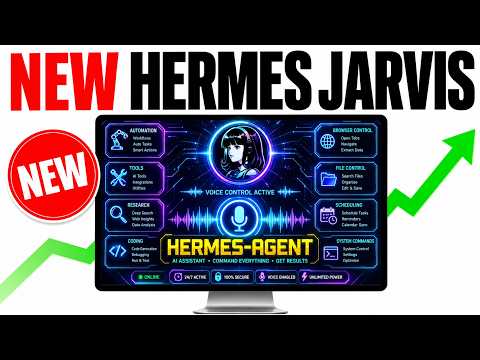
- Voice activated agent (Hermes Jarvis) – Talk to your AI agent if you run out of tokens.
- Paperclip built-in – Organize everything you create with Claude in one place.
Julian says that because Mission Control is modular, you can add new features or models as they come out. This makes your setup very adaptable.
03How to Build Your Own Claude Fable 5 Mission Control
You don't need to be a coder to build this. Julian shows that you can start with Claude desktop and tell it exactly what you want. The key is to build step by step.
Here is the process he used:
- Open Claude desktop and select Claude Fable 5 as your model.
- Tell Claude you need a Mission Control system with a chat feature.
- Ask it to include a place to see everything you've built with Claude.
- Gradually add more components: an agent room for group chats, an SEO engine, and a memory galaxy.
- Test each part and ask Claude to improve it as you go.
- When a new model drops, change the model name in the system (usually one line per surface).
Julian emphasizes that you should start simple. He says, "You just build it one step at a time." He also mentions that people in his community, like Ken and Nick, have built it. Ethan, who is 61 and not a coder, also built it successfully.
If you want a ready-made version, you can get the full system inside the AI Profit Boardroom. That includes Mission Control, group chat, SEO pipelines, and more.
04How to Use Claude Fable 5 Mission Control in Practice
Once your Mission Control is set up, using it is straightforward. Julian demonstrates several use cases. For example, the SEO engine lets you plug in a keyword, add case studies, and deploy five articles to five websites at once.
The articles are perfectly formatted and go straight to your WordPress site—no manual login needed.
You can also use the agent group chat. Claude can organize your whole team of AI agents. If one agent runs out of tokens, you can deselect it and use the others.
This keeps everything running smoothly.
Another cool feature is the memory galaxy. This is a visual map where all your memories and your second brain are connected to every agent. So when you talk to Claude, it remembers everything from your other agents.
If you prefer voice, Hermes Jarvis lets you talk to your AI agent. You can also switch between models easily. For example, Julian swapped the Claude tab to use Claude Fable 5, and the agent room debates also use it.
The whole system runs on the strongest coding model available.
05Benchmarks and Results Shown in the Episode
Julian shared specific benchmark numbers to show why Claude Fable 5 is a big step up. Here are the results he presented:
- SWE-bench verified: Claude Fable 5 scores 95%, while Opus 4.8 scores 88.6%.
- Frontier Code Diamond: Fable 5 scores 29.3, more than double Opus 4.8's 13.4.
- Million token context window: Fable 5 can work for hours without losing context.
These numbers mean Claude Fable 5 is better at coding and software engineering. Julian says it's "MIFOS class" and a tier above Opus and Sonnet. He installed it in his Mission Control within five minutes of waking up and seeing the announcement.
The result is that every workflow in the system—chat, agent room, SEO engine—runs on the strongest model alive. That means better content, faster creation, and better ranking. Julian also notes that if a new model drops in a couple of weeks, you can switch back to Opus 4.8 in one click.
06Tips, Limits, and Mistakes to Avoid with Claude Fable 5
Julian offers several tips and warns about common mistakes. First, avoid using Claude in a separate tab without connecting it to memory. That's like parking a Ferrari in a parking garage—you miss the full power.
Instead, plug it into a Mission Control system.
Another mistake is relying on tools that don't update when new models drop. For example, Manus might not include Fable 5 because the developers don't want to add it. With Mission Control, you control the model, so you can change one line and you're ready.
Also, be aware that Claude Fable 5 is only free on Claude plans until June 22nd. After that, it becomes a paid model. So Julian recommends switching your models over ASAP to test it while it's free.
If you run out of usage limits, don't panic. You can switch to another agent like Hermes or OpenClaw, or use the voice-activated Hermes Jarvis. The system is designed to keep running no matter what.
Finally, don't wait to set things up. The window to test Fable 5 is now, not later.
07Who Should Use Claude Fable 5 Mission Control?
Claude Fable 5 Mission Control is for anyone who runs agents or builds with AI in a serious way. If you rely on multiple AI tools, this system lets you organize them all in one place. You get shared memory, group chat, and easy model swapping.
Even if you're not a coder, you can build it. Julian shared that Ethan, who is 61 and not a coder, built his own system. That shows it's accessible to everyone.
Why does it matter? Because new models drop all the time. If you use the old way—separate tabs and manual updates—you'll always lag behind.
With Mission Control, every workflow inherits the upgrade instantly. You stay at the cutting edge without extra effort.
If you want a shortcut, the AI Profit Boardroom offers the full system with daily updates, community support, and weekly coaching calls. You can also grab a zip file to install it quickly.
08Get Started with Claude Fable 5 Mission Control Today
Claude Fable 5 is available for free for two weeks on Claude subscriptions. That's why Julian says to act now. After June 22nd, it becomes paid, so you'll miss the chance to test it for free.
To get started, you can build your own Mission Control using Claude desktop. Or, if you prefer, you can join the AI Profit Boardroom and get the ready-made system. The community includes people like Randall, who left positive comments, and Hola from Mexico, showing it's a global community.
Julian also answers a question about whether models are free. He says it depends on the section. For example, free Claude code can run on a free model like Quencoder, and Antigravity has a free CLI.
But Claude Fable 5 is the paid, most powerful option.
The bottom line: Claude Fable 5 Mission Control is a powerful way to centralize your AI workflows and stay ahead. Don't wait—start today.