watch the video
listen on apple podcasts
play the audio
Use OpenAI Codex for Free with OmniRoute (93 Providers + Auto Fallback) in Agent OS
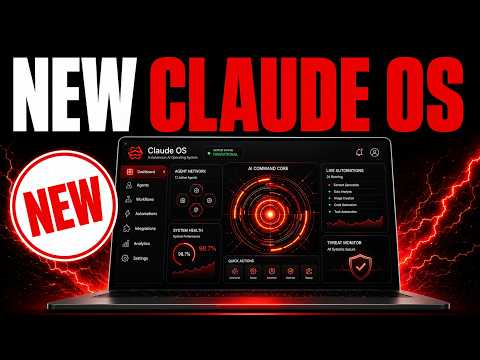
The video demonstrates a “free Codex engine” setup that uses OpenAI’s Codex CLI routed through OmniRoute/OmniRoot to access 93 providers (with auto fallback when a free API runs out or rate limits), allowing Codex to plan, write files, and run commands as usual without a Codex subscription. The creator shows building a sleek SEO agency landing page and a working to‑do list app in about 60–90 seconds, with previews and a workspace to revisit past builds inside an Agent OS environment that can also connect outputs to tools like Claude Code and other agents. The script explains that this approach is cloud-based, lightweight on a basic laptop, and quicker than local models, and claims setup is only a couple of commands. It ends by promoting the AI Profit Ballroom community and training for installing the Agent OS zip and learning OmniRoot/Codex workflows.
00:00 Free Codex Overview
00:42 Agent OS Demo
01:45 Why OmniRoot Wins
03:28 Local Models Comparison
04:10 How Routing Works
05:09 To Do App Test
05:59 Old vs New Setup
06:53 Three Command Install
07:52 FAQs and Token Tips
08:55 Goal Mode Idea
09:23 Workspace Features
09:41 Get the Full Setup
10:12 Community and Training
10:53 Final Call to Action
The video demonstrates a “free Codex engine” setup that uses OpenAI’s Codex CLI routed through OmniRoute/OmniRoot to access 93 providers (with auto fallback when a free API runs out or rate limits), allowing Codex to plan, write files, and run commands as usual without a Codex subscription. The creator shows building a sleek SEO agency landing page and a working to‑do list app in about 60–90 seconds, with previews and a workspace to revisit past builds inside an Agent OS environment that can also connect outputs to tools like Claude Code and other agents. The script explains that this approach is cloud-based, lightweight on a basic laptop, and quicker than local models, and claims setup is only a couple of commands. It ends by promoting the AI Profit Ballroom community and training for installing the Agent OS zip and learning OmniRoot/Codex workflows.
00:00 Free Codex Overview
00:42 Agent OS Demo
01:45 Why OmniRoot Wins
03:28 Local Models Comparison
04:10 How Routing Works
05:09 To Do App Test
05:59 Old vs New Setup
06:53 Three Command Install
07:52 FAQs and Token Tips
08:55 Goal Mode Idea
09:23 Workspace Features
09:41 Get the Full Setup
10:12 Community and Training
10:53 Final Call to Action
Full transcript
Today, I want to show you how to use Codex for free. And this is a super powerful system you can basically use to code across 93 different coding tools with one single tool. And then you can plug it in to Cloud Codex. If you're not sure what that means, let me just show you.
So this is Codex. And what we've done is we've routed it through OmniRoute, which means we've got 93 providers plugged into Codex. And we don't need to subscribe to Codex to use it. So for example, here, if we say, OK, build out a beautiful landing page for an SEO agency, we can actually code for free using this powerful system.
And we can also see the things that we've coded out previously. So this is our AgentOS system. We've got Codex inside there. And then we've used OmniRoute inside Codex to build and automate whatever we want.
So you can see that's working right now. And then if we switch over to this tab, we can actually see the things that we've previously created. So you can see, for example, here, we've actually created a demo, as you can see here. And then we've got the full HTML page here for another test that we did.
And so we can build and code whatever we want. And it actually looks pretty good. So it's using the harness of Codex, but it's free to use because we've got OmniRoute plugged into that system. So today, I'm going to walk you through exactly how it works step by step with what I call the free Codex engine.
So it's OpenAI's Codex coding agent, but it's routed through OmniRoute across 93 providers with auto fallback when it runs dry. So like, for example, if one free API doesn't work, no problem, you can switch to a different one. And so Codex is still creating for you, but the brain of it is with OmniRoute, which is pretty amazing stuff. So if you're not familiar with OmniRoute, it's just dropped recently.
It's already got 12,000 stars on GitHub. I've already tested out inside OmniRoute directly. So for example, we've got OmniRoute as a coding tool built in, but if you want to use the full harness of Codex with OmniRoute, you can. And then also, if we have a look over here, you can see the finished landing page that we created here.
The other cool thing I like about this is when you build with this stuff, I mean, it looks pretty sleek. It looks nice. The colors are nice. It's simple.
It's not going to be like Fable 5 level, but at the same time, like the landing page is not too bad at all, considering that was a super basic prompt. And that's because we're using the harness of Codex to get better outputs. The other thing that I would say here is like, it's fairly quick. I mean, it only took about, what, 60 to 90 seconds to create that.
And everything I've built with it so far has looked really good. So you can also see the preview here as well. When you're building out inside the chat of Codex, we can see the preview. And this also links inside our agent operating system.
You might also say, why would you use it with an agent operating system? Because then you can plug in the memory, the context. You can take what you've created with Codex. You can plug it into Cloud Code.
You could, for example, design a landing page, but then plug in a video from the video agent inside the agent OS. And so it all links together. It all syncs together. And also like, I don't need to open up Codex and then Cloud separately.
They all work inside one beautiful system. And we can do it for free. Like that's pretty amazing to live in a world like that. So OmniRoot is super powerful, super fun to use, easy to use as well.
93 providers in there. It's never failed on me when I've tested it as well. And you can basically just code for free unlimited. Now, the other thing I would say here is like, when you're using, for example, free models with Codex, you can run them locally.
For example, like you can go to a Llama and you could get a free model like Laguna XS 2.1 and you could plug that locally into something like Codex. But from what I've seen, the outputs are much nicer from these APIs that it's using rather than just using the local models directly. It's also a lot faster. And if you're using local models with something like Codex or free Cloud code, the problem is that quite often it uses up a lot of power on your computer, right?
So it's much slower when it's responding. With this setup, it doesn't seem to slow anything down at all. And we just get really nice outputs as you can see here. So how does this work step by step?
So essentially what we have is we have Codex that goes through OmniRoot. It picks and falls over if one provider doesn't work. You get 93 providers and then you get everything written. So it's the same agent.
There's no new tool to learn. It's a real Codex CLI. It plans, it writes files, it runs commands on its own exactly as before. It's only the backend that's changing.
And also for me personally, when I've used GPT 5.5, one of the reasons I stopped using Codex itself was because it just ran out of tokens really quickly, like even on the paid subscription. So that's why I think this might even be a better alternative in some ways. Then you can use a free pool. So instead of the OpenAI meter, Codex roots to 93 providers.
11 of them are actually permanently free as well, which is pretty crazy. Has auto fallback. So agents can run out of tokens so they get rate limited, particularly free ones. And so this way it just silently hops onto the next one, which means like if you're in the middle of building something that doesn't just break in the conversation, it keeps going, it keeps building.
Let's run another test here. So for example, if we go inside the chat, we can ask Codex again. So it can say, okay, build out a beautiful to-do list app and we'll test it out. Now, again, like you don't need to run this locally.
It's all cloud-based. So the free APIs are cloud-based. Codex is super lightweight to run. And with this system, you don't need to use a lot of memory.
So you could just use this on like a basic laptop. You don't need any fancy setup. And then also you get the previews as well when you're creating with it as well. The other thing I like about this is like, usually if I'm coding within Codex, it gets a bit tricky because you can't find what you've created previously.
Whereas with this system, we've got the workspace and we can just come back to whatever we've built whenever we need to. And I think that's a better way to do it. So if you look at the old way versus the new way, the old way, like every Codex run is on the OpenAI meter, agents are chatty, so a long build racks up fast. By the way, that's a to-do list that we just built and it actually works.
It looks really cool. You hesitate to use it too much and you're kind of locked into one provider as well. So for example, if you're using OpenAI, then you're locked into OpenAI's provider. With this setup, you're at the same Codex CLI, but it's pointed at one local gateway with three providers built in, auto fallback if it fails, and you could just have this building all day for you pretty much.
You also might say, well, I already pay for chat GPT, why would I use this? I mean, this can run alongside. So you could have Codex, for example, as the app locally, and then you could have the AgentOS Codex here plugged into OmniRoot. And that way, if Codex runs out of tokens, no problem, you can switch to the next one.
And with OmniRoot, it's just ready to go straight out of the box. So you can install it in like one command, you configure it like so, and then from there you get to go. Like it's very easy to set up. Literally for setting this up, you just install the gateway, one command spins up OmniRoot like this, and then one command writes a free profile like that.
So you do OmniRoot setup Codex, and then it's like one click away inside the AgentOS. Now you also might say, okay, I'm not technical. This sounds advanced, but literally it's just three commands. Simple as that.
In fact, two commands, this one and this one. And then Codex just routes to multiple free providers from there. And the great thing about this is, especially if you're using the AgentOS, like you've got lots of CLIs in there, you're probably doing lots of different tasks at once, you've got loads of different chats and conversations and agents plugged in. And so the great thing about all of this is that if you can minimize the amount of tokens you use, or if you can use free providers, then you can use it even more without having to worry about tokens.
So that's basically the setup, that's how to use it. It creates pretty awesome stuff. Some people think that if you want Codex, you have to pay per OpenAPI per token, but you don't with this setup, because you're running the same Codex CLI, but only the backend changes. Other people might say, rewiring a coding agent provider is advanced stuff, but it's just one or two commands, as you've seen today.
And other people say, well, free AI, it always gets rate limited, or it stops working halfway in between. But the great thing about this setup is the auto fallback fixes that. So when one provider caps out, the run moves to the next automatically, and it survives to the finish. You can also, if you want to minimize the amount of tokens you can use, we have a token minimization playbook, and there's a lot of cool ways you can reduce the amount of tokens you use.
So for example, you can use open source free projects like Caveman, Headroom, Ponytail for coding, and you can also use RTK. And these are ways that you can combine multiple different open source projects together to reduce the amount of tokens you use, so that you don't miss out on the plans you're trying to build out. What would be interesting as well, if you've run this with goal mode, I haven't tested that out, but if it's got auto fallback, and you can keep looping around autonomously, so with goal mode, if you're not sure about what it is, basically you can give a codex a goal, it loops around, has loads of turns to complete the task, a judge judges if the task is completed, and if you run that with OmniRoot, I wonder if it could just keep going for hours with the auto fallback. I haven't tested that out, but that would be quite interesting to see as well.
And then you can see everything that we've done and what we've built over here as well, so it's pretty cool. We can also open that in a new tab, we can save it, we can copy the code, we can switch to preview, and we can test out everything we've built. It's pretty cool. So that's basically it.
Now, the free codex engine is just one tab, the agent OS is a whole room. If you want the free codex coder set up inside our agent operating system, we've got the full setup inside there, I'll pop up a warning, so you can get a zip file to install it, and you'll learn how to use codex for free. We've also got free code plugged into that. We've got all of our main CLIs and agents plugged in, there's 3,900 members and myself inside there, and you can ask me any questions, get help and support whenever you want to.
So if you want to get that, link in the comments description, or just go to the aiprofitborn.com. Inside the community, you can ask questions, and I personally answer these questions on a daily basis with a video tutorial. And then inside the classroom, you get access to all of our best training. So if you're a beginner, you can watch the beginner to expert course over here.
If you want the agent OS system, you can get over here with a video tutorial. You can see when it was last updated, and you can also get the zip file to install it. And then we also add new daily tutorials based on what's actually useful. So we've got a full guide on OmniRoot, how to use it, how to get the most out of it.
And also every time something new and useful comes out, we share inside here. Inside the calendar, you can jump up with coaching calls, get help and support in real time. And inside the map, you can meet people in your local area who are building with AI agents like you. So feel free to get that, link in the comments description, or just go to the aiprofitborn.com.
More episodes