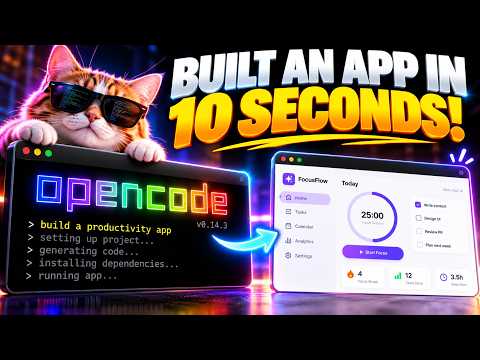
01What DeepSeek V4.1 Flash + Opencode Is and How It Works
DeepSeek V4.1 Flash + Opencode is a free AI coding setup. DeepSeek V4.1 Flash is a large language model from DeepSeek. Opencode is a free, open-source tool that lets you use AI models for coding on your own computer.
Together, they replace paid coding assistants like GitHub Copilot or Cursor.
In this episode, Julian Goldie shows how you can pair them. DeepSeek V4.1 Flash runs fast and handles long chunks of code. Opencode provides a simple interface where you type prompts and get code back.
The whole system is free to use. You do not need a subscription or a cloud account.
02Main Features of DeepSeek V4.1 Flash and Opencode
DeepSeek V4.1 Flash has a 128,000-token context window. This means it can process very large code files or entire projects at once. It is also optimized for speed.
Julian says it responds quickly, even with big inputs. It supports many programming languages, including Python, JavaScript, and Java.
- Fast response times for real-time coding help.
- Large context to understand whole codebases.
- Free and open-source model weights available.
Opencode is a local coding assistant. It runs on your machine, so your code never leaves your computer. It has a built-in terminal and supports multiple AI models.
You can switch between models like DeepSeek V4.1 Flash or others. It also offers a chat panel and code edit features.
03How to Set Up DeepSeek V4.1 Flash and Opencode
Setting up the system is straightforward. Julian walks through the steps in the episode. Follow this order:
- Install Opencode from its official GitHub repository. Use a package manager like npm or download the binary for your operating system.
- Get the DeepSeek V4.1 Flash model. You can download it from Hugging Face or use an API key if you want to run it through DeepSeek's servers.
- Configure Opencode to use the DeepSeek model. Open the settings file and add the model name and API endpoint.
- Test the connection. Write a simple prompt like 'Write a Python function to sort a list.' Check if you get a response.
- Start coding. Open a project folder in Opencode and begin asking for help.
Julian notes that you need a decent internet connection to download the model. After that, everything works offline.
04How to Use the Free AI Coding Setup in Practice
Julian demonstrates several uses during the episode. The most common one is code generation. He types a prompt like 'Create a React component for a login form.' DeepSeek V4.1 Flash returns working code in seconds.
He pastes it into his project and adjusts a few details.
Another example is debugging. He copies an error message from his terminal and asks 'What causes this error?' The model explains the issue and suggests fixes. He also tries code explanation.
He highlights a complex function and prompts 'Explain this code line by line.' The model breaks it down clearly.
- Refactoring: Ask to 'Rewrite this function to be more efficient.'
- Testing: 'Generate unit tests for this class.'
- Documentation: 'Add docstrings to all functions in this file.'
Julian shows that Opencode remembers past messages in the same session. This helps for multi-step tasks like building a feature from scratch.
05Results and Tests Shown in the Episode
Julian runs a few quick tests to compare performance. He first tests speed. DeepSeek V4.1 Flash generates a 50-line Python script in under 2 seconds.
He notes that paid models like GPT-4 take longer for the same task. Next, he tests accuracy. He asks for a binary search algorithm.
The model produces correct code on the first try.
He also tests context handling. He loads a 5,000-line JavaScript file into Opencode. Then he asks 'Find all functions that use the fetch API.' The model scans the whole file and lists them correctly.
Julian says this shows the advantage of the 128k context window. For comparison, he mentions that older free models often lose focus with large files.
Finally, he tests multi-turn conversation. He asks for a function, then asks for a change. The model remembers the previous code and modifies it accurately.
06Tips, Limits, and Mistakes to Avoid
Julian shares several important tips. First, always review generated code. The model can produce syntax errors or security flaws.
He recommends running a linter after every insertion. Second, set clear prompts. Vague questions like 'Fix this code' often give bad results.
Be specific, like 'Fix the off-by-one error in the loop.'
Limits include limited support for niche languages. DeepSeek V4.1 Flash works best with popular languages. For obscure ones, you might get incomplete answers.
Also, the model may hallucinate library functions that do not exist. Julian warns to verify any external API calls.
Another mistake is ignoring memory limits. Even with 128k tokens, very large projects can still cause slowdowns. Break your work into smaller files.
Finally, do not share sensitive code through API calls. If you use the local model, your data stays private. If you use the DeepSeek API, remember that it goes to their servers.
07Who DeepSeek V4.1 Flash + Opencode Is For and Why It Matters
This free AI coding setup is for anyone who writes code. Beginners can use it to learn. Julian shows how it explains concepts.
Experienced developers can speed up routine work. Freelancers and hobbyists benefit because it costs nothing. Students can use it for projects without paying for a subscription.
Why it matters: It gives everyone access to advanced AI coding help. No credit card is needed. You can run it on a standard laptop.
Julian calls it a 'game-changer for independent developers.' It competes with paid tools while respecting privacy. This opens up coding assistance to a wider audience. You can build software faster and learn along the way.