watch the video
play the audio
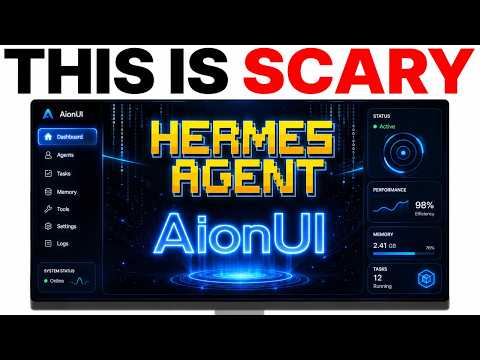
Hermes HUD: Free Web UI Upgrade for Hermes Agents (Setup + Dashboard Tour vs Hermes Workspace)The video introduces Hermes HUD, a free open-source web UI that makes Hermes agents easier to control than using the terminal by providing a live dashboard to monitor agents in real time, chat in-browser, schedule tasks, diagnose issues, and swap AI models from one screen. The host shows two installation options (pasting commands in the terminal or asking Hermes to install and sync the plugin), gets it running locally in about 2–3 minutes, and tours key sections including Chat, Agents (showing many live agents), Health diagnostics (highlighting broken API keys), Projects, Scheduled Tasks, Sessions/Memory, Plugins, Models, Providers, and Gateways. They compare it with Hermes Dashboard (no chat) and briefly with Hermes Workspace, noting Workspace feels cleaner and offers features like Swarms, while HUD’s biggest benefits are chat and centralized management.00:00 Hermes HUD Upgrade00:52 Install and Sync Setup02:25 HUD Launch and First Look02:58 Chat and Dashboard Basics04:10 Tasks Projects and Health04:41 Agents Models and Providers06:26 What Matters vs Ignore06:42 HUD vs Workspace Comparison07:16 Wrap Up and Training Offer08:07 Live Q&A OAuth Notes
Full transcript
Hermes agent just got a free upgrade that makes it 10 times more powerful. Right now, if you're using Hermes in the terminal, you're basically out of control with your agents. You can't see what your agents are doing. You can't even manage your tasks.
You can't even chat with them properly. This new web UI changes that completely. It gives you a live dashboard where you can see all your agents running in real time, chat with them directly in your browser, schedule tasks, check which ones are broken and swap your AI models all from one clean screen. The best part is it's completely free.
In this video, I'm going to show you exactly how to set it up in just a few minutes, walk you through every section of the dashboard and show you which features of this Hermes agent web UI actually matter and which ones you can ignore. And I'm also going to compare it side by side with Hermes Workspace, which is a competing web UI so you can see exactly which one is better for your setup. Let's get into it. Today, we're going to be testing out Hermes HUD.
This is a new web UI for Hermes. So it's like a browser-based consciousness monitor for Hermes where you can basically see all the data and manage your agent in your browser. So we're going to get this set up. It's a free open source project and we'll test how it performs.
So the way that we can get started is we're just going to paste this into our terminal or the other option that we have is we can just ask Hermes to install it. Right. So what you can actually do is you can just copy this, go into Hermes, which we've got open over here. And I'm just going to say install this and sync it with Hermes.
Thank you for your content. Happy to help. You're really flipping the switch. Thank you very much, sir.
All right. If you've got any questions as we go live, feel free to ask. So we're going to install this plugin from Hermes. So this is going to install it.
You see some example screenshots here. In the meantime, I'm also waiting for this, as you can see. So basically it just makes it way more manageable. If you're using Hermes inside the terminal, Hermes inside the terminal, not that easy to manage everything that's going on.
There are other options, for example, like Hermes Workspace as well. I just like to test and see which ones are like the most, which ones the most powerful, etc. So far, my favorite is Hermes Workspace. We can actually compare those side by side in a second.
So if you want to sync this with Hermes Workspace, just go to that GitHub here. And then we can say I've already installed it. So I'm going to say switch on Hermes Workspace plus sync with it. And then it's just going to ask for permissions inside the chat, which we've done now.
Jonathan says, yes, you're a legend. Thank you very much, sir. Might take a couple of minutes to get this installed. So let's see.
Oh, there we go. Should be set up now. And I think it's running locally here, as we can see. So let's just check this works.
Boom. There we go. Hermes HUD is set up right here so we can see it working. Now, in the meantime, what we can do is compare this with Hermes Workspace, which is just setting up right there.
So it took about, I would say, two to three minutes to get Hermes HUD UI set up or HUD UI, however you want to call it. This is quite interesting. So if we go over here, we've got a lot of things to run through. Pretty interesting setup.
Now, one of the first things I would say is the chat is over in this section. Now, some people say, why don't you just use the default Hermes dashboard? So if we run Hermes dashboard over here, we can run it over here. And this is Hermes dashboard, right?
Now, the problem is with Hermes dashboard, as cool as it is, there's no chat feature. You can't chat with your agents inside Hermes dashboard. So if you're using something like Hermes Web UI or, for example, Hermes HUD UI, which is what we're using today, this is a lot more useful, a lot more powerful, right? I'm just going to refer to it as Hermes HUD for now or Hermes HUD just to make it easier to differentiate the two.
But you get the point. Home says, hello, sir, remodel on open router Hermes. Yeah, you can use, if you want a free model on open router, you can use Al-Alpha. Al-Alpha is in beta right now.
So that's the one you want to use. So let's have a look at this. So we've got a chat over here. Let's start with a new session.
Test it out, see if it's working. It's received the message. We can come back to that in a second. I'm just going to say, are you working?
Yes, I'm here and responding normally. So you just look at that bit. It's a little bit weird because you've got this section here in the chat before you actually get the message. So for me personally, that's a little bit confusing, but it looks cool.
Then we've got the scheduled tasks section over here. So you can create new scheduled tasks quite easily using this section. You can have your name, the prompt, the interval. So, you know, the schedule of when these tasks are going to be completed, et cetera.
You've got the project section over here. So these are like local projects that are happening. This is a health section. So you can look at all the feature diagnostics of your Hermes agent.
Again, compare that to this. Which one is easier to control and manage? For sure it's this one, right? For sure.
And then we've got the environment, the config, et cetera. Over here we have the agent section. So what this means essentially is like all the agents that you have live. So we have 25 live agents, as you can see, all working right here.
Some of these are not just Hermes. For example, you've got Claude agents, Codex agents, et cetera. You've got the chat, which we just talked about. That was pretty cool.
That is a lot nicer than talking inside the terminal. Can you mention some of the best models for coding? Yeah, so my personal favorite is by far Claude, right? Claude is the best.
If you are looking for a coder that isn't as expensive as Claude, then I would go with something like Kimi K215 or Minimax M217. Those are the two that I would look at. Then we've got sessions. So actually we've got memory and we've got sessions and that sort of thing.
Right. So we have the dashboard. We've got the chat over here. We've talked about the agent section, health.
So you can see how healthy your agent is and if everything is OK. Or if anything's broken. So you can see, for example, here, like some of our API keys not working so well. Right.
And we could actually plug in like an 11labs API key there. So if you're like trying to use some of these models and you're like, why are they not working? That's probably why. Because in the health section.
Hi, sir. I'm new here. Yes, you can watch it later if you want to. No worries.
It says sub Goldie, you can see it. All right. Then we've got the projects, scheduled tasks, sessions. So what sort of sessions are happening here?
And this is huge. This is a huge menu of different stuff. You also plug in so you can manage all your plugins, the models. So which model you're actually using.
So for me, for example, I'm currently using GPT 5.4. I think you can change your default models over here. As you can see, there were the gateways. So you can see a lot of gateways are actually broken.
Like we need to fix these providers. So you can manage all your models. You can switch language over here as well. If you happen to speak Chinese or want to switch to Chinese, then you have, I guess, these like terminal commands, patterns, corrections.
Some of this stuff I would never use, by the way. Just so you know, it's not like I'm just going to use all this stuff. I think, honestly, the biggest benefit is the chat and then also just managing your profiles and providers and the agency you have. But it's a pretty cool thing.
If you want to compare that to something like Hermes Workspace, Hermes Workspace, I would say in some ways is better because it has the Swarms feature. And also it's just a lot easier to use Hermes Workspace. I have a lot of videos comparing the two. But yeah, I would say if we have a look at the UI of Hermes Workspace, it's a lot nicer.
It feels a lot cleaner than something like Hermes HUD, but it's worth checking them out. I like to check new tools out, see what it's like, etc. These are all free open source projects. You can always like create your own version as well.
You can get Hermes to create your own. But it's a great mission control feature. I would say it's super interesting and powerful. So thanks so much for watching.
If you want to get more training on Hermes, how to use it, etc., we actually have a full guide on how to use Hermes Workspace inside the AI Profit Boardroom, link in the comments description, or just go to the AIprofitboardroom.com. You actually go to this section here and then you see we have like trainings on Hermes Workspace with Agent Swarms, Hermes Goals, Hermes Agent Kanban, LM Studio, the new update on the Sierra 3.13 that just came out recently. And also if you type in Workspace at the top here, you get a full training on Hermes Workspace too. So we just we've got tons of training on this sort of stuff.
You want to set up inside the community, you can ask questions, get help and support, connect with me personally, inside the classroom, get one of my best trainings inside the AI Profit Boardroom. Then in the calendar, you can jump a weekly coaching course. And this is my community just focused on helping you save time and grow with AI automation. Will you be able to add both accounts in the same as OpenClaw?
I don't know what you mean there, Gabriel, but feel free to feel free to clarify that. Sign up. Yeah. So like usually if you have OpenClaw set up locally, right, you've got chat cheapity working, then you would use OAuth on all the devices with chat cheapity that you want to sign in with OpenClaw.
That's the way that would look at it, right? There's no like limited seats for OAuth logins.
More episodes