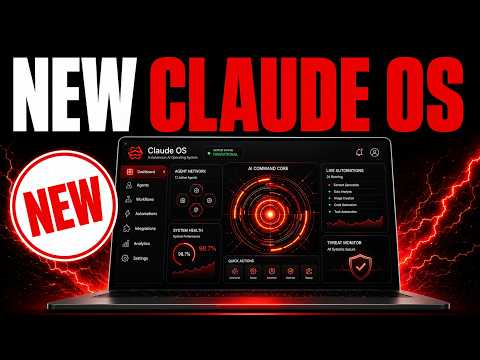
01What Is Hermes Agent OS and How It Works
Hermes Agent OS is a custom workflow system built on top of Hermes Agent that makes it much more powerful. If you use Hermes alone in the terminal or desktop app, it is limited, but with this OS, you get 10 times more capability.
The OS connects Hermes to APIs, other agents, and tools, all in one interface. It lets you monitor competitors, generate leads, create content, and even control your computer with voice commands. Everything works together so you can run your business tasks from a single dashboard.
02Key Features of Hermes Agent OS
The OS includes several built-in tools that you can use right away:
- Hermes Astros – monitors competitors and keywords, then suggests content topics with angles and titles.
- Outreach Tool – looks like a SaaS lead gen tool, but it is still Hermes. It finds leads, validates them, and sends emails automatically.
- Hermes Apollo – a voice-activated version of Hermes. You can talk to it in real time, and it can open apps, use computer use, and build mini apps or websites with one prompt.
- Hermes Oracle – pulls the latest industry news, ranks it by popularity, and lets you create articles or social posts about trending topics in one click.
- Studio – generates videos, images, and voice notes on the spot.
- Mixture of Agents – combines two models to get better outputs than a single model.
You also get orchestration with other AI agents, a memory system that auto-updates, and integrations like Notebook LM and OmniRoot.
03How to Set Up Hermes Agent OS
Setting up Hermes Agent OS is simple if you follow these steps:
- Get access to the AI Profit Boardroom by visiting theaiprofitboard.com or using the link in the description.
- Inside the classroom, find the Hermes Agent OS section.
- Download the zip file that contains the installation package.
- Watch the video tutorial and read the full guide to understand the basics.
- Install the OS on your system. The guide shows you exactly where to place files and how to connect your APIs.
- After installation, open the OS and start customizing your workflows.
The system comes with daily guides that show you how to set up new features and get the most out of the OS.
04Using Hermes Agent OS: Examples from the Episode
In the episode, Julian showed how he uses the OS in real life. For Hermes Astros, he opened a dashboard that breaks down trending topics. Each topic shows who created it, links to the original, and suggests unique titles and angles for your own content.
From there, you can click to your video agent, Notebook LM, or SEO content tool. With one click, you create a unique piece of content based on what is trending. You can also plug that topic into Notebook LM to create a PDF, PowerPoint, or video.
For the outreach tool, you type in a prompt to generate leads. It pulls in who they are, how to contact them, and enriches them with notes. You can delete leads or hide big companies that won't respond.
Then you tell the AI what to reach out about, and it creates a campaign automatically.
With Hermes Apollo, you can talk to it in real time. Julian demonstrated asking it to open Obsidian, and it did in two seconds. Then he asked it to open Google, and it used browser use.
He also showed that you can say "build a beautiful to-do list app" and it starts building right away.
Hermes Oracle pulls news and ranks it by popularity. For example, it showed a trending story about Gemini 3.5 Pro with a 2 million token context window. In one click, you can publish an article about it to your website or draft social media content.
The content is formatted nicely, includes tables, and has CTAs to your funnels.
05Results and Comparisons in the Episode
Julian showed that Hermes Agent OS outperforms using Hermes alone in the terminal. The OS gives you conversation history, workflows, and tools that the terminal version does not have.
He also discussed the Mixture of Agents feature. He tested it on GoldieBench, which is a benchmark they created. They ran 47 different tasks comparing Hermes Mixture of Agents to a model called Fable 5.
The Hermes Mixture of Agents outperformed Fable 5 on those tasks.
He explained why: when you have two models working together, they can quality control each other. A single model has no one to check its work. So a team of AI models performs better than one model alone.
He also showed that content generated by the Oracle is written from a first person perspective and includes tables and CTAs. It reads nicely and is ready to publish.
06Tips, Limits, and Mistakes to Avoid
One big tip from the episode is to use the OS instead of the terminal. If you run Hermes in the terminal, you lose the conversation history, workflows, and tools. You cannot customize it the same way.
So to get the best out of Hermes, you need the OS built around it.
Another tip is to auto vs agent mode. In Hermes Apollo, you can switch between auto mode and agent mode. Agent mode is slower because it uses more tools, but it can do more in the background.
So if you need more power, switch to agent mode.
Also, you can set a wake word so Hermes Apollo sits in warm mode and waits for your command. This lets you use it hands-free.
One mistake to avoid is not updating the system. Julian spends three to four hours a day improving the OS and adding new features. So you should check for daily updates and guides to stay current.
Finally, remember that the OS is powerful but only if you build the right systems around it. Just using Hermes alone is not enough.
07Who Should Use Hermes Agent OS and Why It Matters
Hermes Agent OS is for anyone who wants to use AI agents to automate their business. If you are a content creator, marketer, or agency owner, this system can save you hours every day.
You can monitor competitors, generate leads, create content, and manage campaigns all from one place. It is like having a team of AI assistants working 24/7.
Julian emphasized that Hermes Agent could be the best agent in the world, but only if you know how to use it correctly. The OS gives you that ability. It is not just a tool; it is a complete operating system for your AI workflows.
If you want to get the full agent OS, you can join the AI Profit Boardroom. Inside, you get the Hermes Agent OS, daily updates, video tutorials, a full guide, and a zip file to install. You also get access to a community where you can ask questions and get help in real time.
There are weekly coaching calls and a map to meet people near you who build with AI agents.