watch the video
play the audio
Hermes Agent v0.16 Is Here: New Dashboard, Desktop App, Skill Search, Free Models & Voice Control
Hermes Agent v0.16 has just released, and this episode walks through what’s changed, how to update from the Hermes dashboard, and how the new unified admin panel lets you manage chat, MCP setup, skills, sessions, models, logs, and scheduled tasks in one place. It also shows the new Hermes Desktop app for Windows and Mac, including connecting to a remote Hermes, managing channels like Telegram or Discord, viewing artifacts, and starting new sessions. Updates covered include simplified Chinese support, a leaner skills setup, NVIDIA Skills integration, and free models available via the portal (Step 3.7 Flash and Nemotron-3 Ultra). The video also demos a voice-controlled “Hermes Jarvis” that can open websites, schedule tasks, and control the computer, plus ElevenLabs API integration for text-to-speech.
00:00 v0.16 Release Overview
00:13 Update via Dashboard
01:30 New Admin Panel Tour
02:12 Model Routing Options
02:48 Skills Search Install
03:44 Desktop App Walkthrough
04:14 Why the App Matters
04:36 Language Skills Changes
04:54 Free NVIDIA Models
05:37 Voice Agent Jarvis Demo
07:02 ElevenLabs Voice Setup
07:45 Wrap Up and Community
Hermes Agent v0.16 has just released, and this episode walks through what’s changed, how to update from the Hermes dashboard, and how the new unified admin panel lets you manage chat, MCP setup, skills, sessions, models, logs, and scheduled tasks in one place. It also shows the new Hermes Desktop app for Windows and Mac, including connecting to a remote Hermes, managing channels like Telegram or Discord, viewing artifacts, and starting new sessions. Updates covered include simplified Chinese support, a leaner skills setup, NVIDIA Skills integration, and free models available via the portal (Step 3.7 Flash and Nemotron-3 Ultra). The video also demos a voice-controlled “Hermes Jarvis” that can open websites, schedule tasks, and control the computer, plus ElevenLabs API integration for text-to-speech.
00:00 v0.16 Release Overview
00:13 Update via Dashboard
01:30 New Admin Panel Tour
02:12 Model Routing Options
02:48 Skills Search Install
03:44 Desktop App Walkthrough
04:14 Why the App Matters
04:36 Language Skills Changes
04:54 Free NVIDIA Models
05:37 Voice Agent Jarvis Demo
07:02 ElevenLabs Voice Setup
07:45 Wrap Up and Community
Full transcript
Hermes Agent V0.16, the surface release just dropped. You can see I've already updated right here. And I'll walk you through exactly what it means, what's changed, what the new updates mean for you, how to use them, et cetera. Let's get straight into it.
So this is Hermes Agent V0.16, just dropped today, a few hours ago. And if you're wondering how to get it, you can just go to your dashboard inside Hermes like so, and then you can click the update Hermes section. So super easy now, because there is a new update to Hermes this week that just dropped, where you can manage everything inside one dashboard. So for example, you can actually chat to Hermes Agent, which you couldn't do before.
Inside the dashboard, you also got your MCP set up there, your skills, your scheduled tasks, et cetera. You can manage everything in one place, which is, there's also some really cool updates that have just dropped for Hermes this week that help you do other stuff. So for example, if you want like a simple, easy way to manage Hermes, you can actually just go into the desktop app. And if you're wondering how to get it, you can just get it from their official website like so.
And then from here, you would download it. It's available for Windows as well as Mac. Once you've done that, you can install it. And there we go, we have Hermes desktop ready to launch.
We can click install and start using it ASAP. Now in the background, whilst it's installing that, let me walk you through the other stuff. So you can also run the desktop app with a remote Hermes, which means that if you have Hermes hosted somewhere else, maybe it's not local, then you can actually connect it to your desktop app as well. And one of the big things here is the web dashboard is now a full admin panel.
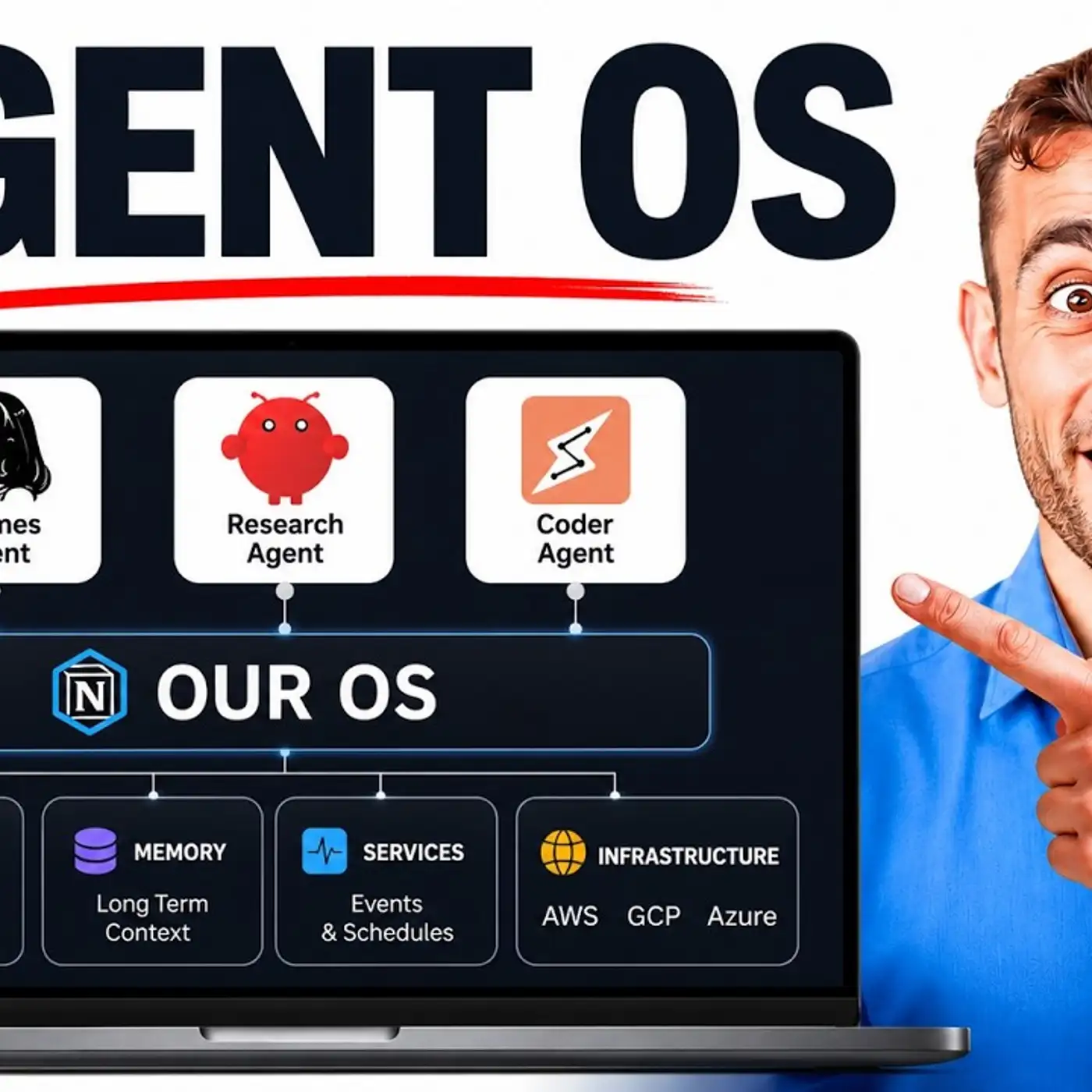
So it's just getting easier and easier to manage your AI agents. If you go inside the manage section here, this is the Hermes dashboard. We've already built it into the agent OS. If you want to run it separately, then what you can do is run Hermes dashboard as a terminal command and then get access to it.
And once you've done that, you can chat with it directly inside the chat here. You can look at your sessions, which is great because you can actually see multiple sessions across multiple different platforms to manage it. You can check the models. And one of the interesting things that just dropped as well is Minimax M3 and also 11 Labs connects with a phone number to Hermes agent as well, which I'll come on to in a minute.
Now, those are not part of the update, but those are some other cool things you can do. And obviously it's easier and easier to manage your models and also the auxiliary models as well. So you've basically got the main model here, which is great. And then you can configure your AI agent with other models too.
So you can say, okay, for MCPs, use this model. For example, web search, use this model. So maybe, for example, you want to plug in Grok AWOLF if you're subscribed to Twitter as a web search. And then you might use something like Minimax M3 that just dropped this week for image creation, et cetera.
Then you've got the logs here. So you can see everything that's been done. You've got your scheduled tasks. You can manage them, edit them.
They've also dropped something really cool, which is the skills search. So kind of like OpenCloud did, you can now search across all of your skills, but not just that, you can also search across skills on the web. What does that mean? Well, essentially you can find new skills that you're interested in using that you haven't built, but you can install them in one single click from other sources.
So for example, we type in social media here. And by the way, in the meantime, let's open up this desktop so I can show you. And so that's just getting connected here. And then in the meantime, we can see all of these different skills that we can install.
If we want to install on these skills, we can just click install like so. And that's a one-click install for external skills. Always be careful. Check the skill yourself before you install it, or you can even just create your own version of a skill that you actually like.
But you get the point. Very easy to find and update skills, not only your own, but also other people's. And you can just type in a keyword here and then find that across the whole place. Now, if we go back to Hermes desktop, you can see an example of it.
So you've basically got multiple different things you can do here. Message it directly, and you can configure all the channels that you have. For example, if you wanted to connect this to Telegram or Discord, it's pretty easy now. And then also you've got the skills section here as well.
This is a desktop app. Then you've got new session, and then you've got artifacts as well. So you can see like the images, the files, the links, et cetera, inside here too. So it's a very simple sort of no-code way of using Hermes.
Why is that a big deal? It's a big deal because number one, it gets easier to manage your AI agents. But number two, people who have never used AI agents before are not gonna start using a terminal, but they would start using an app. We've seen that with Claude Cowork, for example, or Claude Desktop.
And so by making it easier for your AI agents to be used by other people, then it's only going to grow, right? That's a big difference here. Now, it also works in simplified Chinese now. And there's a new setup where basically it's leaner with skills, right?
So some skills were removed, some skills don't need to load when you're using AI agents, and that's changed as well. Also, NVIDIA skills has become part of the update. Now, this is interesting because NVIDIA just dropped a new model called Nemetron 3 Ultra, and that is available for free if you're using News Portal as your model inside Hermes. So let me show you an example of that.
So for example, if we go over to our models here, and then we can change the model. We just scroll to News Portal like so, and then we can select Nemetron 3 Ultra, and that is free. So there's two free models that have dropped directly inside the News Portal, which is Step 3.7 Flash and Nemetron Ultra 3. Why is that useful?
It's useful because if you don't want to use APIs for your model, no problem. You can use the free models inside News Portal. And there's a bunch of other stuff like you see here. So it's getting easier and better to manage your AI agents.
Here's some other cool stuff that I've built recently with this based on the updates, and also just cool things that I've been implementing with my AI agents. So for example here, I can actually speak to Hermes Jarvis, which is a new model I've set up where I can basically speak to my AI agent in real time, and then it can go off and do stuff. Let me show you an example of this. Hey, how's your day going?
Splendid as always, sir. Just maintaining the digital infrastructure and standing by for your next command or inquiry. So why is this useful? It's useful because we can now command our AI agent with our voice.
And it's not just like a voice chat like you would have inside ChatGPT where you go back and forth, but it doesn't really do anything. You can ask it to do stuff and it will actually implement that with Hermes agents. So let me test another example here. Open up google.com.
Right away, sir. Google's search interface is loading momentarily. Schedule nap at 3 p.m. Nap successfully scheduled, sir.
30 minutes of precisely calibrated rest awaits you at three o'clock sharp. And then if we go to our calendar, we've set that up. So it can actually control my computer using some of the new computer use skills. We can connect to it with the voice.
It's pretty fast when it replies. If you go to the talk mode here, we can also chat with our AI agent. Hi, Julian. Your Hermes assistant here.
How can I help? And one thing I've also set up is 11 labs connected to Hermes now as well. This was a new update that came out earlier this week. Hey Hermes, can you just create a poem for me?
I'll help you create a poem. Since you mentioned 11 labs is now connected to Hermes, I'll use the text-to-speech, TTF, skill to generate a poem and then use the TTF's capability to bring it to life. So you get the point. Like you can actually connect this now to 11 labs using the API.
You can have a chat with Hermes agent. You can change the accents to actually sounds and feels like a personal AI butler. And there's so much cool stuff you could do with Hermes agent. It's just becoming more and more powerful, more and more useful.
So that's basically it for the update. I've shown you exactly how to update, what to do, how to set up, what it means, how to use a desktop app, and all the new updates that have come up with Hermes agent. If you want to get my full setup with, for example, the voice agent Jarvis inside Hermes, the chat, the manage section as well. And then also you've got the workspace here where you can see everything you've created previously, grouped by project.
And we've even set up a nice studio here for Hermes agent and controlling it as well, which is pretty cool. So we can use this for creating videos, for voice, for images, et cetera. This is all inside my agent OS system inside the AI Profitable Boarding. Link in the comments description or go to the aiprofitableboarding.com.
This is an awesome automation community focused on helping you save time and scale with AI automation. It's a great community where you can ask questions, get help and support in real time. Inside the classroom, you get all of my new trainings. So you can see all of my daily new tutorials like so.
We have four weekly coaching calls where you can ask questions, share your screen, and meet other community members in real time. So feel free to get that link in the comments description or go to the aiprofitableboarding.com. Thanks for watching.
More episodes


