01What is Hermes Agent V0.17?
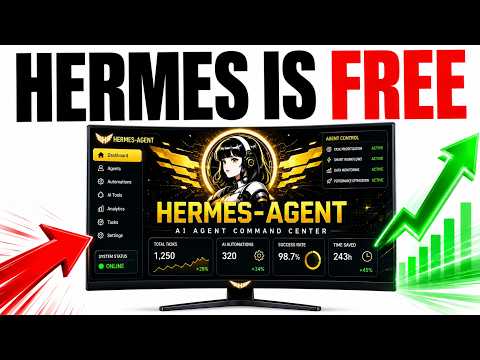
Hermes Agent V0.17 is the latest version of the Hermes AI agent platform, codenamed the Reach release. It brings a set of new features and improvements that change how you can use AI agents for communication, task delegation, and content creation.
In this episode, Julian Goldie walks through the update, which dropped just four hours before recording. The main additions include iMessage integration, a Raft network adapter, asynchronous sub-agents, image editing, automation blueprints, and a full profile builder.
02Key New Features in V0.17
The update introduces several major features. Here are the highlights:
- iMessage support: Hermes can now connect to iMessage, letting you send and receive messages through your agent.
- Raft network integration: Hermes joins the Raft network as a gateway channel, allowing humans and AI agents to collaborate.
- Asynchronous sub-agents: Delegate multiple tasks at once; a lead agent spawns a team of sub-agents that work together.
- Image editing: Edit and transform source images, not just generate from scratch.
- Automation blueprints: Pre-built templates for scheduled tasks that you can paste in without coding.
- Improved desktop app: Native OS notifications and live sub-agent watch windows.
- New model access: Use Grok Composer 2.5 Fast via your X subscription.
03How to Update to V0.17
Updating is simple. You can do it from the dashboard or the terminal.
- Open your Hermes dashboard.
- Go to Manage.
- Scroll down and click on Update Hermes.
- Wait for the update to finish; the version will show 0.17.
Alternatively, open your terminal and type Hermes update to get the latest version. The desktop app also has an Update Now button after the update is available.
04Using iMessage and Raft with Hermes
To use iMessage, you need to set up Hermes to run on login and authenticate. Once that's done, Hermes can send and receive iMessages. This makes it easier to interact with your agent from your phone.
For Raft, Hermes connects as an external agent via a bundled Raft platform adapter. This allows you to add Hermes to the Raft network, where humans and AI agents can build together.
These integrations are straightforward if you follow the dashboard instructions. The episode shows examples of what Raft looks like and how to add Hermes to it.
05How Asynchronous Sub-Agents Work
Asynchronous sub-agents let you fan out and delegate all your tasks at once. You can spawn a team of sub-agents that work together on different parts of a larger task.
For example, if you're building a website, you could tell Hermes to research a topic, optimize a page, post it, and create a video. Hermes will automatically delegate each part to different sub-agents. One might do keyword research, another create a video, and so on.
The results are gathered and returned to your chat. This is useful for complex projects that involve multiple steps.
06Image Editing and Automation Blueprints
The new image editing skill allows you to edit and transform a source image, not just create one from scratch. It works with models like Fowl, OpenAI, Grok, Craya, and OpenAI CodexOrg. This gives you image-to-image editing capabilities in addition to text-to-image generation.
Automation blueprints are pre-built scheduled tasks you can get from Hermes Agent News Research. You copy and paste them into Hermes, and you don't need to understand the code. Hermes guides you through step by step.
For example, an AI News Digest blueprint breaks down the task, steps, output structure, and wording rules (like keeping under 600 words and one to two sentences per item).
07Results and Examples from the Episode
Julian demonstrated a content workflow using agent profiles. He showed a video and a blog post created by a team of Hermes agents. The team included a video director, a content editor, and a judge.
The judge scored the work: first 4 out of 10, then 54, 71, 83, and finally 92. The agents iterated until they passed the quality bar.
This shows how loop engineering can automate quality control. You set the goal, the builder creates, the judge grades, and the loop repeats until the output is good enough.
08Tips, Limits, and Mistakes to Avoid
One important tip is to use automation blueprints even if you're not technical. They save time and give better outputs without needing coding skills.
Avoid overcomplicating your setup. Start with one profile and add more as you understand how they work.
Be careful with the judge scoring; it's easy to get caught in a loop if the goal is too strict. Set realistic thresholds.
Also, remember to update your desktop app separately if you use it, and check for new features regularly.
09Who Should Use Hermes V0.17 and Why It Matters
This update is for anyone using AI agents for content creation, task automation, or building workflows. The new features make it easier to delegate multiple tasks, edit images, and schedule automated processes.
For beginners, automation blueprints lower the barrier. For advanced users, profile building and loop engineering give fine control over quality.
The improvements aim to make Hermes more versatile and user-friendly, letting you focus on results rather than technical details.