watch the video
play the audio
Run Google Gemma 4 Locally for Free in 1 Click (Ollama + Hermes Agent Setup)
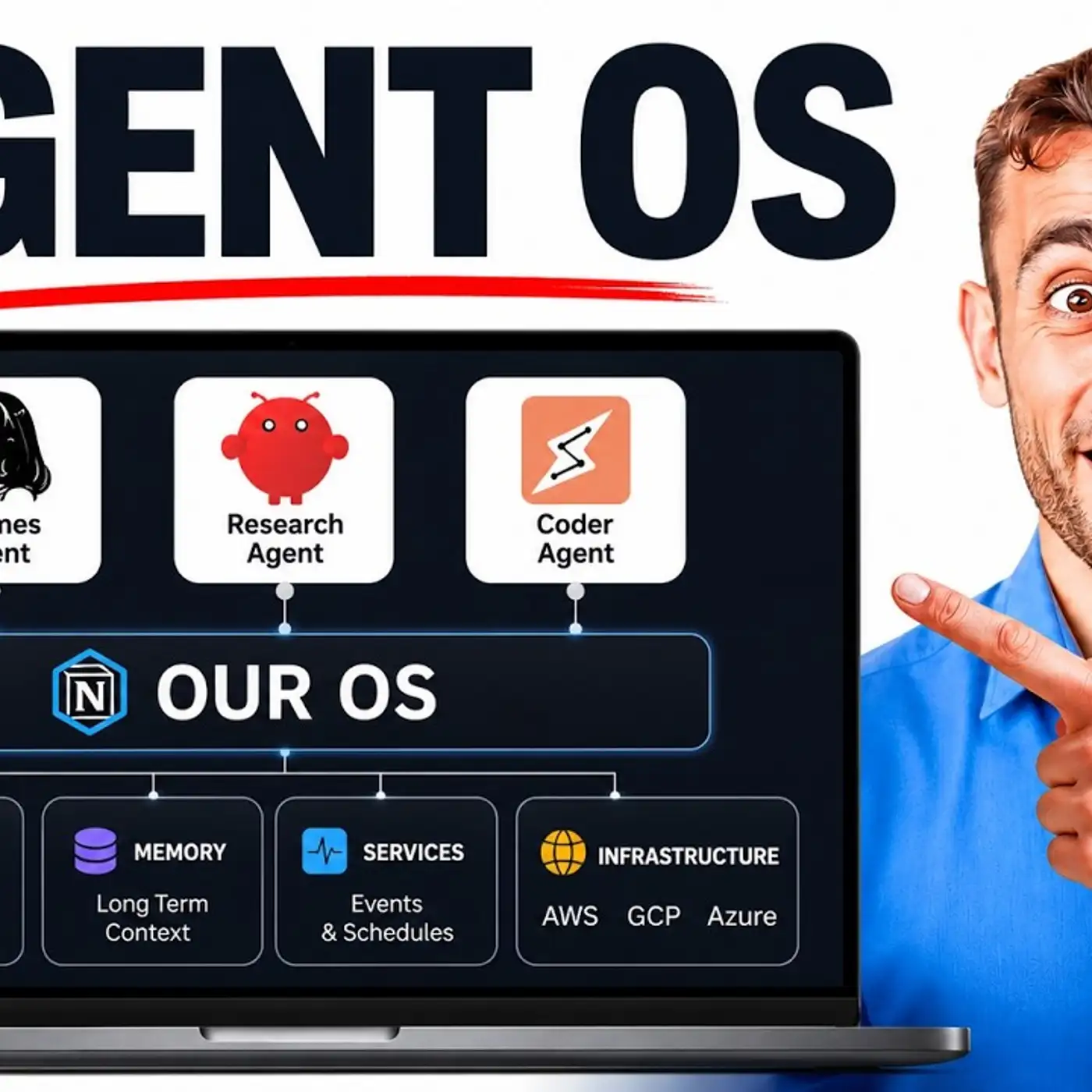
The episode shows how to run Google’s newly released Gemma 4 locally for free using Ollama and connect it to Hermes Agent in a single click/prompt, highlighting new quantization-aware training weights that reduce memory requirements while maintaining quality. The presenter demonstrates Gemma 4 running inside an agent operating system with Hermes, including tool access (terminal, browser use on Mac), shared memory via an Obsidian database, and multi-agent coordination, plus quick model switching in the Hermes dashboard (including filtering for free models and using local models for sub-agents). It contrasts local/offline private use versus paid subscriptions and explains a five-step “Goldie Iron Brain” framework (vault, wiring, shared memory, dashboard, updates). The video also mentions Hermes v0.16 MCP management features and promotes the AI Profit Boardroom community and training.
00:00 One Click Gemma 4
00:27 Setup in Hermes
01:08 Why Local Models Win
02:09 Free Model Switching
03:35 What Is Gemma 4
04:28 Goldie Iron Brain
05:28 Hermes Dashboard Tour
07:23 Future Proof Updates
08:01 Recap and Next Steps
08:39 Join The Community
09:33 Final Thanks
The episode shows how to run Google’s newly released Gemma 4 locally for free using Ollama and connect it to Hermes Agent in a single click/prompt, highlighting new quantization-aware training weights that reduce memory requirements while maintaining quality. The presenter demonstrates Gemma 4 running inside an agent operating system with Hermes, including tool access (terminal, browser use on Mac), shared memory via an Obsidian database, and multi-agent coordination, plus quick model switching in the Hermes dashboard (including filtering for free models and using local models for sub-agents). It contrasts local/offline private use versus paid subscriptions and explains a five-step “Goldie Iron Brain” framework (vault, wiring, shared memory, dashboard, updates). The video also mentions Hermes v0.16 MCP management features and promotes the AI Profit Boardroom community and training.
00:00 One Click Gemma 4
00:27 Setup in Hermes
01:08 Why Local Models Win
02:09 Free Model Switching
03:35 What Is Gemma 4
04:28 Goldie Iron Brain
05:28 Hermes Dashboard Tour
07:23 Future Proof Updates
08:01 Recap and Next Steps
08:39 Join The Community
09:33 Final Thanks
Full transcript
Olama has just released a new free local model that you can run with Hermes in one single click. So you can see here for example, Gemma 4 quantization aware training weights are now available on Olama. So basically what this does is it reduces memory requirements whilst maintaining the model quality. Why is that better?
Because basically you can run Gemma 4 which just got released this week from Google. You can run it for free with Hermes agent and the cool thing about this is you can set it up in one single click. Let me show you how. So basically if you're using Gemma 4, you can see this was just updated a few hours ago.
And if you want to run it with Hermes agent, you can just copy this and then run it inside your terminal. Now we've already plugged it into the agent operating system. So you can see Hermes here and I just tested out, made sure it's working. Seems to be working fine, which is great.
So you can see here it can use browser use, it's connected to Mac so it can run things locally and also it's got access to our memory. Also it can coordinate multi-agents and it has access to everything inside the terminal as well, right? And so this model that we set up is Gemma 4. If you go over to the model section here, you can see we are running Olama launch Gemma 4 with our AI agent.
Now why is this useful? Number one, it's free. So if you're worried about APIs, you can set this up. Number two, this is quite a lightweight model.
So for example here, if we look at the size of the models, normally you might be looking at something that's 20 gig, for example. If you're setting up a local model, but they've actually got some really lightweight ones here. So for example, Gemma 4.12b and then you also have these new quantized aware models. Like for example, Gemma 4.
Now this was just announced a few hours ago, so you can see it from Google Gemma here. What this basically means is that it reduces the amount of memory required whilst making sure it still performs well. Why is that important? Because if you're running an AI agent with local models, obviously it uses a lot of tool calls.
It uses a lot of stuff. And if you have a slow setup or if you have a model that's quite slow to respond, then it slows you down and the performance of the actual agent itself. So you can change this. You could also, for example, have a different model, especially if you want to be on a free model.
You could have a different model that's running for free. So for example, you can actually get Gemma 4 for free on OpenRooter or you could select Nemetron 3 Super, which is available for free on OpenRooter. Additionally, you could use NVIDIA Nemetron. Also, a little tip here.
If you, when you're setting the main model inside your dashboard with Hermes agent, if you go to change and then type free, you can set free models like. Now, if we type OLAMA, we can switch between models here, as you can see. So we have Gemma 4 ready to go right there. What you could also do is you could use this for a sub-agent.
So you could actually change the agent you use for other tasks, like smaller tasks to a local one, because it doesn't require much brain power. And then for the main model, you could select that as something a bit more powerful. And if you wanted to keep it all free, again, you can use like News Portal and just change that over to a free model like Step 3.7 Flash or Nemetron 3 Ultra. And so you have an AI brain that lives on your machine set up with Hermes agent.
And now it's private, it's local. If you don't have Wi-Fi, you can still use AI and you can plug it into your AI agent. And also it's easier than ever because you can install it in one click. You can also plug this into Cloud Code, CodeSapp, OpenCodex, OpenCode.
Would I recommend that for Cloud Code? Probably not. But I would recommend it for OpenCore. I think that could work pretty well.
So it's depending on what you're running it on as well. So for example, I'm running this on a Mac Studio, so it seems to handle Jemma 4 fairly well. And so you might be saying, OK, what is Jemma 4? This is an open source project from Google.
It's actually designed for agentic tasks. So they basically announced earlier this month, Jemma 4 is our most capable open model yet. Built to run locally, built to run privately with no telemetry and free for any use, personal or commercial, which is awesome. And so it runs for free.
You can download it. It runs on your machine. And so the old ways like paying for subscriptions, being worried about data, not being able to use it offline, et cetera. The new ways you can download Jemma 4 once.
Takes about 20 minutes to download, depending on how fast your internet is. Then it's free. It's open source. It runs on your machine.
It can use Hermes or OpenCore. It's agentic as well. It works offline. It's yours, so you keep the data as well.
And the result is an AI brain you own that's private, that costs nothing to use. And the way that I look at it is in five simple steps using this framework I call the Goldie Iron Brain. So you've got your vault, which is a local brain. That's Jemma 4 that's running locally.
Then you have the wiring, so Hermes is pointing at it. And you can do that in one single response. Then it has a shared memory. Now, what's pretty cool about this is, for example, inside our agent operating system, we have our context-aware AI agents because everything about me is plugged into an Obsidian database like you can see right here.
And so all of our memories are stored in one place so our AI agents can use that as context. So they're smarter and they understand what we've worked on recently. You can see an example right here where it's actually taking a conversation where we've spoken to our AI agent. And then all of my AI agents can plug that in to their next conversation so they understand what's going on as well, right?
So all your agents are just fully aware all the time because you have that plugged in. So you've got the vault, you've got the wiring, which is Hermes, you've got the shared memory. And then you want to have a dashboard to see it and run it, right? So the way that I have this set up is I have Hermes here and we've plugged it into the agent operating system so you can talk with it.
You can actually have a conversation with it if you're using, for example, a model like Minimax. Then we've also got Jarvis. And Jarvis, basically, we can speak to it, command it, and it will go off and do things. For example, the way this runs is it's connected to our tools so it can create notes.
We can actually call it as well with 11 labs, which is pretty amazing. And then also we have the studio set up with the video, the voice, and everything else. Then we have all of our sessions here so you can see the status, you can see what's happening, the skills, the plugins. Everything is really easy to manage.
And bear in mind as well, something that would be quite interesting to set up here, because you have the Kanban board with Hermes agent, is you could give it a new task, like then you have one main profile that's actually quite a powerful brain. For example, like we were talking about before, that could be NVIDIA's Nemetron Ultra. It could be Step 3.7 Flash, which are two free APIs. And then if you're running local models, that could actually delegate the tasks to other Hermes profiles with a local model attached, which means that you don't have to worry about running out of tokens on the free API you're using, which is another powerful use case right there.
And then you have the workspace. You could also set up goal mode. Again, I don't think Jemma 4 is going to be great for long-horizon agentic tasks, but it would be interesting to test it out. You've got the workspace where you can store all your previous creations, which I really like as well.
So you can see everything that you've done previously, like artifacts, like you see, including the goals. And then we have the MCP section, and this is just really useful now. Hermes actually released this with their v0.16 update that just dropped today. And so you can manage everything in one place.
You can even chat to your Hermes agent directly inside the Hermes dashboard, which we've embedded here. So it's a really powerful new way of running Hermes agent. That's the dashboard. And then you've got the updates too, right?
So, for example, in the future, there's going to be another version of Jemma 4, right? They already released two different versions this week, which were 12b and also the quantized ware models too. So imagine in the future, there's going to be a Jemma 5, a Jemma 6. And the great thing about having a dashboard and also having Hermes pointing at different models and being able to switch and change and click one button and then switch a model in the brain of it, is that anytime a new free local model comes out, no problem.
You can switch it over again. And also, if you don't want to go directly inside the dashboard here, then you can just go to and switch a model with one single prompt like you can see. So it's a really powerful setup. So just to recap in terms of what you learned today, you learned that Jemma 4 can run free locally on your machine.
You can have it running privately because it's a local model. You actually own the brain, which is great. Hermes can think locally in one single prompt and it knows your business because you've plugged in the Obsidian memory into it. And then anytime there's a new local model, no problem.
You switch it in, you switch it out, right? So, for example, we've got new models coming out all the time on Olamo. You see, they just released Minimax M3 five days ago. Nemetron 3 Ultra came out two days ago.
All of these new models, it doesn't matter what comes out. You can update quickly in one single prompt and you're ready for it. Now, if you want to get my full agent operating system with Claude, OpenClaude, Hermes, everything plugged in, plus a nice little mission control light you can see here. We've got workflows for SEO, for AI video agents.
We've got a studio here, Notebook LM, the Kanban board for managing and orchestrating agents as well. You can get that inside the AI Profit Boardroom. This is my AI automation community that helps you save time and scale with AI automation. And you can ask questions inside the community.
I personally answer them every single day. And inside the classroom, you have all of my new training. So, we actually had new daily updates, loads of cool stuff coming out on Hermes recently, and we've added it all here like you can see. And then also, if you want to jump on coaching calls, we have four of those per week where you can jump on the call, ask questions, share your screen, meet other members.
Inside the map, you can actually meet people in your local city who are using AI automations and agents just like you. And that's all inside the AI Profit Boardroom. Link in the comments description or go to theaiprofitboardroom.com. Thanks for watching.
More episodes