watch the video
play the audio
Call Your Hermes AI Agent on the Phone (ElevenLabs + Twilio) — Full Setup & Demo
The video shows how to call a Hermes AI agent on a phone and have it talk back like a real assistant while still controlling a local setup. Using an ElevenLabs integration connected to Hermes (with Twilio for a callable phone number), the agent can speak and listen over a live phone call and access tools, memory, sessions, and the terminal to do tasks while you’re away. A demo includes writing and editing a poem file in the downloads folder, scheduling a daily Japanese learning session at 3:00 PM, checking prior sessions, and telling a joke. The script explains setup requirements (ElevenLabs API key and Twilio), notes latency depends on model/voice choice (Claude 3.5 Haiku is cited as fast), and mentions an alternative “Hermes Jarvis” talk mode inside an agent operating system plus access to guides and a community via AI Profit Boardroom.
00:00 Call Hermes By Phone
00:54 Live Phone Demo
03:31 What You Can Do
04:04 Setup Requirements
04:44 How The Call Works
05:52 Hermes Jarvis Talk Mode
07:05 Speed And Model Tips
08:06 Best Use Cases
08:54 Get The Full System
09:51 Community And Training
10:46 Final Wrap Up
The video shows how to call a Hermes AI agent on a phone and have it talk back like a real assistant while still controlling a local setup. Using an ElevenLabs integration connected to Hermes (with Twilio for a callable phone number), the agent can speak and listen over a live phone call and access tools, memory, sessions, and the terminal to do tasks while you’re away. A demo includes writing and editing a poem file in the downloads folder, scheduling a daily Japanese learning session at 3:00 PM, checking prior sessions, and telling a joke. The script explains setup requirements (ElevenLabs API key and Twilio), notes latency depends on model/voice choice (Claude 3.5 Haiku is cited as fast), and mentions an alternative “Hermes Jarvis” talk mode inside an agent operating system plus access to guides and a community via AI Profit Boardroom.
00:00 Call Hermes By Phone
00:54 Live Phone Demo
03:31 What You Can Do
04:04 Setup Requirements
04:44 How The Call Works
05:52 Hermes Jarvis Talk Mode
07:05 Speed And Model Tips
08:06 Best Use Cases
08:54 Get The Full System
09:51 Community And Training
10:46 Final Wrap Up
Full transcript
You can now call your Hermes agent on the phone like it's a real person, and it will talk and act back to you. That means you can control your entire setup from your phone, from the gym, anywhere, just by making a phone call. And over that phone call, it can write files, it can schedule your day, it can retrieve your memory, it does some work, even whilst you're out living your life. I'll show you a quick demo in a second.
And this is powered by something called 11Labs, which was literally built with an integration that works directly with Hermes, so the voice can sound realistic, the replies are fast, and it's all connected to your tools, your memory, and your sessions. This is your Hermes agent, but it can now speak, and now it can listen too. And there's one thing you absolutely have to set up first before any of this works, and I'll show you exactly what that is later in this video. Stick with me, and by the end of this, you're going to have a Hermes AI assistant that you can literally phone up and talk to.
Let's get into it. Hey Julian, your Hermes assistant here. How can I help? Hey there, how's your day going?
My day is going well, thank you for asking. I'm ready to help you with anything you need today. Is there a specific task or project you'd like assistance with? Yeah, could you just write a poem in text format on my downloads please?
I'll help you write a poem in the downloads directory. I'll use write file to create the poem. I've written a poem called whispers of moments and saved it as moments whisper dot in your downloads folder. Would you like me to read it back to you?
Let's have a look at this. It looks pretty good. Could you add like an extra paragraph to that for me please? I'll read the current content of the file and then use patch to add an extra paragraph.
Let me retrieve the existing poem first. Now I'll add an extra paragraph to the poem. I've added a new stanza to the poem. Would you like me to show you the updated poem?
Oh yes please mate. I'll retrieve the updated poem from the downloads folder and display it for you. I've got it, I've got it. Don't worry about it, don't worry about it.
Listen, could you schedule in a Japanese learning session at 3pm today please? I'll help you schedule a Japanese learning session. I'll use the cron job tool to set this up. I apologize for the error.
Let me correct the schedule format. I've scheduled your daily Japanese learning session for 3 o'clock pm every day. Is there anything specific you'd like to focus on during these sessions? No, no, that's fine.
Could you just tell me some stuff that you worked on yesterday please? I'll use session search to look back at our previous interactions and see what we worked on. Let me retrieve the sessions from yesterday. Would you like me to summarize the key tasks or projects we discussed?
Yeah, go on then. I'll use session search to find our recent interactions. Based on the search results, it seems we didn't have any significant interactions yesterday. Would you like me to check the day before?
Or is there something specific you're curious about from our recent... Wait, wait. Can you just tell me a joke please? Sure.
Here's a quick joke for you. Why don't scientists trust atoms? Because they make up everything. Did that bring a smile to your face?
It actually did, mate. It actually did. Alright, have a nice day. Thank you.
I hope you have a nice day as well. Take care and don't hesitate to reach out if you need anything. So at this point you probably want to know, okay, how do you set this up? How do you get it going?
What are the benefits, et cetera? So basically with this, what it allows you to do is basically call your Hermes agent. So that means you can operate it from your phone when you're on the go, in the gym, and it will still connect to your local setup. So as you saw before, it could, for example, write a text file or create a new file or add something to my downloads or schedule jobs, right?
And that's just like the very little tiny iceberg of it. And so essentially you've now got Hermes agent ready on the phone whenever you need it. When you set this up. Now, essentially what we've done here is we've used 11Labs, plugged that into Hermes and connected them together.
And essentially you can see here that 11Labs have created a full guide on how to set up, how it works, et cetera. And the way that I just got this set up, and it was super simple, is basically take the guide and then give it to your AI agent. Now you could give it directly to Hermes and just say, hey, set this up for me. And the two things that I needed were number one, an 11Labs API key, and then number two, Twilio as well.
So you want a phone number for Twilio that you can actually call. Once you've done that, it will ask you for some permissions because obviously it requires some permissions to set this up, but essentially that was how we did it. Now, if you're wondering how it works, basically you can call the phone number, then it's going to start replying with the voice in 11Labs that goes over to Hermes agent and it's connected to the memory, the terminal, the skills and the tools. And then this can use Hermes agent directly through a phone line.
So you can control your AI agents whilst you're out and about and also with your voice. And also it can talk back to you. Now, this is quite different to anything else that we've seen before. Obviously you could always like type or you could speak to your AI agent directly, but it wouldn't speak back to you live like that as an actual phone call.
And then also the biggest difference here is like, you can be out somewhere, but you can still manage your AI agent locally as well, which is pretty crazy when you think about it. And the other good thing about this is you can give it an 11Labs voice. So for me, I just gave it that kind of English butler vibe style voice, but you could use whatever you want. And the difference here is like with 11Labs, you can actually create a pro version of your own voice.
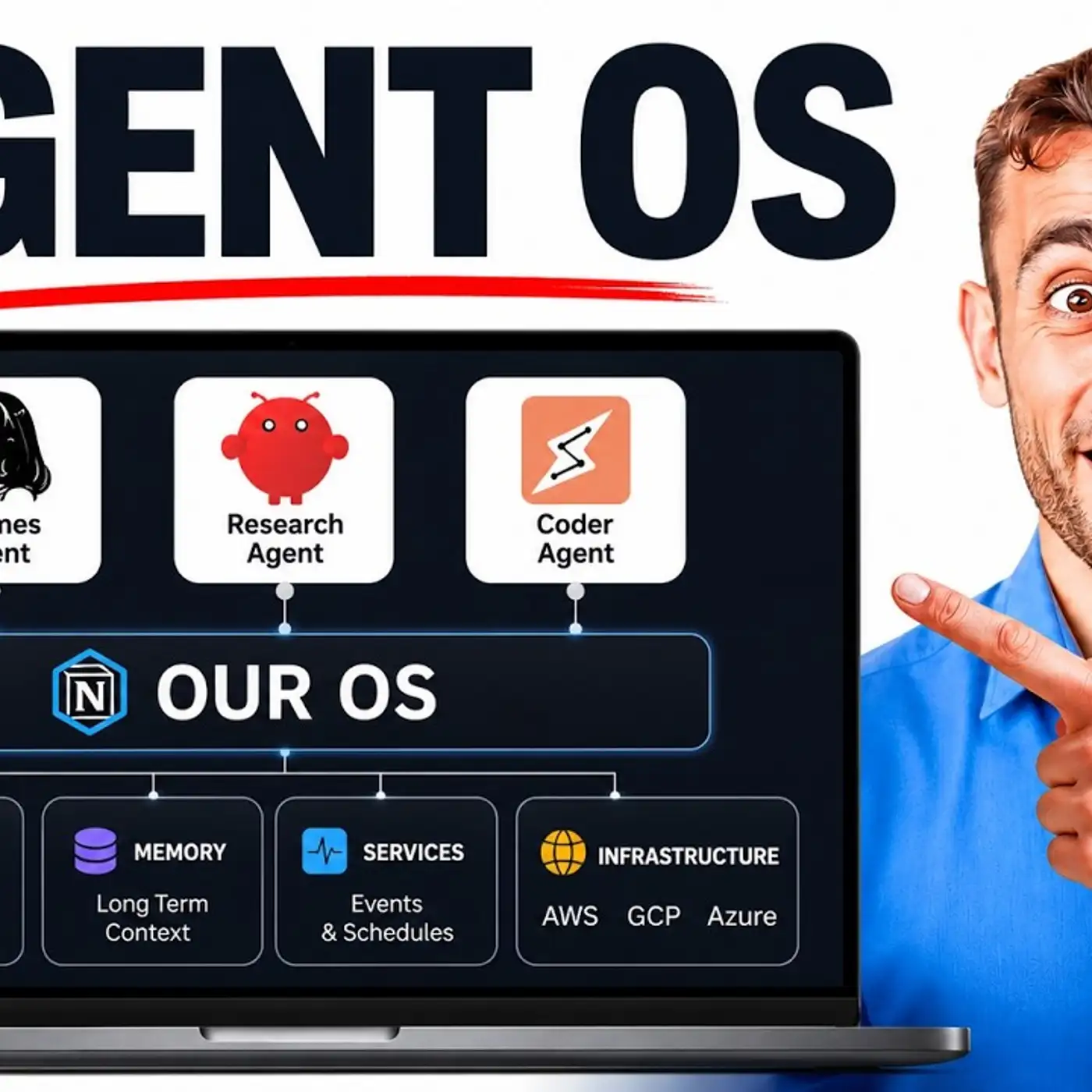
So that actually sounds like you're talking to yourself if you wanted to. And so you can interact with your AI agents as if it is a real human, as if it's a real assistant, essentially. The other cool thing that you can do with this is you can actually set up something else, which we've got here, which is Hermes Jarvis. And so we can control this inside our agent operating system with our voice, and it can speak back to us as well.
So you can see, for example, here we've actually got a full transcript of a conversation with Hermes Jarvis, and it works a similar way, which is that you can just click this button and speak to it directly. That way you don't actually need to do the phone call as well. So if you're just using it from an agent operating system like this, you can go directly to Hermes, control it with your voice, and then you're good to go as well. And you can see the full transcript here.
So it can basically open up Google for you and that sort of thing. Or it could like use computer use or browse control, anything basically that your AI agents can do normally. And the good thing about 11 Labs is that it's pretty fast. So it's pretty quick to reply, pretty quick at using the agent tools as well directly with Hermes.
And they've literally designed it to work with Hermes, which is very different. I'm not really seeing any good voice AI services like this that actually work directly with Hermes agent, but this seems to work pretty well. And the other thing as well is that it's all stored in your recent sessions. So for example here, if you go to our recent sessions, you can see that we can speak to our AI agent.
We can see what we've done previously, which is great. Additionally, one thing that I found is that using this model, so Claude 3.5 Haiku, seemed to be like one of the fastest combinations when I was setting it up. So like you might find that there are certain models that I tried, for example Quen, and that didn't work so well. Step 3.7 Flash as well, controlling the agent, it just wasn't fast enough compared to using it with Hermes 11 Labs and then Claude Haiku.
So use it how you want, but just be aware like depending on the model you use, and depending on the voice you use, that's going to change the speed and the latency of the replies, which means it's going to become less useful as you use more complicated models, or as you use less efficient models. So that's something to bear in mind, but so far it seems pretty fast as well. The thing that impressed me about the voice when I was speaking to it via phone call is that it seems to reply a lot faster. One thing I would say though is the more complicated the job that you give it as well, so if you give it like something for example like build a website, it may take a lot longer to reply there as well.
But overall like 11 Labs seems to be the best option for this as well. Now I would use it for like basic stuff again, don't give it for like crazy sort of big coding tasks, but if it's something simple, or for example it's something like just a quick text file, or for example just scheduling a task, that sort of thing, or even retrieving memory, then Hermes with this integration is going to be really powerful. And the cool thing is well like you pick your voice so you can change how it sounds, so you can make it less robotic or make it sound more natural if you want to. You can also see everything inside your sessions which is great, you get faster replies, you can use the tools inside your agent as well, and it's really fun to set up.
It really does feel like something very futuristic, it kind of makes you think why can't you do this with other AI agents? It seems like Hermes is just so powerful these days, it's becoming better and better to use. So if you want to get my full guide on how to set this up, how to integrate it etc, you can get that inside the AI Profit Boardroom. So we've actually built out the full agent operating system with Hermes Jarvis, the talk mode as well, we've got the chat here, we have a full studio for generating videos, images, and voice notes with Hermes too.
You can see all of your previous sessions and you've got the workspace as well which is pretty good because then you can see the previous conversations and everything you've built in one place, so you don't really lose it and that sort of thing too. The other cool thing I like about this is I can control all my AI agents, so I could literally create the same integration with 11 lamps, but I could do that for Clawed or for OpenClaw or for whatever I want. I just find that like Hermes is probably the most powerful for doing this because it has tool calls and everything else. So feel free to get that link in the comments description or go to the AIprofitboardroom.com to get the agent operating system.
That is how to use it, again to set it up just get the 11 laps guide, you should be good to go, but if you want something ready-made we've got that too. And this is my community for helping you save time and scale with AI automation. Inside the community you can ask questions, get help and support, lots of cool people helping each other inside the community. I personally answer questions inside there too.
Inside the classroom you get all of my new tutorials, so for example we have a beginner to expert guide right here. We have new daily videos as you can see with full roadmaps, step-by-step guides and prompts that you can use and test as well, along with video tutorials. And then we have the full agent operating system where you can get the zip file you can install along with a video tutorial on how to set it up and you've got the last update date there so you can see when it was last updated and we update this daily with new cool stuff. Additionally inside the calendar you can jump on weekly coaching calls, share your screen, meet other members, ask questions in real time and inside the map you can actually meet people in your local city who are using AI agents like Hermes and everything else.
So if you want to get this it's all inside the AI Profit Boarding, link in the comments description or just go to the AIProfitBoarding.com. Thanks for watching.
More episodes