watch the video
listen on apple podcasts
play the audio
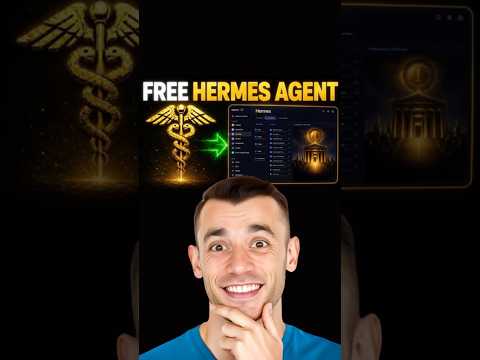
Hermes Agent’s Free Computer-Use Upgrade: Control Your Mac in the Background (Plus Phone Control)
The video explains a new free Hermes Agent update that enables “computer use” so the agent can click, type, scroll, open apps, and complete tasks on a Mac in the background while you keep working, with a later promise of controlling it from a phone. The presenter demos creating formatted Notes entries, drafting automation ideas, opening recently modified apps, and organizing the desktop, then explains setup using CUA Driver by copying a URL into Hermes or running simple install commands, granting permissions, and testing. They compare Hermes to n8n as a faster, no-code, free, less technical option. The script highlights how the agent works via screenshots and background dispatching, notes guardrails that require approval for destructive actions, and discusses local vs VPS usage. It ends by promoting an “agent operating system” workspace and the AI Profit Boardroom community with guides, training, coaching calls, and networking.
00:00 Free Upgrade Overview
00:47 Live Demo Notes Automation
02:13 Installing CUA Driver
02:45 Hermes vs n8n Explained
03:39 Desktop Cleanup Example
04:00 How Background Control Works
06:18 Goals Over Tasks Mindset
06:53 Quick Install Steps
07:53 Guardrails and Safety
09:47 Recap Key Benefits
10:16 Agent OS and Boardroom Tour
12:26 Q&A Managing Agents at Scale
13:43 Building a Better UI System
15:14 Phone UI Options and Wrap Up
The video explains a new free Hermes Agent update that enables “computer use” so the agent can click, type, scroll, open apps, and complete tasks on a Mac in the background while you keep working, with a later promise of controlling it from a phone. The presenter demos creating formatted Notes entries, drafting automation ideas, opening recently modified apps, and organizing the desktop, then explains setup using CUA Driver by copying a URL into Hermes or running simple install commands, granting permissions, and testing. They compare Hermes to n8n as a faster, no-code, free, less technical option. The script highlights how the agent works via screenshots and background dispatching, notes guardrails that require approval for destructive actions, and discusses local vs VPS usage. It ends by promoting an “agent operating system” workspace and the AI Profit Boardroom community with guides, training, coaching calls, and networking.
00:00 Free Upgrade Overview
00:47 Live Demo Notes Automation
02:13 Installing CUA Driver
02:45 Hermes vs n8n Explained
03:39 Desktop Cleanup Example
04:00 How Background Control Works
06:18 Goals Over Tasks Mindset
06:53 Quick Install Steps
07:53 Guardrails and Safety
09:47 Recap Key Benefits
10:16 Agent OS and Boardroom Tour
12:26 Q&A Managing Agents at Scale
13:43 Building a Better UI System
15:14 Phone UI Options and Wrap Up
Full transcript
Hermes agent just got a free upgrade that lets it control your computer for you. And in this video, I'm going to show you exactly how to set it up. This is a brand new free update. So imagine if your Hermes agent could take over your computer and get work done for you in the background, whilst you do something else completely, you're not waiting for it, you know, watching for it.
It's just working for you. And here's one thing you absolutely have to stick around for. I'm going to show you later how to control all of this from your phone. So your AI agent with Hermes is working on your computer and you're not even in the room.
This update just dropped is completely free. And by the end of this video, your Hermes agent is going to be doing things for you that used to take our stick with me to the end, because once you see it, you'll never want to work without this again. Let's get into it today. I'm going to show you one of the most powerful things I've seen with Hermes AI agent, which is computer use AI agents.
So you can see, for example, here, I say create a beautifully formatted note in the notes app about SEO workflows. And then it said, no created successfully, blah, blah, blah. And then if we actually open this up, you can see that actually, for example, can control my computer, right. And it controls it in the background using an open source free setup that I'll show you in a second.
Right. So you can see the full page here. They actually wrote a little journal for me later as well. So it wrote a note to me and it can basically control my computer in the background whilst you're doing something else.
Right. And the other amazing thing about this is you can basically use these computer use agents with Hermes agent from your phone, like Hermes. If you're set up locally, it can control your device, even whilst you're out and about on your phone or in the gym or whatever, right. Which is really powerful stuff.
If you have any questions as well, feel free to post them as we go along. And I'm happy to help, but that's basically how we're doing this. So if I go inside here and I'm like, okay, right. A note about the best AI automations I could set up based on what you know about me.
And you can see it working here. So you can actually see that it's created that new note over here whilst it was talking. It said, no, create successfully. Here's a note, blah, blah, blah.
And then we can go over here and we've got the full note, right. And it can basically control my computer, open up apps, use different things, and it's just using this powerful setup. So how do these computer use agents get set up and how can you use this with Hermes agent? So what we're using here is something called CUA driver.
Right. And basically what this allows you to do is you can basically install this to any agent they have, including Hermes agent. And then once you've installed it and you've set this up, it can control your computer for you. Right now, if you're wondering how do you install this, what you can actually do is just copy this URL, go over to Hermes agent and just say, install this, right?
That's how simple and easy it is. Now we've got a quick question here. I miss says another question. What's the difference between Hermes and NSN?
And so with Hermes, it's no code, right? So it's an agent that can do stuff for you. If you go into NSN, and you try and set stuff up is number one, it's quite technical. Number two, it's quite time consuming.
And number three, it's very slow as a process. Because for example, if you ask Hermes agent to use computer use like this, it just gets it done. Right. But if you go into NSN and you try and set something up like that manually, it's going to take you maybe three or four hours, right?
Whereas you can get this set up in one minute. So that's the difference here is this is a no code way of using AI rather than, for example, if using NSN, you do need to be a little bit technical to set up. It is quite fiddly, it can break as well. And also big difference here is that you can use Hermes agent for free, right?
So it's an open source project. Whereas if you're using NSN in the cloud, obviously they have a subscription for that, which is unnecessary at this point. So that's why you can use Hermes agent for this instead. So let's do another example here.
So something else that we could do is we could say, okay, clean up the downloads folder or clean up my desktop for me, right? Using computers. So if I go into Hermes here, I'm like, okay, clean up my desktop, using computer use. So it's neatly organized.
Then it can start working on that as you can see, right? And we can come back to that in a minute. So how does this work? Basically Hermes can now use your Mac for free in the background, right?
And so Noose Research who created Hermes agent shipped computer use for Hermes, which is a free open source feature that lets the agent click, type, scroll and operate on your app on any app on your Mac whilst you keep working. So actually it does it in the background. It doesn't use your cursor and fly that. You don't need to switch windows.
You basically have two hands, but one keyboard on one machine, right? So let's try something else now. The other thing to note here is it's using background usage, right? So for example, and you can see here that it's actually, for example, it can open up apps by the way.
So over here, we said, open up an app you've recently created and it actually opened up Hermes agent app, right? Which you can see here. So again, it can open up apps. You can use different tools, et cetera.
If we say, okay, open up an app, you've recently created and type hello. We can do that in the background while some guy knew through the rest of the setup and bear in mind, like this is a difference here is background is a whole game. So previously computer use agents weren't that good because they had to use your mouse and click around and you couldn't really do anything else in the meantime, right? Which is like impressive on demos, but in real work, it just meant you couldn't use your computer whilst your AI agent was running, right?
You were having to wait for your AI agent with this setup, with Hermes computer use agents. And you can see here, it's opening up the app, which is pretty cool. This changes the model because the agent operates. It's now opening up apps in the background.
This changes the model because it's the agent that's doing the work for you. That's the difference here. And so it's working for an invisible layer. It sees the screen via screenshots, decides what to do and then dispatches stuff in the background, right?
And you see here, it says open up the most recently modified app and went off and start doing this, right? Pretty cool. So we said open up an app and it went off and did this pretty crazy. So this works in the background and then it just goes off and starts doing everything else.
You could, for example, say journal a note in notes and Hermes will go off and do that in the background, right? I could say inside Hermes here and let's open up notes just as a preview, create a note, explaining the best ways to use computer use with Hermes agent. So we said create a note explaining the best ways to use computer use of Hermes agent, as you can see right here. And then it should create that note in a second, which is pretty cool.
In the meantime, let me keep guiding you through this. So you can give it a goal, oversee it and transform it, right? And most people using computer use just like messing around with it, but not really doing anything else, but you could actually give it like a goal, not a task. And then it could go off and really do projects in the background.
And you can see it's just created these two notes over here, which is pretty awesome. So it's written this note on computer use. It's opened it up in text as well. And it's written this as you can see, right?
And wrote this note too, which is pretty cool. So you give it a goal, you oversee, you don't actually do the work yourself. And then you can transform that into an actual workflow, into a natural automation. So you become the CEO, the agent becomes an app.
That's the play. And this is a quick five minute install because you can, for example, update Hermes, install computer use. You just use Hermes computer use install as a terminal command, grant the permissions and then test it out, right? That's it.
And you don't even have to use a dedicated CLI for this. You could just enable it all interactively. It says computer use is limited to Mac as far as I'm aware. I think it is actually, I'm not sure.
I'm not a hundred percent sure. I think it is, but Hermes creates tools and you can run Hermes on windows. So maybe you can do on windows too. I just haven't tested it out.
I don't have a windows to test out. Is it a good idea to have Hermes locally and open call on VPS? So for me personally, I have them both running locally. I don't run them on VPS.
It's just because like all the problems that people had with open call privacy came from running a VPS, right? So I tend to avoid that these days. So we actually ran some tests as well. For example, you saw today the notes app journal.
It could also organize my obsidian vault for my memory layer, which is pretty cool. And then also you can have Hermes like talking to Hermes, right? I'm managing other agents together. So it's really cool.
The other thing to note here as well as like some people want to say, you know what, the guardrails and the limits here. So Hermes actually they've built into the tool guardrails around computer use, right? So anything like destructive, for example, like deleting files or sending emails triggers an approval prompt. So you see what the agent intends to do before it does it.
And you can deny that stuff, right? And this matters because we saw the problems with open call. They ran without approval gates. Sometimes they do crazy stuff.
Whereas with these guardrails, it's a lot better. Right. And if you're hesitant about using this stuff or you're thinking, maybe it's like too technical for me and that sort of thing, you can see like we have loads of testimonials from people winning with AI automation, right? So I've seen people who have never used AI before get amazing results because they're using the systems in the right way.
Right. And it's just about having a good system, which is why I teach it in a three-step process as you've seen today. Right now, most people hesitate using this. Here's why I think it's actually easier than you might think, right?
So some people want to say AI can't actually do real computer use, like it's all demos, but I've just shown you a working note created in eight seconds. I've shown you, for example, a second agent that opened up my apps. The capability is real. It's not perfect.
The limits are real too, but both are knowable and both are usable. A lot of people say you need to be a tech expert to set this up. Like I've shown you before, like you just need two commands. Then you toggle the accessibility on.
If you can copy and paste a command, you can install this, right? And Hermes itself can actually walk you through the operating system permission setup. A lot of people say, well, take over my computer and mess everything up. It actually has that guardrail system set up to avoid that.
So the agent shows you what it wants to do before doing it. So you can always deny it, or you can stop it mid round as well. A lot of people say I'm too late for this stuff. Everyone's already ahead of me.
This release just dropped very recently. Most people have never even heard of it before. You're a week early, at least. Most people will not be using or knowing how to use this stuff.
So just to recap, Hermes computer use is a new free feature that lets the agent operate your Mac in the background whilst you keep working, right? The big shift isn't that it can click, earlier agents could do that. The shift is that it can click and it can use your apps without taking your keyboard away, right? You and the agents running parallel on the same machine.
And it's brilliant for tasks in the background. I wouldn't say it's ready yet for hour long structural projects, but it's free to run. It takes five minutes to install. You can also wire it into your agent operating system.
So you can see that I've put it into Hermes inside the agent operating system here, and then anything that it builds or we create, et cetera, we can preview over here, which is pretty awesome. Everything that we create, all the images, all the videos, et cetera. As you can see right here, we can preview it in one place. Even like, for example, the podcasts and the text to speech generation that we use as well.
So that's basically it. Inside the AR Profit Boarding, we have a full setup guide on this stuff. So if you want to learn how to set that up, we've got it right here with a video tutorial. We have a full step-by-step guide on how to implement this.
And if you want to get the agent operating system with Hermes too, we've got a full setup guide here and we update this daily, right? So we have a new version of the system, as you can see right here, along with all the prompts and the guide for setting it up, right? So inside the AR Profit Boarding, you get the install, the computer's prompts, the 30-day roadmap, the SAPs, the video walkthrough, plus the rest of the agent operating system stack. So the computer sits next to Hermes, Codex, Antigravity, Free Cloud Code, and Cloud Code in one workspace, right?
Inside this community, it's an awesome place where we just share and learn and grow together. You can post questions inside the community here. It's a really active community, lots of people helping each other out and asking cool questions. Then inside the classroom, you can get all of my new daily training.
So you can see, for example, we're adding new guides and new trainers all the time, just to help you as much as we possibly can, right? And so we add new daily guides here for advanced stuff. And then if you want like a beginner to expert sort of plan, we've got a full training course right here that you can follow with homework and everything else. So yeah, there's loads of cool stuff inside here.
And then also inside the calendar, you can jump on weekly coaching calls. So you can ask questions, meet up with people on the coaching calls. We have them four times a week so that it's as helpful as it possibly can be. And then inside the map, you can see, for example, that you can connect with people in your local city who are using AI agents just like you, right?
And so you can connect with people, DM them, meet up with them in real life, et cetera, and I think it's just a great way to connect with people in your local city who are also using AI agents just like you, okay? Plus you can connect with me personally. I create video tutorials and step-by-step guides for the questions inside the community. So it's a great place to just learn and grow and help each other and support each other together.
Let's see, and if you have any questions, by the way, feel free to ask us to go along. So the channel says, I use VPS for Hermes and I've called it around. Fine. There you go.
Yeah, that's really cool. And then smart says, I just set up Hermes in my VPS to handle 25 agents at once. Do you have any tips or anything to say about that? I'm struggling to make Hermes manage everything so it's smooth.
So to be honest, number one, I would say that Hermes is the smoothest out of all the agents that I've used. Hermes and Claude are the best. But number two, I would recommend that you start building out something like this, right? So this is your agent operating system, and this is going to make it much easier to organize.
So for example, when I'm using the Kanban board, I can customize it and visualize it exactly like this, right? I would also recommend that you have a memory system plugged in to your AI agents so they understand you, your business, your goals, everything in your life, and it's just taking notes on you 24 seven so that you have the best system possible when it comes to context. And then also when you set up an agent operating system like this with the workspace and everything that you've built, as you can see, and for example, all your videos and images and text to speech, et cetera, when you set this up, it's going to be much easier to manage and organize your agents. Plus you've got, for example, Claude, you've got OpenCord, you've got Gemini, you've got Antigravity, all working together in one same workspace.
So that's pretty cool. Yeah. Any other questions before I go? So the smart says, Oh yeah, I use Obsidian for that.
Your agent operating system is nice, by the way. Thank you very much. Yeah. I think the cool thing about when you set up a system like this is you can improve it every day, right?
So based on the problems that I have, I just build that into the system. So for example, when I'm using Hermes and if you're using it inside the terminal like this, one problem that I had was like, I couldn't see my previous history, so I was like, okay, I'll just build that inside the workspace here. And I'll make sure that inside the operating system, we have a full history of the chats that we've done. Right.
So that I can go back on the memory. And then another problem that I had was like, this doesn't look very beautiful to use. Right. And I'm not very good at using terminal.
So why don't I just create kind of like a really beautiful user interface that anyone could use, right? Even if they've never used AI before, that's why we build this. And so every time you have a problem, you can just get your agents to fix it inside the agent operating system. And that way you build better and better systems.
You create something that improves every day. You create something that actually makes it amazing and fun to use. There we go. So Amit says, I'm not a huge fan of terminals, TUI, desktop app, or is there one thing that's just easy and visually appealing, something like Gemini's UI?
Yeah. You could just use the Gemini app, right? If you didn't want to use any of this, you could just use the Gemini app directly or the cloud app directly. But the problem is, it's not customizable.
Right. Whereas if you want to get things exactly how you want them, if you're like, I have this problem every day, I wish I could fix it. I wish I could preview all my projects. I wish I didn't have to use terminal.
I wish I could see my previous project history and everything that I created. Okay. Build that into your operating system. Right.
And then you can come back to it later. Yeah. So that's what we want. We've got an absolute legend here.
This is Antoine Rousseau. If you're not seeing his content on AI, he's a legend, but yeah, he recommends using, you've got Fly Hermes as well, which is pretty cool software. Shout out to Antoine. And you can use that as well, like just as a sort of simple UI on your phone or Hermes as well.
So that's another good system there too. All right, peeps. Thanks so much for watching. See you on the next one.
Cheers for all the great questions. I've answered everything for you. Bye-bye.
More episodes



Claude Mythos Just Changed War Forever…