watch the video
listen on apple podcasts
play the audio
NotebookLM’s New Update + My Free “Instant Research Engine” Agent OS Setup
This episode covers a new NotebookLM update with three major changes: an improved chat experience with added sources and over 100 curated software skills for deeper research, new visualization for data including PDFs, images, and Excel sheets, and an agentic research companion that helps start notebooks from loose ideas and questions. It then demonstrates an “agentic operating system” built around NotebookLM to better organize notebooks, chat with source-trained notebooks, run fast or deep agentic research with citations, and generate assets in a studio such as presentations, podcasts, videos, mind maps, infographics, and flashcards in parallel. The script argues this system offers better organization, more recent cited answers, model flexibility via MCP, and can be built for free, with an optional packaged version in the AI Profit Boardroom.
00:00 NotebookLM Update Overview
00:51 Agent OS Dashboard Tour
01:24 Why Build a Layered System
02:01 Instant Research Engine Demo
04:09 Library Research Chat Studio Workflow
05:25 Generating Assets in Studio
06:19 Research Report Example
07:42 Parallel Agents Background Work
08:37 Free Setup Options
09:37 Output Quality Examples
10:48 Join AI Profit Boardroom
11:41 Community Support and Wrap Up
This episode covers a new NotebookLM update with three major changes: an improved chat experience with added sources and over 100 curated software skills for deeper research, new visualization for data including PDFs, images, and Excel sheets, and an agentic research companion that helps start notebooks from loose ideas and questions. It then demonstrates an “agentic operating system” built around NotebookLM to better organize notebooks, chat with source-trained notebooks, run fast or deep agentic research with citations, and generate assets in a studio such as presentations, podcasts, videos, mind maps, infographics, and flashcards in parallel. The script argues this system offers better organization, more recent cited answers, model flexibility via MCP, and can be built for free, with an optional packaged version in the AI Profit Boardroom.
00:00 NotebookLM Update Overview
00:51 Agent OS Dashboard Tour
01:24 Why Build a Layered System
02:01 Instant Research Engine Demo
04:09 Library Research Chat Studio Workflow
05:25 Generating Assets in Studio
06:19 Research Report Example
07:42 Parallel Agents Background Work
08:37 Free Setup Options
09:37 Output Quality Examples
10:48 Join AI Profit Boardroom
11:41 Community Support and Wrap Up
Full transcript
So we have a brand new update from Notebook LM where there's three big changes to Notebook LM itself which is a powerful free research engine that we can use for example as an AI agent for creating all sorts of research reports, you can create videos, podcasts etc. I'm going to show you the new setup here that's just come out recently. So first of all you get a better chat experience so you can actually plug in sources as you can see and you can add your own sources as well and it's got over 100 curated software skills so you can get better, deeper research, more complex analysis. So that's the first big update and then number two is that you can visualize data, pdfs, images and excel sheets as well and then finally there's an agentic research companion which means you can now start Notebook by entering your loose ideas and questions into the chat and then Notebook LM will guide you through it.
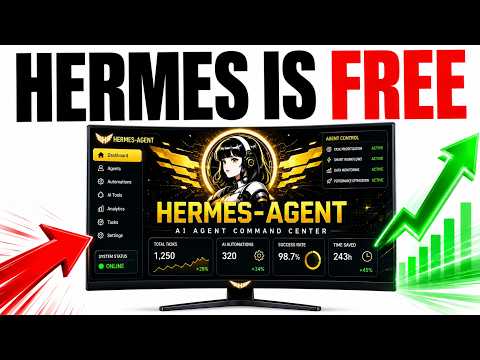
Now what we've actually set up with our agentic operating system and if you don't have something like this set up I definitely recommend it because you can basically manage Notebook in a more powerful way where you can segment everything, you can see your library of all the notebooks you've got set up, you can do more research inside this section and ask it questions, you can chat with your notebooks as well so if we go to the chat here we can actually speak to our notebook directly and then also we have a studio here where we can generate anything from that particular notebook so that could be like a presentation, audio view, video, my map, infographic, flashcards etc. Now we've used an MCP to connect these and the thing that I would say here is like if you saw Fable 5 recently get taken down by Claude then you know that it's much better to have a system where you can plug models in and out and it doesn't really matter what happens next so you have much more control over the system. So this is why we've set up this agent here and then what we could do from here is we can take the assets that we generate with AI so we've got for example the research reports, we have the slide decks, we have the videos and the podcasts and everything else and even have infographics and bear in mind like you can generate all this for free using this setup so let me guide you through it. This is something I call the instant research engine with Notebook LM because basically you can have like a really well researched report or podcast or video whatever you want and you can just feed it a pile of links right.
So this is powerful stuff. Now the engine that powers it is Notebook LM but as you can see like Notebook LM is super messy itself so if we go directly into Notebook LM you can see that we've got notebooks all over the place, we don't know which ones have videos generated, we can't see everything that we've generated and there's no real library there of everything that we've created. That's why you want something like this where you can see everything you've built in one click glance and then you can get access to it straight away right saves a lot of time it's a lot more efficient and then if you need to go through some of your notebooks here it's much easier to see it this way than it is to look at it like with a big grid and then you have to look through the whole list. You could do the list setup here as well but again like you don't really know what you've created or what's set up or you know what each one of these is about.
It's much easier to organize it like this as you can see. So we can ask it one question and then it can answer from every source with citations and this is a really powerful research engine that we've set up. So for example if we say okay you know what's the the one thing that a builder should know about the June 2026 release then it comes up with answers and sources like you can see. So it comes up with for example the new Cohere North Mini code update, the GLM 5.2 update, the new research from Hermes agent, the new release and so like in one single question you can get the latest news and it's really really recent.
Whereas for example if you ask that same question inside Claude or something like that it's usually quite outdated and you'll find stuff from like two weeks ago or three weeks ago. This is all stuff within the last few days. So the way this works is like you can plug in your sources, the engine answers and then you get cited answers which makes it a much more powerful setup. So this is how it works.
You can feed it like different ideas, different sources etc. It can read through those, it connects and then it can perform right and by perform we mean like it can generate different assets. It could generate videos or it can generate slide decks or whatever you want and then you can actually ask it and get cited answers as well. Now how do you feed it?
So you just go inside the library here and you can type in new notebook and go from there. How do you do the research? So you can select a notebook that you've created and go into the research section here and ask questions. Now you can switch between fast and deep.
Deep is the research agent where it can really look deeply and find relevant information and news. Now inside the chat as well you can speak to it. So this is kind of like a custom agent that's fully trained on the sources you've plugged in. So for example this is about the agent operating system and the June releases and then we can ask it questions and go from there right and you can see how it applies.
The same for the research. So if we go inside this one and then we go to research we can ask it and then we can get visuals as well. So you can see here for example we said are you there and this is custom trained on my agentic operating system and then it has all the information about what we've done recently, what we've plugged into it, what we've used etc which is super powerful. So the library itself is great for getting research.
The research section is good for going very very deep on that research and getting cited sources. The chat is great for just asking it general questions like for example if you need to learn something or if you need to like get maybe like you generate some content something like that. Then finally you have the studio as well. So based on this different stuff that we've plugged in here we can for example say okay create an audio overview of the agentic operating system and what that will actually do is generate a podcast about that particular topic.
So if we've trained it to know everything about the agent operating system that we've built which is this system we're using right now, then it can generate podcasts, it can generate videos, it can generate infographics on the spot using that particular example. So you can see in progress for the podcast that we've just generated, in progress for the infographic and you can also generate multiple things at once. So you can have parallel agents working to create podcasts and infographics and videos and mind maps and everything else at one time. So you can see two examples right here that it's pulling in.
Now you can view those at any time or you can click the the pull option here and actually pull it into your library as you can see here. So if we have a look at this one for example, this is a research report we've generated with Notebook Olymp that's custom trained on my agent operating system, knows everything about my agent operating system and then I can train my team. I can create content with it, I can generate social media posts, I can create videos and podcasts about the agent OS. I can even get the report and open up the research report and this is just a beautifully organized research report, a full pdf with seven pages of useful information about everything that we've plugged into it.
So it talks about the ecosystem, what we've used, how we set it up, the loops that we've plugged in, the models that we've used recently. So you can see here it's like okay here's three big breakthroughs in June. So for example Hermes agent v0.17 that just came out, GLM 5.2 and Cohere North Mini Code which is a new local model and then we can see the actual benchmarks on this particular model. So this is about GLM 5.2, it talks about how big it is, how it performs on SWE, how the architecture works, how the system is set up for safety and the same for North Mini Code right and it's generated all of the research, all of the content, all of the diagrams, all of the charts etc.
directly inside this setup which is pretty powerful stuff. So it's really cool as you can see and then you can go back inside the chat, you can ask your questions, you could say okay what did we release in June and then it will start thinking and come back to us in a second and then whilst that's thinking we can go off and do something else inside the agent operating system. So whilst this is working we could go off into anti-gravity and start building something else out, we could go into Claude, we could go into paperclip etc right. So these agents also work in the background in parallel whilst you're doing something else which is pretty amazing in itself.
And then we've got the research reports, if we've generated for example that podcast we can see we're up to so that's still in progress but we have the infographic here. So this is the infographic and you can see that's now plugged into our system right so we've got that infographic ready to go. So it's pretty amazing because you know you're essentially creating like a custom agent trained on all your sources, it can generate videos, infographics, it actually works very smooth to use, it can generate amazing research reports, it's just a full agent. Now bear in mind as well notebook.lm itself is free to use, the mcp is free to use, you could create your own agent operating system like this and build it for free with something like claude or hermes as well and free api's and then you're good to go as well right.
So you can make the whole ecosystem free if you want to as well. If you want to get our system it's inside the AI Profit Boarding, the AgentOS, but if you want to build your own you could do that too. So the way that works is like you feed it with your sources, so for example we fed it with information about our AgentOS system, then it reads the sources, it connects to notebook.lm, it turns research into stuff you actually use, so for example it could be like a podcast, could be slide decks, could be a flashcard guide if you're trying to learn something, a study guide etc and then you can ask it questions inside the chat as you saw before. And so you plug in your sources or information like we plugged in information about our agent operating system, that goes into the instant research engine and then we get a podcast, we get a briefing document, a mind map, flashcards etc all inside one beautiful system which is super powerful and you can see the quality of this stuff, like it looks super nice, this is an amazing infographic that we generated and the reason it looks so nice is because it's using google and it's using nano banana 2 to generate the outputs and they look absolutely amazing.
Same for this slide deck, so you can see the full slide deck right here, it looks great and the great thing about this is like before you know you'd have all your articles that you're researching in different places, notes everywhere, very hard to find to build everything together, whereas with this system you can add the sources, walk away, come back to a podcast, come back to an infographic, come back to videos etc and it's a really really powerful system. You might also say okay this is too technical to set up but you can see AI Profit Boarding members here are getting amazing results so you know if they can do it and I can do it then you can do it too. So the first thing you're going to see is the dashboard, then we've got the studio for generating stuff and you've got the agentic agent as well for research too. So you get a research engine, podcasts whenever you need it, answers you actually trust because they're cited, you can generate social media content or content in minutes, not afternoons and it's all inside one dashboard because it's organized inside the agent operating system.
So if you want to get our setup, the agent operating system is inside the AI Profit Boarding, it turns the notebook and research agent into part of one system so that this can also plug into your obsidian memory, you've got the full agent operating system zip file to install, the setup walkthrough, four weekly coaching calls, daily tutorials, a 30-day roadmap and 3,600 members with a member map and a 24-7 community right and again if you're thinking this sounds technical or it's hard to set up etc it's pretty simple like you can see how many reviews and testimonials and wins we've got from people using stuff like this and particularly building their own agent operating system. So I'm not a coder, I'm not technical, they're not technical but we can all build this together and the great thing is when you have a community you'll learn and you grow together instead of like kind of you know coding alone which can get a bit boring and you need people on the journey, that's the sort of thing that I would say, that's the best thing about this. So feel free to join us inside here, inside the community we answer your questions, you can get help and support in real time, inside the classroom you get access to all my best trainings, if you want to get the agent operating system we've got it over here, if you want to get a full training on how we use notebook clamp inside the agent os you can see that we've got a full tutorial and guide on it right there, inside the calendar you can jump a week coaching calls, inside the map we've got people you can connect with in your local area and city who are building with stuff like this as you can see and it's all inside the AI Profit Boardroom, link in the comments description or go to the AIProfitBoardroom.com, thanks for watching.
More episodes