01What Is RTK Token Reduction and How Does It Work?
RTK token reduction is a filter that sits between you and your AI agent, like Claude, to remove about 80% of the padding and fluff from the text the AI reads. This means you get the same outputs but use far fewer tokens, so you can do more without paying more.
In this episode, Julian Goldie tested RTK and saved 82.9% in tokens across all tests. The RTK README claims 60-90% savings. RTK works by replacing commands like git diff with RTK git diff, which strips out repeated headers, unchanged lines, and decorations, leaving only the actual change.
02Key Features of RTK Token Reduction
RTK is a small, fast, and easy-to-use tool. Here are its main features:
- Works on Linux and Mac OS with one-line installation.
- Program size is only 6.6 megabytes.
- Knows how to shorten replies for 100 everyday commands Claude might use.
- Adds only a 14-millisecond delay to your commands.
- If something goes wrong, RTK saves the complete unshortened reply to a file, so you never lose data.
- It's free and open source with 68,000 GitHub stars.
These features make RTK a practical choice for anyone using AI agents at scale.
03How to Install RTK Token Reduction
Installing RTK is simple. Follow these steps:
- Open your terminal on Linux or Mac OS.
- Copy the one-line install command from the RTK GitHub page.
- Run the command to install the latest RTK version.
- Verify the installation by typing rtk --version.
- Start using RTK with your AI agent (e.g., Claude) in your usual workflow.
No complex configuration is needed. After installation, you can immediately use RTK to filter command outputs.
04How to Use RTK Token Reduction with Claude
Using RTK is straightforward. When you ask Claude to fix a bug in your code, Claude will run commands like git diff to see the changes. Without RTK, your computer might return a massive 373,000-character reply.
With RTK, it returns only 29,000 characters—a 92% reduction.
Here's how it works in practice:
- You ask Claude to fix a bug on your website, app, or game.
- Claude runs a command (e.g., git diff) to inspect the code.
- RTK intercepts the command and swaps it to RTK git diff automatically.
- The same command runs in the shell, but the output is filtered to remove padding.
- Claude reads the shorter version and fixes the bug just as well.
You don't change how you work or how the AI works. The replies just get shorter, and you use far fewer tokens.
05RTK Token Reduction Test Results and Comparisons
Julian tested RTK on his agent OS dashboard. He ran every test twice: once normally and once through RTK, in the same folder, on the same machine, at the same time. He measured the character count of the outputs because that's exactly what the AI reads and what you pay for.
Here are the numbers from the episode:
- Average token savings across all tests: 82.9%.
- Command that normally returns 373,000 characters returned only 29,000 characters with RTK—a 92% reduction.
- Delay added: only 14 milliseconds.
The README claims 60-90% savings, and Julian's tests fell within that range. He also tested with 14 agents and other tools like auto rewrite hook, all showing reduced token usage.
06Tips, Limits, and Mistakes to Avoid with RTK
RTK is powerful, but there are some things to keep in mind:
- Don't worry about losing information—RTK doesn't lose anything. It just reduces the tokens your agent uses.
- If a command fails, RTK saves the full unshortened reply to a file, so you can always revert.
- RTK only works on Linux and Mac OS—Windows users may need a workaround.
- RTK is designed for command-line AI agents like Claude; it may not work with GUI-based tools.
- To maximize savings, combine RTK with other tools like Caveman, Ponytail, and Headroom.
One mistake to avoid is expecting RTK to work with every possible command. It covers 100 common commands, but not all. Test it with your typical workflow first.
07Combine RTK with Other Token-Saving Tools
You can stack RTK with other open-source projects to minimize tokens even more. Julian calls this the token minimizer playbook. Here are the tools he uses:
- RTK – Shrinks what commands return (this episode's topic).
- Ponytail – Makes your AI agent think like a lazy senior developer to be super efficient.
- Headroom – Compresses the whole context window.
- Caveman – Makes your AI reply with shorter output; has 85,000 GitHub stars.
Each tool reduces tokens in a different way. For example, with Caveman, if you ask "What is my name?" it replies "Julian Goldie" instead of a long response. Combined, these tools can help you get more out of your AI subscriptions.
08Who Should Use RTK Token Reduction and Why It Matters
RTK is for anyone who uses AI agents like Claude, especially for coding tasks. If you have a subscription plan with token limits, RTK helps you do more without upgrading. Julian used RTK to test Fable 5 on a Claude subscription, running 47 different tasks without hitting limits.
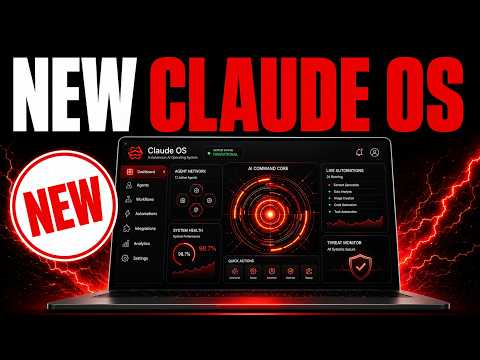
As AI models have bigger context windows, they use more tokens. Being efficient is crucial. RTK is free to try, and it's part of Julian's Agent OS setup.
If you want the full system, it's inside his AI Profitable Boredom community at AIProfitableBoredom.com, where you get daily tutorials, coaching calls, and access to the agent OS.