01What Agent OS Is and How It Works
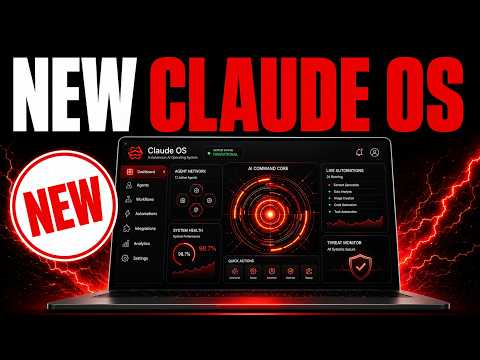
Agent OS is a local operating system for AI agents that you run on your own computer. It lets you manage multiple CLI tools, memory, and workflows from one place. In this episode, Julian Goldie answers questions from the AI Profitboard community about how to use and configure it.
You install Agent OS on your machine and then connect different AI models and tools to it. Each tool gets its own configuration folder inside the system. You can also add an Obsidian vault as a memory system so your agents know your goals, business, and voice.
The whole setup runs locally, which keeps your data secure and gives you full control.
02Main Features of Agent OS
Agent OS includes several key features that make it easy to manage your AI agents:
- CLI configuration folder — A dedicated folder inside the install where you set up each CLI tool one by one.
- Toggle to hide unused CLIs — You can hide tools you don't need to keep your workspace clean.
- Obsidian memory integration — Connect Obsidian as a knowledge graph so agents understand your projects, clients, and context.
- Goal mode — A mode that lets agents run autonomously on a loop, with a judge model checking the work every round.
- Support for free coding tools — Agent OS works with Free Claude Code, CodeX, and OmniRoot, which routes across 90 free APIs.
- Workspace preview — You can see what your agents build, like landing pages, right inside the system.
03How to Set Up Agent OS Step by Step
- Download or get the Agent OS install folder (available inside the AI Profitboard classroom).
- Open the install folder and go to section seven for CLI configurations.
- Decide which CLIs you need (e.g., Claude CLI, CodeX). Hide the ones you don't use with the toggle in the top left.
- Ask your AI agent (like Claude) to configure each CLI for you. For example, say: "Set up the Claude CLI inside the Agent OS, then check it works."
- Set up your Obsidian memory: create separate folders for each client or project inside your Obsidian vault.
- If you want free coding, open section five of the install folder and configure Free Claude Code or OmniRoot.
- Finally, turn on goal mode if you want your agent to work autonomously. Give it a goal, and the judge will check progress each loop.
04How to Use Agent OS for Real Work
In this episode, Julian shows several ways people use Agent OS for daily tasks. For example, one community member set up the whole system in 10 minutes after spending a week on his own version. Another member uses it on both a desktop and a laptop.
For client work, you can configure different workflows inside your Obsidian memory. Each client gets its own folder, and you can build custom workflows like "SEO workflow for client A." You ask your agent to create that workflow, and it will know which CLIs and rules to use.
You can also connect iMessage through Hermes. Inside Hermes, go to Manage, scroll to Channels, click Blue Bubbles, and then configure it. That lets your agent send and receive iMessages.
For free coding, use OmniRoot inside Agent OS to route across 90 free APIs. Julian gave the documentation to Claude and asked it to set up OmniRoot with Free Claude Code and CodeX.
05Results and Comparisons from the Episode
One community member, Jacob, reported that he set up Agent OS in about 10 minutes. He had spent the previous week trying to build his own version, working 12 hours a day. That means the pre-built Agent OS saved him roughly 84 hours of work.
Another person, Tan, shared how he turned his Obsidian vault into a fully connected knowledge graph. He used two open-source projects: the Obsidian CLI skill for Claude Code and agent skills for Obsidian. These tools help agents understand how to use Obsidian better.
Julian also notes that giving agents too many rules and skills makes them slow. He recommends using goal mode instead, which runs autonomously with a judge to verify each round. This approach uses fewer tokens and gets work done faster.
06Tips, Limits and Mistakes to Avoid
Don't overload your agents with too many rules, skills, or configurations. That can make them use a lot of tokens and run very slowly. Instead, use goal mode: give the agent a clear goal, and let it loop autonomously.
A judge model checks the work on every round to confirm it's done.
Keep everything on one machine for security and ease. Running Agent OS and local models on separate machines adds complexity and security risks. One machine is easier to configure and keep safe.
Only install the CLIs you actually need. The install folder includes many options, but you can hide the ones you don't use with the toggle. Focus on the tools that match your workflow.
Use separate Obsidian folders for each client or project. That keeps your memory organized and helps your agent know exactly which context to use.
07Who Agent OS Is For and Why It Matters
Agent OS is for anyone who wants to run AI agents locally without paying for cloud services. It's especially useful for freelancers, entrepreneurs, and small business owners who need to automate tasks for multiple clients or projects.
If you have been trying to build your own agent system, Agent OS can save you days of work. Julian codes for three to four hours a day to keep his system updated, and the community version is available inside the AI Profitboard classroom. You get new integrations, like free APIs from OmniRoot, and daily trainings.
By using Agent OS, you keep your data on your own computer, avoid subscription fees for cloud AI, and get a system that is already tested and working. The community also shares their setups, so you can learn from others and improve your own workflow.
08How to Connect Free Local AI to Agent OS
You can run free local AI models on the same machine as Agent OS. Julian recommends keeping both on one computer for easier setup and better security.
For free coding, use Free Claude Code or OmniRoot. OmniRoot routes across 90 free APIs so you can code without paying. It is based on an open-source project.
To connect it, give the documentation to your agent and ask it to set up OmniRoot with Free Claude Code and CodeX. The agent will do the configuration for you.
You can also use OmniRoot with any model, including local models or cloud models like Ollama. The workspace preview shows what you build, like landing pages or code projects. This makes Agent OS a complete local environment for AI development at zero cost.