01What Is an Agent Operating System?
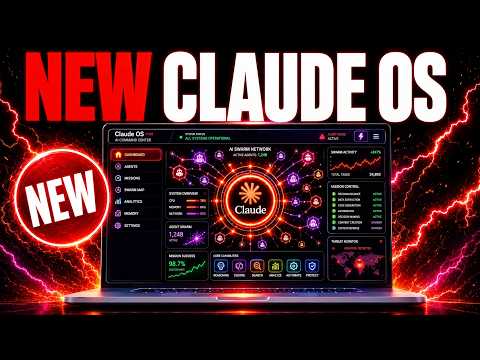
An agent operating system is a setup where multiple AI agents work together with shared memory and tools. You can plug in features like notebook LM, music agents, and video agents. It is like a custom brain for your AI tasks.
In this episode, Julian Goldie answers community questions about building and using these systems. He shows how you can add new agents, connect different models, and automate workflows. The key is that everything works as one unit.
Think of it as a dashboard where each agent has a job. One agent might handle research, another writes, and another creates images. They share memory and results.
This makes complex tasks easier.
02Main Features and What's New
The agent OS has several standout features. You can plug in memory, add agents for music or video, and even connect to Twitter tools. Julian shows a job outreach system built by a member named Robby.
It scans job posts, categorizes them, and sends custom messages automatically.
- Memory stores past interactions and data.
- Custom agents for tasks like job triage or news aggregation.
- Local or cloud setup, depending on your hardware.
- Markdown files for each process, so you can read step-by-step guides.
New features are added often. For example, notebook LM videos were just integrated. The system is designed to be flexible and grow with your needs.
03How to Set Up Your Agent OS
Setting up an agent OS is not hard, but you need to make some choices. Julian suggests using Claude for setup because it is smoother. You can also use Hermes, but the API you plug in matters.
- Decide if you will run locally or on a VPS.
- Pick an AI model for the main agent. Claude or Hermes both work.
- If you use Claude, set up Claude CLI or desktop. For Hermes, choose CLI or desktop.
- Connect your chosen model to the agent OS via API.
- Add memory and any additional agents or tools you need.
- Test with a simple task like generating a report or searching Twitter.
If your computer is old, use a VPS or a Raspberry Pi. You can also use Tailscale to connect separate devices.
04How to Use It: Examples from the Episode
Julian shares several real uses. One member built a job outreach system. It looks at job postings, analyzes them, and sends custom messages.
This system can work offline and could be sold as an agency service.
Another use is combining Hermes with Grok and Twitter. You can generate videos, search live Twitter, and create images. Then plug it into Hermes Oracle to get daily news summaries.
This is more direct than using an MCP.
For setting up the OS, Julian prefers Claude because it is easier to navigate. He runs everything locally, but others use VPS. The agent OS is light, so even older laptops can handle it.
05Results, Tests, and Comparisons
Julian is testing Fable 5 against the Goldie bench. He wants to see if it beats Fusion, a mixture of agents from Hermes. Fable 5 is the most intelligent single model, but panels of models might still win.
He also had bugs with Claude. It kept saying “service busy,” even with Opus 4.8. Fable 5 is limited—some users ran out of credits after two prompts.
It is only available until July 7 on existing subscriptions. People sometimes get redirected to Opus 4.8.
For free APIs, Gemma is okay on OpenRouter. MiniMax and Kimi K2 are cheap and work well. Grok is free if you have Twitter.
Local models are another option.
06Tips, Limits, and Mistakes to Avoid
Watch out for model limits. Fable 5 has low token caps on some plans. Claude can be overloaded at launch.
Always check which plan you are on.
- Linking accounts can be tricky. Run one Claude in terminal and another in desktop, or use a VPS for one.
- Free APIs change. The “our alpha” API was taken down, so have backups.
- Customization is key. Hermes desktop is less flexible than your own agent OS.
Do not rely on one model. Test combinations to get better results. Also, if you use free APIs, they may be unstable.
07Who It Is For and Why It Matters
This is for anyone building AI agents, from beginners to advanced users. If you want to automate tasks like job hunting, content creation, or news monitoring, an agent OS saves time. You can customize it to fit exactly what you need.
Julian spends 3-4 hours a day improving his setup. You can use his ready-made version, but you can also build your own. The system works locally or on a VPS.
Even with an old laptop, you can start.
It matters because AI is moving from single chatbots to multi-agent systems. An agent OS lets you combine strengths of different models and tools. You get more power and flexibility than using one app.