watch the video
listen on apple podcasts
play the audio
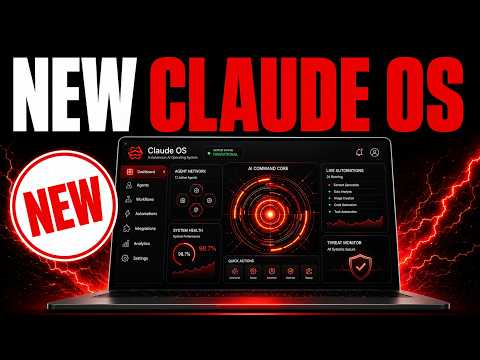
Agent OS Q&A: CLI Setup, Obsidian Memory, Goal Mode Autonomy, Hermes iMessage + Free Coding (OmniRoot)
This episode answers recent AI Profit Boardroom questions about configuring and using the Agent Operating System, including how to set up individual CLIs from the install folder (and hide unused ones), and how to organize client work using an Obsidian memory system with separate project folders or custom workflows. It covers why adding too many skills/rules can slow agents down and shows using forward-slash goal mode in tools like Claude Code and Codex, where a judge model checks progress each loop. The script discusses whether to run local LLMs and Agent OS on one machine or separate machines, recommends keeping them local on one device for simplicity and security, and shares community resources for building a connected Obsidian knowledge graph. It also explains setting up iMessage in Hermes via Channels/BlueBubbles and installing FreeClaude Code and OmniRoot for free coding across many APIs.
00:00 Agent OS Q&A Intro
00:18 Configuring CLIs Fast
01:10 Client Projects Setup
02:01 Autonomy Without Slowdowns
03:09 One Machine Or Two
03:59 Connecting CLIs And Agents
04:36 Obsidian Knowledge Graph
06:04 Hermes iMessage Setup
06:51 Free Claude Code Tour
07:41 OmniRoot Free Coding
08:33 Wrap Up And Community
This episode answers recent AI Profit Boardroom questions about configuring and using the Agent Operating System, including how to set up individual CLIs from the install folder (and hide unused ones), and how to organize client work using an Obsidian memory system with separate project folders or custom workflows. It covers why adding too many skills/rules can slow agents down and shows using forward-slash goal mode in tools like Claude Code and Codex, where a judge model checks progress each loop. The script discusses whether to run local LLMs and Agent OS on one machine or separate machines, recommends keeping them local on one device for simplicity and security, and shares community resources for building a connected Obsidian knowledge graph. It also explains setting up iMessage in Hermes via Channels/BlueBubbles and installing FreeClaude Code and OmniRoot for free coding across many APIs.
00:00 Agent OS Q&A Intro
00:18 Configuring CLIs Fast
01:10 Client Projects Setup
02:01 Autonomy Without Slowdowns
03:09 One Machine Or Two
03:59 Connecting CLIs And Agents
04:36 Obsidian Knowledge Graph
06:04 Hermes iMessage Setup
06:51 Free Claude Code Tour
07:41 OmniRoot Free Coding
08:33 Wrap Up And Community
Full transcript
Today we're gonna be answering some of the latest questions about the agent operating system that we've built, how to use it, how to build them, how to get the most out of them, and what it can do, plus the best ways to configure them. So we're gonna get straight into this. This is based on the questions we get inside the AI Profitboard community, and we're gonna get straight into this and start answering some of these questions. So one of the first questions we got was like, how to configure each of the CLIs inside the AgentOS when you set it up.
So basically, if you're getting our system, and you can set this up yourself if you want to, but if you're getting our system, there's a folder with the CLI configurations, and you just ask whichever agent you're getting set up to configure each of those CLIs. Now, for most people, they won't use all of those CLIs, so you can hide the ones you don't want inside the toggle in the top left, and then from there, you can install the ones you want. Now, for example, if you're getting Claude set up for you, you can just say to Claude, hey, set up the Claude CLI inside the AgentOS, check that it works, and then if you have any others to set up, you can go from there as well. So if we have a look at the installation set up here, section number seven is the agency CLIs inside the install folder.
We've got another question here from Brandy, which is how can you set up an AgentOS and configure it when doing work for clients? So I would configure that inside your memory system. So for example, if we have a look at the memory inside Obsidian, you would have different projects and different folders for each of the projects you're working on. So for example, when I'm doing work for the Air Profit Boarding, we have a separate folder for that.
When we're doing work for our funnels, we have separate folders for that too. And so for each product or for each client, you can have separate folders inside your Obsidian memory, and that way you can easily categorize between them. The other option is that you can build custom workflows for each client. So you could ask Claude, okay, I want to set up a SEO workflow for client A, and then you just configure it that way.
He's added a series of skills to make Claude Code autonomous, but it's made his setup super slow. Yeah, I think there's a tendency sometimes for people to give too many rules and too many skills to their AI agents, and that makes them too slow. If you want your agent to be autonomous, like for example, Claude Code, and you want it to work on a project where you just hand it off, you can actually use something called forward slash goal mode and you can give it the goal, and then it runs autonomously on a loop to achieve that goal. And then a judge will actually check the work on every round and make sure it's actually done.
So for example, if we go into Codex as the same sort of situation, you can go into goal mode inside Codex, you can give it a goal, and then it will loop round on every round until that goal is achieved. And the way the AI knows the goal is achieved is by checking the work with a separate model, a judge, and that makes sure the work is actually done. Otherwise, if you give your agents too many skills, too many configurations, too many rules, they can use up a lot of tokens and also be super slow and just not get anything done. The next question we got was, is it best to have local AI and agent OS running on separate machines?
So Scott was saying, you know, if I have a computer just running local LLM on one machine, then should I set up agent OS to run on another separate machine that I do my work and need to keep running 24 seven on both? So for me personally, I would have them both on one machine running locally. So you can have agent OS running on your machine and then the local models running on the backend of the agent OS. And that way it's easier to organize.
And also it's just running locally so it's easier to configure as well. Also for security, I think it's better to have everything set up locally rather than giving access to multiple machines with that sort of access. Blake was asking, you know, what's the best way to connect each CLI or just connect in general to agent OS to bring on Claude, Hermes, Notebook, and so on. Are there any prebuilt plug and play agents that we can put into the agent OS for various jobs?
And if so, where to access and upload them? So inside the install folder of the agent operating system that we give out, there's a section seven just for CLIs. And you can just configure each one separately. You don't need to add them all in, just pick the ones that you like.
All the configurations and installations are inside the actual install file. This is a pretty interesting share from Tan. So he was talking about turning an Obsidian Vault into a fully connected knowledge graph. And he's actually used two different Obsidian open source projects here.
So number one is Obsidian CLI skill. So it's an Obsidian skill for Claude code and other agents, which looks super useful. You can see here, for example, it's got like different ways of organizing it with files, daily notes, search properties, and everything else. And then also there's another one here called agent skills for Obsidian.
You can basically teach your agent to use CLI and open formats, including like Mildtown and everything else. So it's an interesting way to just customize Obsidian more so that your agents understand better how to use Obsidian. And if you're wondering what Obsidian is, Obsidian is just a memory system that you can use to give all your agents context so they understand you, your goals, your business, your voice, and everything else. We've got other people who are sharing their setups for the agent OS as well, which looks great.
So the great thing about this community is we all share and we learn and we grow together to help each other as much as we can. Actually, what's pretty interesting here is, for example, like Jacob, he's posted that he just set up my agent OS in about 10 minutes. And he said, that's a strange feeling because I've spent the last week on my own version, 12 hours a day. And in 10 minutes, he set up something that took him like 12 hours a week.
So that's the power of this stuff. It's like, it can really save you a lot of time and it's super powerful and really easy to use. Now we've got a question from Scott, which is how to use iMessage within Hermes, how to set up, et cetera. So as far as I'm aware, you can go to manage inside Hermes here, then you can go to channels and then inside channels, you can select blue bubbles and iMessage and just configure it.
So it just works in four simple steps, manage inside Hermes, scroll down to channels, click blue bubbles and then click blue bubbles and then click configure. And then once you set up, you're good to go. Also, what's pretty interesting here is like people are setting up AgentOS on multiple devices, which is really cool as well. So he can use it on his desktop, but also on his laptop as well.
So a great share from Paul on how to set that up here. So Ronald has also set his AgentOS up and he was asking like, how do you use free cloud code and where does it live? So there's a markdown for the installation of free cloud code. It's in section five of the install folder.
And yeah, you do wanna get your agents to configure it for you, but once it's done, it's pretty easy to set up. So you can see that we can run free cloud code over here. We can see what we've built with it. We've got the workspace over here too, with everything that we've created.
So here's a landing page that we created earlier using free cloud code. And you can also configure this with any model. So that could be a local model, or for example, it could even be like Omniroot or something like that. It's based on an open source project.
This one right here. This is pretty interesting. So one question we had was about Omniroot, which we've now actually configured. Now this is a free coder that automatically routes basically across 90 free APIs so you can code for free.
So you can use it inside the Omniroot section of the AgentOS. Again, it's an open source project where you can just keep coding even on free APIs and you get the preview and all your workspace and everything else. Now you can configure this with free cloud code and also CodeX. The way that I personally set it up was I went into cloud and I just gave it the documentation for Omniroot and said, can you set this up with free cloud code and CodeX as well?
And it just went off and set that up for me. But I think you don't need to 100%. It's just like some people prefer the harness of cloud code. And so that's why I configure it like that, just to show people how to do it.
And that is it. I've answered all the questions inside the AI Profit Boardroom. If you want to ask me questions like this, just go inside the AI Profit Boardroom, post your questions, and I answer them with video tutorials like you've seen today, every single day. And every single question gets answered.
Also, the whole community helps each other as well. So when people have questions, we all sort of chip in and help each other as much as we can. And also inside the classroom, you can get access to our agent operating system. So you could build this yourself, but like I was showing, for example, with Jacob, sometimes it can take like 12 hours to set up something like this.
I personally code this out for like three to four hours a day. So if you want to get my system that's updated with all the new changes, all the integrations, et cetera, you can get that right here inside the classroom of the AI Profit Boardroom. Link in the comments description, or just go to theaiprofitboard.com. And this is my community for helping you learn, grow, and scale with AI automation.
So inside the community, you can ask questions, get help and support in real time. Inside the classroom, you get access to all my best trainings on this sort of stuff. We have new daily updates. So for example, yesterday, we actually set up a full training on how to get free APIs.
So if you want to get free APIs, there's actually over 130 of them inside OmniRoot, and we show you exactly how to do that inside this training right here. And then if you want to plug this into your AgentOS, you can grab over here. Also do weekly coaching calls, so you can get help and support in real time, share your screen. And inside the map, you can meet people locally who are building with AI agents like you.
So feel free to get out, link in the comments description, or just go to theaiprofitboard.com. Thanks for watching.
More episodes