watch the video
listen on apple podcasts
play the audio
Hermes Agent: Deploy in 1 Click on a VPS + Build an Agent OS That Runs Claude/ChatGPT Free
This episode explains how to use Hermes Agent as an “agent operating system” that runs like an AI team to build, review, and automate workflows 24/7, including running Claude and ChatGPT inside the system for free. It shows a one-click VPS deployment option via Hostinger and mentions a ready-made Agent OS package (for OpenClaw, Hermes, Gemini, and more) with tutorials and a linked video agent setup. The script covers orchestrating multi-step work by saving pipelines as a single “skill” workflow, turning ideas in Obsidian markdown files into automations, and choosing tools by keeping setups simple (often just Claude). It also describes using OAuth (instead of multiple APIs) with several agents, suggests client-ready offers like AI SEO, AI avatar videos, and automated landing pages, and demonstrates Kanban-based task orchestration within Hermes.
00:00 Hermes Agent Overview
00:42 One Click VPS Setup
01:26 Ready Made Agent OS
02:03 Workflow Skills Orchestration
03:39 Obsidian Ideas To Automations
04:24 Choosing The Right Agents
05:36 OAuth And Free Model Access
06:32 Client Services With Agents
08:40 Kanban Based Agent Orchestration
09:59 Community Support And Wrap Up
This episode explains how to use Hermes Agent as an “agent operating system” that runs like an AI team to build, review, and automate workflows 24/7, including running Claude and ChatGPT inside the system for free. It shows a one-click VPS deployment option via Hostinger and mentions a ready-made Agent OS package (for OpenClaw, Hermes, Gemini, and more) with tutorials and a linked video agent setup. The script covers orchestrating multi-step work by saving pipelines as a single “skill” workflow, turning ideas in Obsidian markdown files into automations, and choosing tools by keeping setups simple (often just Claude). It also describes using OAuth (instead of multiple APIs) with several agents, suggests client-ready offers like AI SEO, AI avatar videos, and automated landing pages, and demonstrates Kanban-based task orchestration within Hermes.
00:00 Hermes Agent Overview
00:42 One Click VPS Setup
01:26 Ready Made Agent OS
02:03 Workflow Skills Orchestration
03:39 Obsidian Ideas To Automations
04:24 Choosing The Right Agents
05:36 OAuth And Free Model Access
06:32 Client Services With Agents
08:40 Kanban Based Agent Orchestration
09:59 Community Support And Wrap Up
Full transcript
Hermes Agent is now one of the most powerful free tools on the planet. In this video, I want to show you how to make it work like a full AI team inside an operating system. Agents, building, reviewing and automating work automatically 24-7. I'll show you how to run Claude and chat GPT inside this operating system for free.
I'll show you how to deploy Hermes Agent to VPS in one click, and I'll show you a ready-made setup that you can get right now and have it running in minutes. This is one thing I'll actually show you later in this video that most people spend weeks trying to figure out, and it changes everything about how to get your AI agents working and building together. Don't skip to the end, you need the full picture to make this work. Let's get into it.
So one question I actually got was from Jonathan Richard, who was basically, I have OpenCore and VPS, how do I do the VPS install for Hermes step by step? So if you've never used Hostager before, they actually have a setup for this already. And what you can do is you can deploy Hermes Agent in like a one-click install. And you can see the package here and how it works.
So you can go to Hostager, they have Hermes Agent ready to go, and it's a one-click install. So for example, if we wanted to install it like so, obviously you've got different packages for whichever setup you prefer. You can click on choose a plan and then get set up from there. So that's like a super easy way to set up.
Even has like a daily auto backup section here as well. And you can choose the location, how long you want to sign up for, and everything else. So that's how you can deploy it in one click. Another question we got from Manish was, is there like an agent operating system package that you can just install and put together and it's ready made and ready to go?
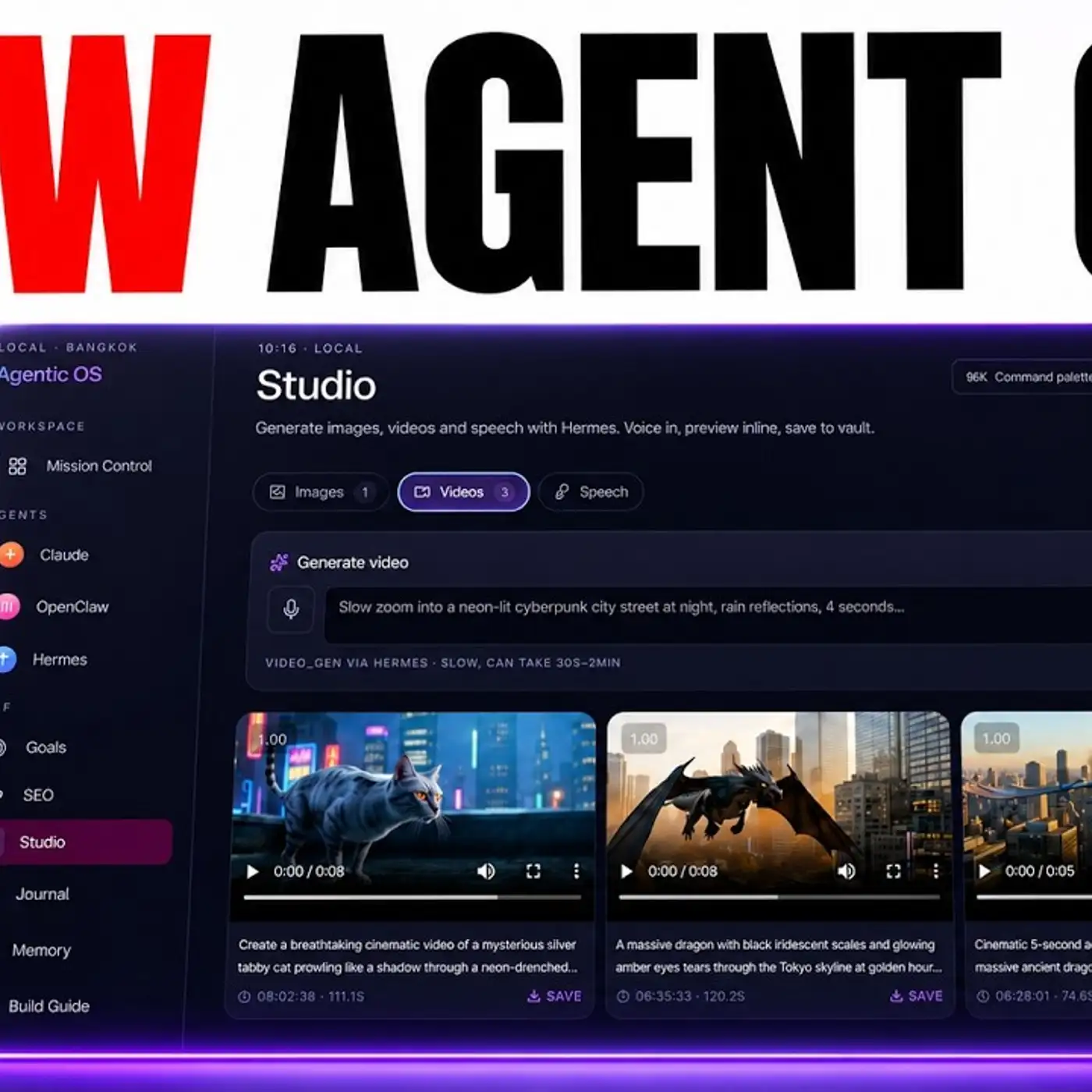
So we actually have that for OpenCore, for Hermes, for Gemini and everything else, all packaged together, all with my existing setup. So for example, we even have like a video agent here that's linked to HyperFrames and Hermes Agent. So if you don't want to create your own, you can get the agent operating system over here. The zip file is there, and we've got a video tutorial on how to set that up too.
So you can see, for example, Brad got his agent operating system set up pretty quickly using a similar process. Same for Lawrence and Dr. John Meza. So that's the easiest way I know to set up.
The next question we have is from Egbert, right? So he was asking, after he installed the AgentOS, like how to dispatch different workflows across each one, right? So for example, Agent A builds a module, Agent B reviews it. How do you orchestrate that all together?
So here's the way that I do it. I actually build that into a skill so it works as a workflow. So for example, if you look at this SEO content pipeline, it's multiple different steps put together in one workflow, right? So for example, we have to get the keywords.
Then we have to add case studies. After that, everything has to be optimized. And there's 12 steps inside this process, quite a long batched workflow to the point where we even have to index everything too and deploy it to our websites. So the way that I would recommend you doing this if you want different agents to interact with each other is just have like a skill like that, right?
In fact, you don't even need multiple agents. You can just have one agent that runs through a skill for that workflow. Now, if you wanted, for example, Hermes to set that up, or if you wanted, for example, Claude to set that up, you can explain exactly what you want like I did here and say, right, for example, I want Agent A to do this and I want Agent B to edit it and then I want Agent C to add more research, etc. And it'll build that into the workflow.
And you just say, add that inside my agent operating system so that everything works as one skill and save the skill. So when you do that, everything works together as a beautiful workflow where you can have 12 or 15 different steps all linked together. But the beautiful thing is, if I wanted to run this workflow with 12 different steps, I can just click a couple of buttons and then we're good to go, right? The agent handles the rest.
So you want to stop orchestrating by hand, express a pipeline as one skill file, and then Hermes or Claude or whatever you use can run the whole skill file as multiple different steps in one workflow. Now, we've got another question here from Brian, which is basically how do you get Hermes to take an idea or a workflow or something it's learned and then implement it, right? So the way that I do this is I would put it into a markdown file inside my Obsidian Vault. So, for example, let's say we've got this information on chat GPT and SEO.
Once it's in a markdown file like this, Hermes can read the Obsidian Vault and from there it can turn it into a workflow, right? So I can say, OK, based on this file inside my Obsidian workflow, set up the automation or use this to come up with ideas. But the first thing you need to do is make sure that you put the idea or the case study or the information about it into a markdown file because that will train Hermes on exactly how to use it. And once Hermes has the knowledge, you can go off and start setting everything up for you.
Now, we've got another question from Yazim, which is like, you know, which agents you use and when. How do you decide when to use Claude or Hermes or NA10 or Codex or Manus, right? And I would say they all actually work. It comes down to your personal preference.
So the way that I try and do everything is keep it very, very simple. You don't need to, for example, even use NA10 anymore, right? Because Claude and Hermes can do everything that you do inside NA10, but they can do it no code. And then when it comes to deciding which of these to use, personally for me, if I had to pick between all these, I would just go with Claude and just stick with that one, right?
It's better to master one tool than it is to try and master all of these different things at once, right? And then also that way, you know, OK, if I'm only going to use Claude, it helps you focus and it helps you become a master on that thing. And it helps you stop feeling like you have shiny object syndrome. So this way you save time, you move faster and you don't get distracted.
Bear in mind, like, for example, if you look at Manus, Manus is just like an easier way to use Claude code that's hosted in the cloud. NA10 is like a more technical version of Claude code. And then Codex is basically like Claude code, but it's just a different model that you're using inside it, right? And so for me personally, I would just stick with this.
Now, another question we got here is, you know, can you run, for example, Claude or ChatGPT, et cetera, with OAuth instead of using APIs for each one? And this is a great question. So, for example, if you look at my agent operating system here, Claude is plugged in with OAuth, right? We're just talking to the CLI.
The same with Antigravity, the same with Gemini, the same with Codex. And so those four different systems you can all use inside your agent operating system and you don't need to plug in a separate API, right? Now, for example, if you wanted to use OpenClaude, you can also use OAuth with ChatGPT. Hermes allows you to run OAuth with ChatGPT or Grok.
And then for free Claude code, you don't even need to pay for an API. You can use a free API like OAuth on OpenRouter. And that way, everything requires less resources. You don't need to manage loads of different APIs.
You don't need to manage all the API tokens. And you can just use OAuth or free APIs, right? Makes everything simpler. So that's the way I would handle that.
Now, we've got another question from Rad, which is, you know, based on all these AI agents that are out there, what would clients be interested in, especially like local clients? It's a great question. So for me personally, I actually have a SEO agency, Goldie Agency, and a lot of our clients are interested in AI SEO, right? So for example, creating content, creating really good quality content with context, but also making sure that they do it in an efficient way with AI.
And so AI SEO is something that clients are interested in. Also, another option is AI avatar videos, right? So for example, we have a setup over here for AI avatar videos. And the cool thing about this is like clients want more leads.
How do they get more leads? Well, content marketing is great for that. How can AI help with that? Well, this is a whole system that helps clients get more leads because they have better content marketing, which means they reach more people.
So that's a really powerful system. And then also, as well as this and these two systems here, which are ready to go, the other option that you have is setting up Hermes or, for example, Claude custom for people who know the power of it, but don't have the time to set up, right? So for example, if you look at Hermes, if you can set this up for someone and then link it to their website so it can create content, or for example, you set up a daily schedule where it looks at all of their recent work and then helps them figure out new automations for that on a daily schedule. That's something that business owners would value, but they don't know how to do it and they don't have the time to learn it and do it themselves, right?
And so if you can go off and set them up for them, that's really powerful too. The same thing for Twitter, right? So, for example, if you can reach more people on Twitter and help them reach more people, for example, like yesterday, we reached 246,000 people in one day. Well, using a system like this, you can see clients will be interested in that because, again, it generates leads.
It helps them reach more customers. It saves them time, right? And so all of these different systems are really valuable and the systems that are ready to go. The final thing I was going to say is a lot of clients actually need like a decent landing page or a decent website.
Again, they don't have the time to set up something like this, but you can easily automate it with AI. And so that's how you can help them, right? So, for example, we've got this system right here, which helps you automate landing pages and websites based on what's already worked for us. Now, Ken was asking about agent orchestration.
How can you orchestrate your agents? So the system that I use when it comes to doing this is the goal section inside the Kanban of Hermes, right? So Kanban with Hermes is a Kanban board. Basically, you can set up a task here, drop it in, and what Hermes does is it orchestrates that and assigns tasks to multiple different profiles of your agents.
And so it's a very simple way to see what's happening. Get one agent to look at a task, break it down into subtasks, and then once it's completed, it's going to move to the done section, right? So, for example, if we look at this task where we said create a keyword research plan for my AI automation blog, it mapped out four different subtasks inside the main task and then assigned those tasks to our agents, to our sub-agents. And then what we can see here is the workspace with the files completed, and we can manage and orchestrate everything in one place.
Now, I actually don't think it's necessary for you to orchestrate, for example, having Gemini, Claude, and Hermes working together all in one single task. You can just have Hermes with multiple profiles, which is what we've got here, to orchestrate and organize your team. And that way, you keep things simple, it's easy for you to organize, and it's also very easy for you to come back and see what happened. Because you've got the workspace here with all the tasks and all the deliverables inside each task.
So I've answered all of the questions from today. Lots of cool questions coming in there. If you want me to answer yours, we have a video tutorial dedicated just to ask a question inside the AI Profit Boredom community, and I'm going to answer it for you. The reason that I do this is because I know if you have this question, other people will, and that way we can help more people at the same time on the typical sort of questions that people have when it comes to building out with Hermes Agent.
So you can see, for example, Lawrence, he asked a question about Obsidian and Notion recently. Within six hours, we'd already created a video tutorial for him, breaking down exactly how to implement it. So that's the sort of stuff we do inside the AI Profit Boredom. You also get access to my agent operating system with a zip file to get this installed.
And this is updated daily, so you get the new latest stuff that I've built in. You get four weekly coaching calls where you jump on a call, ask questions, get help and support in real time. You can meet people in your local city who are using AI automations just like you, and you can get access to all my best trainings on this stuff. So feel free to get that link in the comments description or go to the AI Profit Boredom dot com.
Thanks for watching.
More episodes