01What Is the Hermes Apollo Voice Agent?
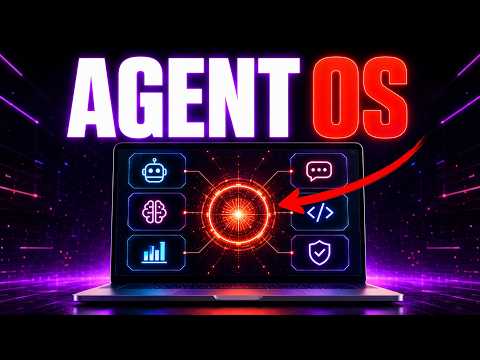
Hermes Apollo voice agent is a custom voice assistant that lives inside the AgentOS and can run your computer by voice. You talk to it like you'd talk to a helper in the room, and it will open apps, browse the web, and even build simple tools or pages for you.
In this episode, Julian Goldie demonstrates how it works live. You speak, Apollo hears, picks a tool, asks for confirmation, and then does the task. It is built on OpenAI's newest live voice model through the ChatGPT real-time API, but you never touch that technical stuff.
You just talk.
02Main Features of the Apollo Voice Agent
Apollo has several strong features that make it different from old voice assistants.
- Always listening: While the panel is open, Apollo listens continuously. There is no wake word to remember and no button to hold.
- Real-time replies: It answers like a live phone call. The moment you stop talking, it is already replying, with no awkward pauses.
- Hands-free actions: It can open apps like Obsidian or Google, and it can build simple landing pages or tools while you watch.
- Agent mode and auto mode: Auto mode handles simple requests. Agent mode can write files and use different tools locally.
- Voice options: You can switch between different voices inside the system.
- Memory logging: Every conversation is saved in a memory section, which fills up your Obsidian vault and memory galaxy.
03How to Set Up Apollo Voice Agent
Setting up Apollo is straightforward, even if you are not technical. Julian says he is not a coder and built it himself.
- Get an API key from ChatGPT. Anyone can do this.
- Download the full AgentOS zip file from the AI Profit Boardroom, which includes Apollo and every tool pre-wired.
- Install the AgentOS on your computer.
- Open the Apollo tab inside the AgentOS.
- Turn on real-time mode to start using the voice agent.
- Optionally, set a wake word like "Apollo" so it wakes up automatically.
The AI Profit Boardroom also offers coaching calls to set up the voice butler step by step, plus a 30-day roadmap.
04How to Use Apollo Voice Agent in Daily Work
You can use Apollo for small tasks without touching your keyboard. For example, you can say "open Obsidian" and it opens. You can say "pull up Google" and it brings up the browser.
In the episode, Julian shows these commands:
- “Give me some ideas for keywords for SEO” – Apollo suggests mixing broad phrases and long tail phrases.
- “Open up Google” – it opens the site.
- “Tell me a joke” – it tells a short joke.
- “Teach me phrases in Italian” – it teaches “buongiorno” and “per favore”.
- “Build me a website for my SEO agency” – it builds a clean agency site concept.
You can interrupt Apollo at any point, and it replies very quickly. You can also switch tabs to hide panels you do not need. When you switch tabs, Apollo turns off automatically, so it only listens when you want.
05Results and Comparisons Shown in This Episode
Julian ran several live tests in the episode. The website for his SEO agency was built in about 90 seconds while he watched hands-free. Apollo opened Google and Obsidian instantly after voice commands.
He compared the old way versus the new way. The old way means typing and clicking for every small task, which eats up your day. With Apollo, you just say what you want, and it happens.
Julian also noted that Apollo replies faster than any other AI voice agent he has seen. He called the response time the fastest he has seen using the ChatGPT real-time API.
06Tips, Limits, and Mistakes to Avoid
Here are some tips and warnings from the episode.
- Use free models to save tokens: You can run the AgentOS on free models like HY3 for Hermes agent and use Obsidian, which is free. That way you do not worry about tokens.
- Switch off real time when done: To stop Apollo from listening, just turn off real time or switch tabs. It will not listen all day.
- Expect some lag: While it is very fast, it is not like Siri, and Julian said it is way faster than anything else he has seen.
- Do not assume you must code: You do not need to type commands or write code. You can build simple apps with one voice command.
One potential limit is that you need the API key from ChatGPT, but that is something anyone can get.
07Who Apollo Voice Agent Is For and Why It Matters
Apollo is for anyone who spends a lot of time at a desk and wants to save time on small tasks. It is also for non-technical people who want to create tools or websites without coding.
Because the AgentOS has 198 pages of people building it out, there is a strong community. In the episode, Julian mentions Carl, who built his own AgentOS, and Rick, who set it up within 30 minutes after joining. Shin said the AgentOS is beyond the value it provides.
It matters because it changes how you work. You stop typing and clicking all day. You just talk, and the machine does the rest.