01What Is an Agent OS and How Does It Work?
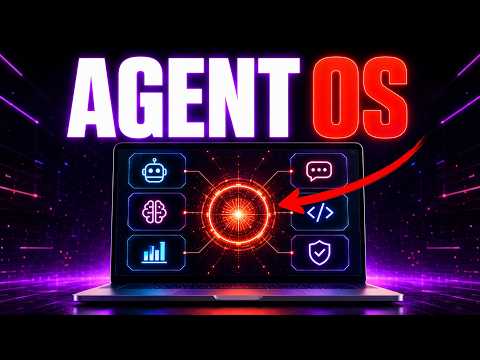
Agent OS setup is the process of creating a central system that combines your favorite tools, workflows, and AI agents to automate nearly anything. In this episode, Julian Goldie explains how his own AgentOS functions as a powerful hub. It includes a memory system, teams of agents orchestrated with paperclip, and integrations like NotebookLM for generating videos, podcasts, infographics, slide decks, and reports.
The system also connects to agents like Hermes and supports cloud-based profiles for lead generation. Essentially, you build or install an AgentOS to automate repetitive tasks and streamline your daily operations. It’s a customizable framework that adapts to your needs, whether for outreach, content creation, or data organization.
In the episode, Julian shows how the AgentOS is given away inside the Airprofit Boardroom, and users can even build their own version based on his setup, using tools like Fable 5 to customize it further.
02Key Features of the Agent OS
The AgentOS packs several powerful features that make automation easy. Here are the main ones shown in the episode:
- Memory system: Stores information for AI agents to use across tasks.
- Team orchestration: Uses paperclip to manage and coordinate multiple agents.
- Content studio: Integrates NotebookLM to create videos, podcasts, infographics, slide decks, and reports.
- Custom agents: Includes agents like Hermes for specific tasks.
- Cloud profiles: Allows use of cloud-based profiles for lead generation.
- Custom workflows: Users can add their own functions and workflows, as Carl did in the episode.
These features allow you to build and automate anything, from simple email follow-ups to complex lead generation pipelines. The system is designed to be flexible and personalized.
03How to Set Up Your Agent OS Step by Step
Setting up your own AgentOS is straightforward, especially if you follow the process Julian demonstrates. Here’s how to get started:
- Get the AgentOS: Obtain the system from the Airprofit Boardroom, where it’s given away to members.
- Install it: Install the AgentOS on your own machine or cloud environment.
- Customize with Fable 5: Use Fable 5 plan mode inside the terminal to customize it to your needs, as Carl did.
- Add your functions: Add custom functions and workflows that suit your tasks, like language settings or specific automations.
- Connect tools: Integrate tools like Hermes, NotebookLM, and Composio for enhanced capabilities.
- Test your automations: Run a simple task, like automating LinkedIn messages, to ensure everything works.
Remember, you can also ask Hermes to set up a specific workflow by giving it step-by-step instructions, and it will ask for necessary API access.
04Using the Agent OS for LinkedIn Automation
One practical use shown in the episode is automating LinkedIn outreach for recruiters. John, a recruiter, wanted Hermes to pull every message from seven days ago that received no response, organize them, run them through Apollo, and send him a list. Julian confirms this is absolutely possible.
The best approach is to give Hermes clear, step-by-step instructions, just like John did. Hermes will then ask for API access to tools like LinkedIn and Apollo, and you can start building the workflow. The AgentOS already has a similar system for outreach emails, allowing you to send emails, create leads, generate leads, and follow up automatically.
You can also use tools like Composio with Hermes to enhance the process. This example shows how versatile the AgentOS is for real-world business tasks.
05Results and Comparisons from the Episode
The episode shares several results and comparisons that highlight the AgentOS’s value. For instance, Carl built his own AgentOS and customized it with Fable 5, making it look and feel beautiful, even switching the language to German. This shows how easy it is to personalize the system.
Julian also compares tools like Higgsfield and ChatGPT Image 2.0. He finds Higgsfield slow and only good for short videos and images, while ChatGPT Image 2.0 is often a better direct alternative. He says he doesn’t get the hype around Higgsfield.
Additionally, Julian mentions that Fable 5 has been extended to July 19th, included in Claude subscriptions, and likely extended again due to competition with GPT 5.6.0. These insights help you decide which tools to use.
06Tips, Limits, and Mistakes to Avoid
When using an AgentOS, Julian offers some practical tips. First, give clear step-by-step instructions to Hermes for setting up automations, as vague prompts may lead to poor results. Second, don’t rely on Higgsfield for fast work—it’s slow, and alternatives like ChatGPT Image 2.0 may be better.
Also, be aware that most AI models require you to enable web search for up-to-date information; it’s not always automatic. Finally, avoid building overly complex workflows without testing them first. Start small, like automating a simple LinkedIn follow-up.
- Use Fable 5: Take advantage of the extended access to customize your AgentOS.
- Choose the right tools: Not all tools are worth the hype; test what works for you.
- Enable web search: Make sure to turn on web search in your AI models for current data.
07Who Should Use an Agent OS and Why It Matters
An AgentOS is ideal for anyone who wants to automate repetitive tasks and build powerful workflows. Whether you’re a recruiter managing LinkedIn messages, a course creator doing marketing research, or just someone looking to streamline your daily operations, the AgentOS can help.
It matters because it allows you to combine all your favorite tools into one system, saving time and increasing efficiency. Julian notes that building the AgentOS takes him about three to four hours a day, but seeing people win and learn makes it worthwhile.
The community around it is positive, with people online 24/7, and there are over 198 pages of testimonials from users crushing it. If you want to get help and support, joining the Airprofit Boardroom gives you access to trainings, coaching, and direct messaging with Julian.