01What is Kimi K2.7 and how does it work?
Kimi K2.7 is a new AI model from Chinese company Kimi Moonshot. It is a long-horizon agentic model, meaning it can work on tasks for hours without stopping. You give it a big goal, and it breaks it down and builds it step by step.
In this episode, Julian Goldie shows how Kimi K2.7 created four games, a full operating system, and a fully edited video with an AI avatar. It uses a coding plan where you get API access and can plug it into other tools.
The model is powerful because it can judge its own work and then keep improving. It does not just give you one answer. It keeps going until the output is good.
02Key features and what’s new in Kimi K2.7
Kimi K2.7 brings several new features that make it stand out from older models:
- Long-horizon agentic tasks – it can code and build for hours.
- Self-judging – it evaluates its own output and iterates.
- Visual creation – it builds games, banners, and even a galaxy simulation.
- Multi-agent orchestration – you can set up a team of AI agents that work together.
- Integration with Hermes and Claude Code – use it inside your favorite agent harness.
There are several plans on the coding platform, from lower token limits to higher ones. Julian started on a lower plan and switched to a higher one after heavy use.
The model also works with the cloud-hosted version of OpenClaude, called Kimi Claude, which is useful for non-technical users.
03How to set up Kimi K2.7
Setting up Kimi K2.7 is straightforward. Julian walks through the steps he took:
- Go to Kimi.com and sign up for the coding plan.
- Choose a plan that fits your token needs – start low and upgrade if needed.
- Create an API key inside the coding console.
- Plug the API key into your preferred tool – Hermes, Claude Code, or the agent OS.
- Or use the Kimi CLI directly inside your terminal.
- For image generation, you can give Kimi K2.7 access to an image API like ChatGPT image 2.0.
Once set up, you can create separate profiles for different models in Hermes. For example, Julian has a profile for Kimi K2.7 and another for N2, a free API from China.
You can also use the desktop app, which works like Claude desktop but for Kimi.
04How to use Kimi K2.7 for building projects
The best way to use Kimi K2.7 is to give it a big task and let it work. Julian shows several examples:
- Games – he built a Skyrim-style game called Dragon Realm and a Dragon Racer game. It created a whole virtual world you can explore.
- Operating system – Kimi OS with fully functional apps inside, all created by the model.
- Video editing – a team of AI agents edited a full video with an avatar, audio, and even AI-generated background music.
- Web OS – he built a drum studio that is fun to use.
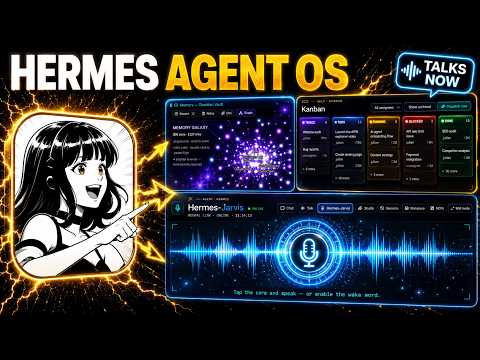
You can also use Kimi K2.7 in a multi-agent setup. Julian shows a Kanban board where a team of agents works autonomously. A judge AI checks the quality and decides if the work passes.
If not, the agents keep iterating.
Another use is to plug Kimi K2.7 into Claude Code. Then Claude acts as the brain, and Kimi K2.7 does the coding and testing in the background. This saves time because you do not have to prompt manually.
05Results and comparisons shown in the episode
Julian tested Kimi K2.7 on several projects and compared it to other models. He built four games, a full OS, and an edited video. Not everything was perfect – some outputs looked cool but were not useful.
For example, he created something with nice colors but called it not useful. However, the Dragon Realm game was impressive because it built a whole virtual world from a single prompt.
He also tested the response speed. When he asked Kimi K2.7 if it was there, it replied in about seven seconds. That is not super fast but acceptable.
In terms of token usage, Julian used only 2% and 0% of his weekly usage on his current plan. He started on a lower plan and switched to a higher one after iterating a lot.
He also noted that Kimi K2.7 is a good alternative to Claude, especially for cheaper tokens. It can handle long-horizon tasks that would require many back-and-forth prompts with Claude.
06Tips, limits, and common mistakes to avoid
Here are key tips and warnings from the episode:
- Don’t expect a one-shot build – Kimi K2.7 often needs several iterations to get a good result.
- Use the judge AI – it helps the model improve without your constant input.
- Choose the right plan – if you run out of tokens, upgrade to a higher plan.
- Plug in an image API – if you want image generation, you need to give Kimi K2.7 access to one.
- Integrate with your favorite tools – Hermes, Claude Code, and the agent OS all work.
One mistake is to judge the model by a single output. Julian showed that some outputs look cool but are not useful. You need to guide it or give it a skill, like how to create games, to get better results.
Another limit is speed – a 7-second response might be too slow for real-time chats, but it is fine for agentic work.
07Who should use Kimi K2.7 and why it matters
Kimi K2.7 is for anyone who wants to build big projects with AI without spending a lot on tokens. It is especially good for developers, content creators, and non-technical users who want to automate complex tasks.
If you are on a Claude subscription and looking for a cheaper alternative, Kimi K2.7 offers more tokens and similar power. Julian says there is nothing wrong with using it as a Claude replacement.
It matters because it makes advanced AI accessible. You can create games, videos, and even an operating system with just prompts. The self-judging feature means you can let it work autonomously while you do other things.
For those in Julian’s community, you can get the full agent OS system and video tutorials. That makes it even easier to set up and start using Kimi K2.7 effectively.