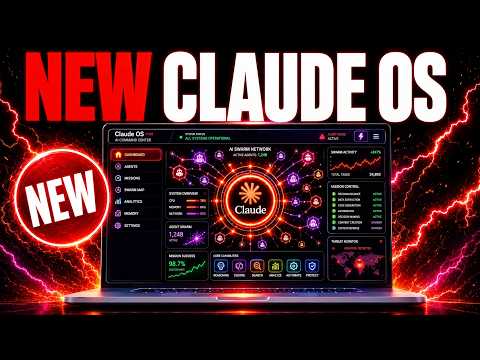
Hermes Mixture of Agents DESTROYS Claude Fable 5?
watch the video
listen on apple podcasts
play the audio
Building a Custom Claude Agent OS: Voice Agents, Orchestration, Memory Loops & Model Swapping
The speaker demos a custom “Claude agent operating system” built over two months to unify tools like Fable 5 and Hermes into a single, customizable mission-control UI with shared memory and organized outputs. They show how features evolved from simple chat into multiple model profiles, Hermes Mixture of Agents, a wake-word voice agent that can control the browser and local actions, and Hermes Oracle for pulling and linking breaking news and drafting social content. The system includes agent orchestration via group chat, pipelines, and a Paperclip-style org chart with departments, an inbox, dashboards, and progress history, plus Kanban workflows and integrations like NotebookLM video generation. It’s designed to swap models/CLIs quickly, run scheduled “loop” automations (outreach, news refresh), and maintain a growing memory/notes system. The OS and tutorials are offered through the AI Profit Boardroom.
00:00 Agent OS Overview
00:21 Why Mission Control
01:12 Profiles and Mixture
02:47 Keep It Simple
03:11 Voice Agent Demo
04:14 Oracle News and Content
04:29 Building With Claude
05:18 Agent Mastermind Chat
06:05 Paperclip Agent Org
08:07 Swap Models Fast
09:16 Kanban and Video Tools
10:12 Loop Engineering Automation
11:24 Memory Feedback System
12:12 Community and Access
13:14 Courses Coaching Wrap
14:00 Final Thanks
The speaker demos a custom “Claude agent operating system” built over two months to unify tools like Fable 5 and Hermes into a single, customizable mission-control UI with shared memory and organized outputs. They show how features evolved from simple chat into multiple model profiles, Hermes Mixture of Agents, a wake-word voice agent that can control the browser and local actions, and Hermes Oracle for pulling and linking breaking news and drafting social content. The system includes agent orchestration via group chat, pipelines, and a Paperclip-style org chart with departments, an inbox, dashboards, and progress history, plus Kanban workflows and integrations like NotebookLM video generation. It’s designed to swap models/CLIs quickly, run scheduled “loop” automations (outreach, news refresh), and maintain a growing memory/notes system. The OS and tutorials are offered through the AI Profit Boardroom.
00:00 Agent OS Overview
00:21 Why Mission Control
01:12 Profiles and Mixture
02:47 Keep It Simple
03:11 Voice Agent Demo
04:14 Oracle News and Content
04:29 Building With Claude
05:18 Agent Mastermind Chat
06:05 Paperclip Agent Org
08:07 Swap Models Fast
09:16 Kanban and Video Tools
10:12 Loop Engineering Automation
11:24 Memory Feedback System
12:12 Community and Access
13:14 Courses Coaching Wrap
14:00 Final Thanks
Full transcript
Today I'm going to show you what I'm building with this quad agent operating system that combines for example Fable 5, everything that we've built with it. We've got for example Hermes, a voice agent, Hermes Oracle that can pull in the latest news, a full outreach tool, mixture of agents and everything else that we're doing together. And I'm going to show you exactly how this works step by step, what we're building with it and the progress we've made so far. So I started building this out about two months ago and it was really just like a kind of fun project where I was like, okay, let's try and just build out a basic mission control.
The reason I did this is because when we were using this, like if you're using the terminal, if you've got for example Claude in another tab, none of it is really linked together. It's all super messy. There's no memory stored between anything. And also you can't see everything you've built, right?
And also the problem here is like, I can't customize terminal. I can't make the UI more beautiful, but I can design my own operating system like you see right here where we've got everything plugged in together. The other thing that I've learned from this is like, because we've built this for AI Profit Board and community members, every single request that we get is kind of like, oh, that's a new idea. That's something new we could add.
That's something we were missing before. And so every time you build a new feature in, it unlocks another door to something else that you could add on top of that. Let me show you an example of this. So for example, we built in Hermes Agent here and really right when we began, it was just a chat.
It was just literally like a chat and then you could have Claude's CLI chat. And what we did from there is we started building out separate chats with different profiles. So for example, every time something new and useful comes out, like for example, Quen 3.7 or Grok Build or KimmyK2.7, well, let's create a new profile for that so we can chat between them and see what we've created. Now also, because Hermes keeps releasing like these new amazing features, like for example, mixture of agents, we were like, right, okay, let's plug that into the system as well so that we can use it whenever we want.
Because again, if you were running through the documentation or if you were trying to use those separate features, it would be super messy. Let me show you an example of that. So if we go to Hermes mixture of agents and documentation on it, it's all like terminal commands. It's all coding.
It's super complicated to use, but it's really powerful, right? Like I've actually tested this out versus Fable 5 today. And on many examples, Hermes Agent is either right up there with Fable 5 or actually beating it, which is incredible when you think about it, but considering it's using older models together. And so my point here is like, every time we get something that comes out and it's brand new from Hermes Agent, we plug it into this system right here.
And I think that's a fantastic way to do it because instead of like going into the terminal and trying to remember how to use mixture of agents or like losing all the creations that you make with mixture of agents, because they're in just like a folder locally somewhere, you can have everything organized. It's neat and tidy and it looks and feels exactly how you want it. And so that's what I'd recommend for you. If you're thinking about doing this, segment each piece of Hermes you actually use.
Now that is another point too. You don't want to build too many features into this. You want to keep it simple and easy to organize because for example, you might look at this list of CLIs and because I test everything, we build it in there, but actually you might only need like Hermes and Claude. You might only need Claude inside here, you know, that's the difference is like, you don't need everything.
You just need the stuff you're actually going to use. Now something else that blew my mind is the Hermes voice agent that we have here. This is a voice activated version of Hermes that we can wake up with a wake word. We can use it in real time.
If we actually say something to Hermes agent right here, it will actually reply to us as well, which is great. And then also the great thing about this as well is that when we are using this voice agent, it can also control our browser and also control things locally. And it just listens to us in real time. So we can have it in the background on a monitor.
It can just talk and reply to us at any point. We can also see the full conversation over here. And you can see that actually just took what I said and then plugged it in. And also everything that we've built with this voice activated agent is stored in one place again.
And I think that's good because otherwise what you're going to have is a voice agent. Quite a lot of people have probably seen this before. It's like you build a voice agent, but then you never use it because it's not easy to open up and you have to restore it and you have to go back to where you were, et cetera. Whereas with this system, it's all ready to go.
We also have Hermes Oracle that can pull in the latest news. So for example, Claude Fable 5 is back today. That is obviously the biggest news on X right now. And actually links directly to the tweet related to that.
It pulls in all the latest news. We can publish content, we can draft content for social media, and it's all ready to go. Now you might be wondering at this point, how did you build it? Every single feature that we plugged in, we actually just asked Fable 5 to start building out for us.
So for example, the lead generation tool that we've got inside Hermes, you can see right here. And we literally built it out step by step with Hermes. If you're wondering how to get started with that, then all you do is you go into Claude and you're like, right, here's my idea. Can you build this into a beautiful UI?
And then also build on the current mission control that you have. And if you don't already have a mission control, then you can start from zero and just say, hey, build me a simple mission control like this. If you actually have like a screenshot or an idea of what you want to see or the style, even like another website example, you can give that to Claude and say, you know, create a mission control based around this particular style or this particular dashboard that we've got over here. And that's quite a nice way to do it as well.
So then we have these systems for orchestrating our agents, because once you start building out more and more, another layer that you probably want to add in is an easy way to navigate between the agents and have them communicate together. So what we have, for example, inside the agent mastermind section here is a group chat where all our agents can talk and they can bounce ideas from each other. They actually read our obsidian vault, which we'll come on to later, and then they bounce ideas off each other. And once they find something good, they add it into our pipeline so that we can actually implement that.
And we can see everything that we've built over here. So you go from idea to actual creation, like really, really quickly. It's super easy to do. And it doesn't take a lot of work because your agents are coming up with the ideas.
They're replying to you. You just drop a simple challenge, like, for example, give me a great ideas for an SEO app. And then it goes off and does it. Now, inside Paperclip as well, what you'll see over here is a system where we have a pipeline of everything that our teams have built together.
And the great thing about this is that we can build a full team of agents. There is no other way that I've seen that's actually useful to create an organization of agents like this to work together. So we've got the CEO, then we have like different department leaders, and then we have sub-agents underneath each other. Now, you might say, why not just use Hermes?
Well, the thing is, if you're using Hermes or Hermes Terminal or Hermes Desktop, etc. Well, you can't use other agents together with that. You're only going to use Hermes. And so you're kind of stuck in that ecosystem.
And you also can't customize it in the same way. So if you have Hermes Desktop, you can't really build all this stuff into it. You kind of stuck with Hermes Desktop. And it's great.
But if you really want to have a team of agents, they're all working together, building stuff and doing things exactly how you want them to be in the way that you want them to be in the way that you want it to look as well. Then the only way to do that is building something like this out, right? It's fully custom as a build. You've got all your agents working together right here with the paperclip system.
We have an organization right here. We have a dashboard of everything that was done. We even got an inbox where my agents can actually message me and ask me questions or say, hey, can you approve this hire of another agent or can we set up this one, etc. And the other benefit of this is that you have all of these different systems where you can see what you've built and look back on it.
And I think that's fantastic as well because it's like, oh, where was that thing we created two weeks ago? Oh, there it is. And we can even see how long ago it was created. So you can see here it says two hours ago because we were just building with Fable 5 today.
And so the great thing about this is we can look back at our progress from like 34 days ago and see what we were doing before. And also like if Claude brings out new stuff, so for example, you've got Ultra Code that came out, I think it was last month. When Ultra Code came out and we could build teams of sub-agents like this team of 12 SEO sub-agents, we can have them working as a team. We've got them in a separate tab over here.
We can come back to that and use it whenever we want. The same with the managed agent section as well. Now, we've got all of our CLIs plugged in here. Some things are going to be swapped in and out.
And that's a beautiful thing about this as well. So for example, we plugged Fable 5 into this originally. Fable 5 gets taken down. No problem, what we're going to do is focus on the system, not the model.
So if the model drops or the model's not very good or you run out of tokens or you can't use Fable 5 on the subscription anymore, no problem. You can swap out the CLI and just go back to OBS 4.8 as well. And so you can be very, very flexible with this in a way where it doesn't disrupt your workflows. So for example, we had Fable 5 running inside our SEO content pipeline.
For most people, it would be really, really annoying to just rebuild everything based on, for example, having to switch back to OBS 4.8. But for us, literally in like 10 seconds, we could say, okay, take out. And this is how you do it. You go into your Cloud CLI that built it or your agent that built it.
You just say, hey, take out Fable 5 inside the CLI and swap it with the CLI for OBS 4.8. And that way, it's really easy just to swap models in and out in like a minute rather than spending a whole day rebuilding everything, which would be a nightmare. And then we've got, for example, another orchestration system here where we can have agents working together on a command board. So if we have a look at this video, this video was fully generated with a team of Hermes agents.
And we have a full system here where it can deploy websites and web pages and everything else. Then also, for example, like NotebookLM recently came out, literally yesterday, less than 24 hours ago. They came out with a system where you can basically generate short videos for free using the notebooks you've created. So for example, we've got four videos here that we've generated using this system.
Now, that's pretty cool because as soon as something new like that comes out, which is super useful, right? Like free educational videos that you can create with AI in like one click. That's pretty amazing. And so as soon as that comes out with the MCP, we just link it and plug it in together.
And I think with a combination of APIs, MCPs, CLIs, and also local models, you can basically build and automate anything that you want with systems like this. And then also, for example, you've got loop engineering. So one thing that I don't really do so much anymore is I don't really prompt my agents. I actually get my agents to prompt themselves and run on a loop.
So for example, with Hermes, if you look at Hermes Oracle, it's just running on a loop every 24 hours. It refreshes itself. I don't have to intervene. I don't have to prompt it.
I just come back to the outputs, right? And so I don't have to quality control. My teams work anymore. They quality control themselves.
I don't have to refresh their work or tell them to do stuff anymore. It all gets built into the system and it runs on loops. And so that's the other thing that we've built in that's really powerful here. So for example, if you look at Paperclip, you can choose when they run on a schedule.
So it's just running on a loop for you in the background. The same, for example, with Hermes, with the Oracle, that's refreshing every 24 hours. The same with the Outreach tool, right? That's just automated where you set up an outreach campaign and then you can actually have the emails sent from Hermes agent automatically on a schedule.
And so the thing that I try and build with this more and more, it's just a loop where everything's a positive feedback loop. It improves itself. It prompts itself and we don't need to manage it. And it's very autonomous.
But if we ever do need to step in or stop something or have a human in a loop, we can easily build that in too. Now, the final loop that I would say with this is the memory system. So you can see here, this whole system with thousands of memories, thousands of notes that all my agents use and use to give me personalized answers. This was all automated with AI agents.
So AI agents like Hermes, like Claude, et cetera, they add the memories and then they pull that out when they're updating me. So if I go into Hermes or if I go into Claude and I'm like, okay, give me a list of keywords for my website. It will just look at my memory system here, look at my context, and then automatically log into the system the new keywords it comes up with. And so it's updating the system, but then it's using the system to create content.
And so that's working in a positive feedback loop as well. So it's a really powerful system here. There's more and more things that we're building in based on what community members want. Like, for example, even a music agent.
And if you want to get this system from me, I mean, you could build it yourself. I spend about three to four hours a day building it and improving it just so that we can help everyone inside our community. You can get that all inside the AI Profitable Boarding. So if you want this operating system that was built with Claude and it's just ready to install, then you can get that inside the AI Profitable Boarding.
You might say, okay, you know, this seems great, but it might be a little bit technical. So we've got over 194 pages of testimonials and wins from community members. And you can see as we scroll down here, the people are absolutely loving it. And non-technical people, I'm non-technical myself, can all build and use this and get the full power of it, right?
So there's so many people just getting amazing results like this. People showing off what they've built with their agent operating system, how they've built with it, what they've built into it, et cetera. And so the great thing about the community is we can all share, learn, grow, and build new things, and then share those ideas with the community as well, as you can see right here. Like Heubing was saying how it revolutionized his work with AI agents.
There's so many wins like this I've seen, and it's pretty much an endless scroll of wins and testimonials and everything else. So if you want to join us, feel free to join inside the AI Profitable Boarding. If you're worried about tokens and that sort of thing, we actually have a guide on how to run an agent operating system for free as well. And inside the community, you can ask questions.
I do daily tutorials answering everyone's questions about the AgentOS. Inside the classroom, you can get access to all of our best lessons. And if you want the AgentOS system, you can grab it right here with the video tutorial, the last update date, and the zip file. And then we add new daily tutorials, as you can see, based on what's actually useful, and you can implement today.
So feel free to get that link in the comments description. We have a beginners to expert course here as well. You can jump on four weekly coaching calls where you share your screen, while listening together, ask questions, et cetera. And then inside the map, you can meet people in your local area who are building with AI agents like you.
So feel free to get it, link in the comments description, or just go to the AIprofitable.com. Thanks for watching.
More episodes