
watch the video
listen on apple podcasts
play the audio
Inside My Hermes Agent OS: Oracle, Jarvis Voice Control, Outreach SaaS, Memory Galaxy & One‑Click Content Automation
The script demos a custom “Agent OS” built around Hermes Agent, showing how it segments multiple agents and workflows into one system. It highlights Hermes Oracle for pulling trending news and generating social posts or SEO-optimized WordPress articles in one click with scheduled daily refreshes; Hermes Jarvis, a voice-activated mode that can run real-time actions like opening websites and providing daily briefings; and a new Outreach Agent that finds leads, enriches/validates emails, manages campaigns, inbox/sent items, dashboards, and suggested outreach sequences using API keys and sending caps. It also covers goal mode with autonomous looping and QC, a connected Memory Galaxy for logged/interlinked knowledge, a Kanban board for multi-profile agent orchestration, NotebookLM asset syncing via MCP, video/SEO engines, Paperclip for team-based agent orgs, and an idea-to-implementation pipeline shared via the AI Profit Boardroom with tutorials, updates, community support, coaching calls, and testimonials.
00:00 Agent OS Overview
00:18 Hermes Oracle News
02:02 Jarvis Voice Control
03:06 Outreach Email Engine
05:08 Goal Mode Autonomy
05:41 Memory Galaxy Brain
06:23 Kanban Team Workflow
07:06 NotebookLM Asset Sync
07:37 Video SEO Loop Tools
08:35 MCP Workspace Studio
08:59 Paperclip Agent Orgs
09:22 Idea To Shipping
09:43 Get The Setup
10:23 Boardroom Tutorials Support
11:17 Build Vs Customize
11:41 Testimonials And Wrap
The script demos a custom “Agent OS” built around Hermes Agent, showing how it segments multiple agents and workflows into one system. It highlights Hermes Oracle for pulling trending news and generating social posts or SEO-optimized WordPress articles in one click with scheduled daily refreshes; Hermes Jarvis, a voice-activated mode that can run real-time actions like opening websites and providing daily briefings; and a new Outreach Agent that finds leads, enriches/validates emails, manages campaigns, inbox/sent items, dashboards, and suggested outreach sequences using API keys and sending caps. It also covers goal mode with autonomous looping and QC, a connected Memory Galaxy for logged/interlinked knowledge, a Kanban board for multi-profile agent orchestration, NotebookLM asset syncing via MCP, video/SEO engines, Paperclip for team-based agent orgs, and an idea-to-implementation pipeline shared via the AI Profit Boardroom with tutorials, updates, community support, coaching calls, and testimonials.
00:00 Agent OS Overview
00:18 Hermes Oracle News
02:02 Jarvis Voice Control
03:06 Outreach Email Engine
05:08 Goal Mode Autonomy
05:41 Memory Galaxy Brain
06:23 Kanban Team Workflow
07:06 NotebookLM Asset Sync
07:37 Video SEO Loop Tools
08:35 MCP Workspace Studio
08:59 Paperclip Agent Orgs
09:22 Idea To Shipping
09:43 Get The Setup
10:23 Boardroom Tutorials Support
11:17 Build Vs Customize
11:41 Testimonials And Wrap
Full transcript
Today, I'm going to show you our agent operating system, what I've built into it lately, and exactly how powerful this is, just to inspire you and to show you what's possible when you actually really build a great system around Hermes Agent. Now, Hermes Agent is probably, you know, the most powerful AI agent in the world, but only if you use it properly. So for example, we take a look at the Hermes Oracle here. What this can do is it's got this animation here.
We can click on any of these news headlines that it's got. And then what it can actually do from here is it's pulling in the latest news. You can see this was just consulted an hour ago. We just consulted the Hermes Oracle an hour ago.
And then from here, we can pull in the latest, most trending news. So if we open this up, for example, this is a trending news post. And from there, we can either draft a social media post using this one click button, or we can actually publish to WordPress. And this is something where we can publish to three different websites, SEO optimized content, actually gives us the links of what we've created.
And you can see that the social media post has been created here as well, right? And that's done for all of this section. Now this is just one tiny little fragment of the Hermes AgentOS system. Basically what an AgentOS is, is an agent operating system.
So it's a place where you can have all of your agents, you know, whether you use, for example, Cloud CLI, whether you use anti-gravity, even if you just use one of these things. And then from there, what you can do is you can, for example, categorize all of the news as well based on what's trending. And you can see the date, how many posts it got, who it came from, what the topic is. So we actually published a guide on this this morning, just in like one single click, and it's all fully customized to us, all completely unique.
And we can draft the social media content and publish it to WordPress in like one click. So the speed really wins here. And if we need to refresh topics, well, because it's running on a scheduled cron job with Hermes Agent, it'll refresh daily. But if we need to get new news in, like even newer, we can just click on consult the Oracle and it will refresh the page for us, which is pretty amazing itself.
So you can see how powerful this is. Now that's just one tiny little fragment of this. What we also have over here is Hermes Jarvis. This is a voice activated version of Hermes that we can talk to and we can get it to do real things.
So you can see here that we've got the full conversation. We can actually do a daily briefing on it as well. And you can also, for example, show us and build stuff in real time. So these are all builds that we've created with Hermes via the voice activated engine.
And we can plug this on wall mode as well. So it sits on a monitor and we can have a wake word or we can have it in real time where we just get it to do things in real time. So if we open this up, we say, okay, real time, open up Google, open up Google. And you can see it just opens up right there.
We can also turn that off or on. We can switch it off or toggle it back on as well. We could also say, okay, open up juliangoldy.com and it just opens the website for us. And this is working in real time.
Now we can switch it on and off. We can also get daily briefings. We can change the voice as well from the dropdown. And so we've got Hermes Oracle, we've got Hermes Jarvis.
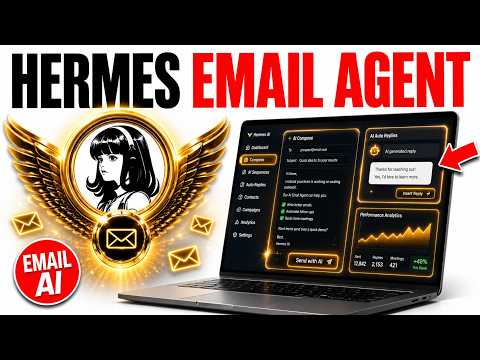
Now what we also have, and these are new features I've just added this morning, this is Outreach Agent. And this is pretty powerful because what we can do from here is we can turn Hermes into an outreach tool. Now imagine, for example, if you were using inside the terminal, Hermes Agent like this, you just couldn't use it in the same way. You couldn't segment all the cool stuff that it can do.
Whereas if we go to this section here, we have basically a full outreach tool created with Hermes Agent. So it can send emails and it can find leads for us. Plus it has a dashboard that breaks down everything that we've done. So for example, it's like, okay, here's a number of leads.
Here's how many are validated. Here's how many people replied. Here's who you recently contacted, recent activity. And if you go to the lead section here, for example, if I type in like, I need a list of SEO agencies, it will find the relevant domain, the relevant email address, the status.
So whether it's enriched as a lead or where it's not verified, and then also the notes on that topic, right? So for example, the notes about that company. Now, if we don't want to contact them, we can delete that. And also what it does is it hides the big companies.
So anything that's, you know, any company that's just too big to contact, it doesn't make sense to reach out to them. I can just delete off the list. And then we've got a list of companies that we can reach out to here. We can click on validate email addresses, and then we can start sending emails to them.
Now we can also, for example, add our API keys inside the settings section here. And we can set a cap in terms of how many emails we send. We can add our Hunter API key and our Firecrawl API key as well to find the details on the leads and enrich them. Then we have our inbox as well.
We have our sent items. We have the campaigns currently running. And we can also edit these as well or cancel them. And depending on the topic, it will actually come up with some ideas on how to do the outreach itself.
So it will give us the first email and then the follow-up email as well. And we can preview it here. So it's pretty insane. Like you can do all this stuff with Hermes Agent.
Just 99% of people don't even realize it. We also have goal mode set up over here. What this means is basically you can give Hermes a goal and it will loop around and the judge will quality control the work for like 20 turns. And if it's not fully completed or if the work is not up to par, then it will just keep looping around in the background autonomously as an agent until the job is completed.
And then the difference here between doing that inside like terminal and doing that inside here is that with this workspace, we can actually see our history and what we've done previously. Right, so it's all saved in. Which brings me to my next point. We have a memory galaxy plugged in here too.
So every time we're using, for example, like Hermes Jarvis, it's automatically logged into our memory galaxy so that our AI agents automatically update the system and then we get the memory galaxy even richer, even more powerful, even more useful. And so the brightest stars are the memories we worked on the most recently. And then we can also, for example, see that everything is interlinked. So we can see, for example, my decisions log.
We can see our funnel strategy. We can see our notes about Claude. Everything is plugged into one organized system, which not just plugs into Hermes, but also goes to Claude and all of our other AI agents inside the system too. Now, additionally, we have a Kanban board here where we can orchestrate multiple different profiles of Hermes.
So if we switch to our content studio, we can give this a task. And you can see here that it's created a fully edited video and a blog post on the done section. And basically what we do is we can give it a task here. It gets triaged as a task.
Then that moves to the do, ready, running, or blocked. And our agents can work together as multiple different profiles. So for example, you could have like one Hermes profile, this SEO writer, one that's a quality controller, one that does research, and they all work as a team to create the outputs. And then you can actually preview them over here, which is pretty insane.
We can also link Hermes agent to NotebookLM. And so what this does essentially, as you can see right here, is that it uses an MCP and it links NotebookLM to our assets here, right? So these are all different things that we've created, like for example, infographics or PDF reports, research reports, videos, podcasts, et cetera, all gets pulled into our assets section inside NotebookLM. So we can easily connect with NotebookLM.
We can organize it. We can get it to do stuff, et cetera. And then finally, we have like a video agent. This can easily, like in one single prompt, research, edit, and create videos in like one single click with avatar.
We have, for example, the loop engine where we can have two different Hermes agents working together and looping around until the job is done. We have the SEO engine where we can basically research from our Google search console, find relevant keywords. And then from there, based on the keyword of research that we get, we can use that topic. We can plug in a keyword, plug in a relevant case study for information gain, and just quickly publish that content to our website like you can see right here, right?
And so the main point here is like anything that you think you can automate with Hermes, you can, but you just want to make sure that you actually have a system where you can come back to it. Because if you set up a workflow with Hermes agent, very hard to come back to it inside the terminal, very hard to come back to inside the desktop even. But if you have it segmented inside these sort of sections here, everything is custom built and ready to use whenever you need it. You can even link MCPs in one single click as you can see over here.
So we've got the MCP section. We can add a custom one, or we can pull in an existing approved one from Hermes agent. We have the workspace with everything we've created with every single tool as well over here. So we can preview stuff that we've built and easily come back and test it, which is pretty cool.
We have the studio with images, videos, and voice. One final thing I would say is that we have paperclip, so paperclip is another way of orchestrating your agents. So we can have a team of Hermes agents working together in an organization. So you can see the org structure here.
They can get stuff done like 24 seven. We can preview everything that we've built with them. We can create multiple different companies like that, and they can all run on local models or free APIs and then just build and ship things for you. Final thing that I would say is if you have an idea, you can drop an idea into the idea system here.
And I know this because so many people want to build stuff, but they just don't have the time to sit down. So this takes you from idea to implementation like two clicks. So for example, you can drop an idea over here, you shape it, you approve or decline it, and then it gets shipped and filled as you can see. So if you want my system, it's all inside the AirProfit boardroom.
I just want to show you what's possible with this stuff and how powerful it is. I mean, building out a full SaaS tool that can do outreach is unbelievable. Building out a full tool with Hermes agent that can do lead generation for you is insane, right? Creating an SEO tool with Hermes agent that can basically pull in the latest trending news and then create social media content and also generate SEO blog posts in like one click, insane.
And this just automatically loops around every single day. So all this sort of stuff is unbelievable. And I just want to show you the power of what you can do with Hermes agent and how powerful it actually is. So if you want to get my setup, you can.
If you want to build it yourself, you could do that as well. I spend about three to four hours building this out. And then what I actually do is inside the AirProfit boardroom, I update the system daily and share it with the community inside the agent OS section here. So you can see the agent OS system, you get the video tutorial, you get the last update date, you get a full guide on how to install it, and then you get the zip file where you can quickly install it, right?
And every time there's a new update with Hermes, for example, like Hermes email agent or v0.17 or loop engineering, or even the shopping assistant that came out recently, we just show you exactly how to use it with new daily tutorials. We answer your questions inside the community daily. So I personally answer these questions and so does the community to help each other. There's always people online 24 seven, and you can jump on four weekly coaching calls to get help and support in real time.
Plus inside the map, you can meet people locally who are building with AI agents just like you are. So this is all inside the AirProfit boardroom, link in the comments description or go to the airprofitboardroom.com. If you wanted to build your own sort of custom version of this, well, you got two options. So number one, you could take my setup and then just customize it how you want.
The other option is like you could begin to build it inside Claude. But what I will say is it takes a lot of time because you have to tweak, you have to test everything. Sometimes you change one thing over there and it breaks over here. And so really that's why I build it and then share it with the community like you can see.
Also, if you're wondering, okay, like is this stuff technical to set up or how easy is it to set up, et cetera, you can see we have 188 pages of testimonials and wins from members inside the AirProfit boardroom. For example, like Rick, he joined and within 30 minutes, he had the agent operating system set up and wired, right? Already got the superpowers built in. Amateo as well, he said, I've just got my agent OS via the AirProfit boardroom.
It's amazing, just really learned everything I can do with it. Learning Hermes direct versus paperclip for tasks. You can see, for example, people actually share what they're building. So Jose, he built his out in a day.
He said, one day here, I've already had a big operation system, which is crazy. So like there's so many people using this and then customizing it how they want as well. That's the other thing is like, you can take the system, you can change UI, you can change the setup, you can tweak it how you want and then build whatever you want with it. So hope to see you inside the AirProfit boardroom.
You can get the system there. Thanks for watching.
More episodes


I Built A Real JARVIS With Claude
