watch the video
listen on apple podcasts
play the audio
Hermes Agent Operating System: Mission Control, Jarvis Voice Mode, Studio & Long-Horizon Goals (Full Setup Tour)
The script tours an “agent operating system” that makes Hermes Agent easier to control and far more powerful than using it in the terminal, featuring a mission control dashboard, a chat UI with saved conversation history, voice input, and email sending via a connected dedicated inbox. It demonstrates real-time talk mode enabled by Minimax M3, plus “Hermes Jarvis,” a voice butler-style assistant that can execute computer commands like opening Google. The system includes Hermes Studio for generating videos, images, and audio using Minimax and Grok OAuth, with Remotion as an alternative video skill, and an artifacts area to preview created outputs. It also covers MCP connections (e.g., Gmail), a Kanban-based multi-agent orchestration workflow, long-horizon “goal mode” with an internal judge, and new v0.16 management features like sessions, logs, scheduled tasks, channels, profiles, and provider keys, then promotes the AI Profit Boardroom for the full setup, tutorials, coaching, and community support.
00:00 Hermes Agent OS Overview
00:16 Mission Control Dashboard
00:28 Chat Interface and History
00:59 Email and Voice Input
01:33 Talk Mode Real Time Voice
01:53 Jarvis Computer Control
03:03 Hermes Studio Media Creation
04:15 Why an Agent OS Matters
04:46 UI Models and Skills Tour
05:30 Kanban Agent Orchestration
06:23 Goal Mode Long Horizon Tasks
07:57 Artifacts Preview Workspace
08:30 MCP Connections Explained
09:01 Manage Sessions and Scheduling
10:32 More Pipelines and Wrap Up
11:03 AI Profit Boardroom Community
11:25 Training Setup and Coaching
12:29 Testimonials and Final Thanks
The script tours an “agent operating system” that makes Hermes Agent easier to control and far more powerful than using it in the terminal, featuring a mission control dashboard, a chat UI with saved conversation history, voice input, and email sending via a connected dedicated inbox. It demonstrates real-time talk mode enabled by Minimax M3, plus “Hermes Jarvis,” a voice butler-style assistant that can execute computer commands like opening Google. The system includes Hermes Studio for generating videos, images, and audio using Minimax and Grok OAuth, with Remotion as an alternative video skill, and an artifacts area to preview created outputs. It also covers MCP connections (e.g., Gmail), a Kanban-based multi-agent orchestration workflow, long-horizon “goal mode” with an internal judge, and new v0.16 management features like sessions, logs, scheduled tasks, channels, profiles, and provider keys, then promotes the AI Profit Boardroom for the full setup, tutorials, coaching, and community support.
00:00 Hermes Agent OS Overview
00:16 Mission Control Dashboard
00:28 Chat Interface and History
00:59 Email and Voice Input
01:33 Talk Mode Real Time Voice
01:53 Jarvis Computer Control
03:03 Hermes Studio Media Creation
04:15 Why an Agent OS Matters
04:46 UI Models and Skills Tour
05:30 Kanban Agent Orchestration
06:23 Goal Mode Long Horizon Tasks
07:57 Artifacts Preview Workspace
08:30 MCP Connections Explained
09:01 Manage Sessions and Scheduling
10:32 More Pipelines and Wrap Up
11:03 AI Profit Boardroom Community
11:25 Training Setup and Coaching
12:29 Testimonials and Final Thanks
Full transcript
Hermes agent is one of the most powerful AI agents in the world. And this agent operating system makes it even better. So this is a powerful way to control and manage your AI agents. I'm going to show you and talk you through exactly how we set up, how it works, et cetera.
So you can see that Hermes is plugged in right here. Now, what we have, first of all, is a mission control system. And so this allows me to manage all my agents in one place. You can see what model we've plugged into Hermes here.
We can see what our providers are. We can check out the control room, et cetera. And then what we've actually done is we've built out a chat where you can speak to it directly. Now, this is so much better than if you were going inside your terminal and then you were trying to use Hermes here, because there's no conversation history inside your terminal, right?
You can't see what's happened. Most people are not technical enough to use Hermes agent directly anyway. And so when you have a system like this, number one, it's much easier to use. Number two, you can see all your history saved in one place.
And number three, you can go back and see what you've done previously to recap, as you can see. So we've got a long trail of conversation history. Now, the other great thing about this, too, is that if we scroll down here, we've actually plugged in access to send emails. So we said to Hermes, like you can see, sent email me at juliangoldy.com saying the calls moved to 3 p.m.
Right. And you can see it's now sent. Now, we can also do voice input for this, too. And then if you go over to our emails, we've got the email right here from Hermes agent.
And what we've actually done is set up a separate email address for Hermes agent that's connected. So they can manage my inbox. You can organize things for me. It's like a personal assistant and it's ready to go 24 7.
Now, we've also got this talk mode. Now, what this allows us to do is we can switch between voices and then we can have a chat in real time. Now, this is only possible because of Minimax M3 that just dropped this week. And so with Minimax M3, we can use this voice agent.
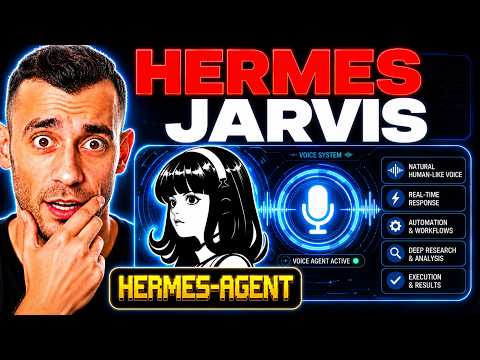
We can speak to our agent real time and then we can have a conversation and go back and forth. But not just that. We can also use something called Jarvis Hermes Jarvis. And so Hermes Jarvis is a powerful way to use Hermes as an AI system.
And what you'll notice is that each one of these is a new system, an easy way to navigate between each tab and organize Hermes in a way where we can get the most out of it with a quick command. So we can actually switch between these two models. And if we say, for example, open up Google for me, you can see it opens up Google right here. Right.
Super easy and simple. Not Google now. So there's actually a voice on that in the background, too. I just don't have it because I don't think it would sound very good on this video.
But you can see here that we can basically control it through the chat. We've got the email set up and everything else. We have the talk mode where we can have live voice calls. And not only that, but we have Hermes Jarvis where we can speak and command our AI agent.
It replies in an actual voice. We actually train this to sound like a kind of English butler. And then it can control our computer. It can organize things for us.
And we can also type commands, too. Or we can just use a section here. I prefer to just use voice commands here. The amazing thing about that is you can speak to it.
Right. You can command it. It can do things for you. Now, the other thing that we've got here is Hermes Studio.
And again, this is only possible because there's been two new updates that came out recently. One of them is Grok OAuth, right. So you can use Grok OAuth and then you can also use Minimax as well. Now, the cool thing about this is when you're using Minimax or Grok, they can both create videos.
They can both generate images. They can both generate voice notes or podcasts even if you wanted to. And so you can see examples of what we've created over here using this AI agent. Now, if you don't want to use Minimax or, for example, Grok with Hermes agent, you can actually plug in ReMotion.
ReMotion as a skill allows your Hermes agent to create videos for you and then organize and edit them like you can see here. So these are even some videos that have been created with my AI avatar. As you can see, this is another one where what we've actually got here is an AI agent that has created a bunch of stuff and then created a video about the stuff it's published with previews. As you can see, this is all stuff AI's built for us.
And then it's created a video around it as well. So it's really crazy what you can do with this if you understand how to organize it properly. And the key to this is having a system. Hermes itself inside the terminal, not particularly great, right?
No, it's just cheaper tea, right? You're not going to get a lot out of it over here. But if you plug it into an agent operating system like you can see, then you can 10X its power. You can make it 100 times better.
And if you want my full setup, you could set this up yourself. If you want my full setup, it's actually inside the AI Profit Boardroom. Link in the comments description or go to the aiprofitboardroom.com. And so now we have the chat, the talk, Jarvis, the studio with video images and voice as well.
Now, what I also like is this section. One of the other things I would say about this whole system is if you look at the UI, it's beautifully designed, right? It's easy to navigate. It's simple.
It collects everything in one place. And also, we don't just have to stick to Hermes. We could switch to OpenCloud. We could switch to Cloud.
We could go back to Hermes if we want to as well. And if you look for our previous sections, you can see that we've got our conversation history here. So we can see when it was last active, how we commanded it. So for example, the CLI or through the API, et cetera, the ID, and then also the provider preview as well.
Then we've got the status section. So we can see everything that's summarized in one place. We have the skills section here. So we can see all the skills that we've plugged in, plugins, the Kanban board, and that's basically it.
Now on the note of the Kanban board, what you can see over here is that we have a full orchestration set up for organizing our AI agents. Why is that important? It's important because if you have multiple Hermes profiles or multiple AI agents, you can command them now in one simple task. So if we give a task here, what I actually do is triage a task with my main AI agent, and then it will delegate that task into smaller subtasks, and that will move across the board.
So you can see, for example, here, if we look at this project, we can preview it and we can see everything that's been done for this project. And this was built with multiple different AI agents. The same for this, for example, we can see with this keyword research, everything that we've done. And so everything that we create with Kanbans, we can preview over here.
We can organize and orchestrate all our different AI agents, and we have multiple different profiles that we can use. So if you want a full team of AI agents, this is how you can do it, right? Now from here, we have the goal mode. The interesting thing about goal mode is you can basically give it a task and it will just go off and work on it for hours, and you can actually give it long horizon tasks.
So most people are not aware of this, but you can give a goal to Hermes and then it gets 20 turns or even 50 turns if you change the settings to achieve that goal. Now you might be wondering, okay, but how does it know when the goal is achieved? Sometimes AI agents don't understand that properly. What you've actually got is a judge built inside Hermes as part of the goal skill.
And so it judges if the goal has been completed. And if it hasn't been completed, Hermes goes away for another turn and then just keeps iterating until the judge finally says, yes, this is good to go. And so you can launch a goal here and quickly go in. Now, again, if you wanted to normally set this up, you'd have to go through the full documentation.
Remember all the terminal commands for running goals with AI agents, and then understand exactly how to use it and get the most out of it. That's not really my style. I like to simplify things. And so what I've actually done is built from the documentation, a whole system here where we can generate and set up goals whenever we want to.
And that's way more powerful and way easier to set up than, for example, going into the terminal, understanding the documentation. So you see how not only have we set up and organized Hermes into its key, most powerful parts, but also we've made it easier to use each of these. So instead of having to look through the documentation, which is confusing, technical, time consuming, energy draining, we can just plug it in here. Now, what we've got over here as well is this section where we can actually preview everything that we've created.
So you can see, for example, all these different web pages and skills and games, for example, that we've built with Hermes Agent. We can preview it in one place as different artifacts. As for example, we've got the videos here. We've got, for example, the images.
As you can see, we've got the audio. We've got the workspace and everything else. And the great thing about this is we can control and manage our AI agents whenever we need to. Then from there, we've got the MCPs.
Now you might be saying, okay, why would you use MCPs? For example, as I was talking about before, when we were talking about Gmail, connecting our AI agents so they can send emails, manage your inbox, et cetera. We've got this set up here, right? So we have an MCP that's connected from an email inbox to our Hermes agent, and that's how we connected and make them work.
And so you can basically add new MCPs here and organize whenever you want. We also have a control room where you can manage all your sessions and everything else. But here's one of the most important parts, which is the manage section. And so this is a new update that just dropped with v0.16 that has come out from Hermes agent.
And what it allows us to do is basically we can chat with our AI agent inside the sessions. We can organize and see our sessions here. We can go inside the models and change the provider and everything else, which is great. Then we have the logs of everything that's been done, the scheduled tasks.
So you can see, for example, daily Japanese learning, daily good morning, et cetera. If we want to delete one of these, we can just delete it like, and then it's easy to organize too. We can also edit those skills and those scheduled tasks. And this just makes it way easier to organize as well.
So you see how this is much cleaner and better to organize. Even for example, like setting up the different channels, like for example, Telegram or Discord or anything else. So we can control this from our phone. We can set up inside the channels here and it's ready to go at any point.
Right. We can do the pairing. We can actually give approved users access to our Hermes agent if we want to as well. We've got multiple profiles here.
So if you want to manage all your Hermes profiles in one place, you've got that section there. Then you've got the config, the keys for all your LM providers here, which is awesome. So you can add multiple models and store it in one place. You've got the system details here, and it's just like, wow, there's so much you can do with Hermes agent.
And I honestly, I found it like really smooth, easy to use. If I compare OpenClaw, for example, versus Hermes agent, Hermes is way more adaptable. It's way easier to organize something like this. And then we also have other stuff too.
So we have, for example, the SEO content pipeline section. We have the goal section here. We have the video agent that we can use. We have another studio, right?
And so every single element of Hermes and all the power of it is just organized in one place and we can control it and manage it in one place. And that's why I think using something like this will help you get 10 times more out of your Hermes agent than anything else. So if you've not already built out an agent operating system, definitely recommend it. If you just want mine, you can get it inside the AI Profit Boardroom.
Link in the comments description or go to the AIprofitboard.com. Inside the community, you can ask questions, you can get help and support. For example, like if someone asks a question here, as you can see, we actually get back to them. So, and you can see a super useful, Laxman was like, thanks so much for the update.
And you can see, he asked a question within a few hours, he had already answered it, right? And he also got answers from everyone else inside the community. So everyone else has given him help and support, which is amazing as well. Now inside the classroom, you can get access to all my new daily trainings.
So for example, here we have new daily updates, which we actually date. So you can see what's the new stuff. Then we have the agent operating system set up. So if you want the full system that I have just shown you, you can see when it was last updated.
So we updated it today, get a video tutorial for setting up, then you get the zip file as well. And then also inside the new daily updates, you get video tutorials, full guides, full setups, et cetera. You can ask me anything as well about all this sort of stuff. You get a full beginner course where you can go from beginner to expert with AI automation and you get all of these trainings here.
Now inside the calendar, you can actually jump on weekly coaching calls so you can get help and support in real time on a call, share your screen, meet other members, ask questions, et cetera. And then inside the map, you can actually meet people in your local area who are using AI agents like you, right? So you can see that this easy way to connect with people in your local area who are using AI agents since they're using Hermes, you're using Hermes, et cetera. So it's a really great place where we're all just positive, helping each other learn, helping each other grow and that sort of thing.
The other thing I would say here is you might think, oh, this is technical. This is too difficult, blah, blah, blah. We've tried to make it as easy as it possibly can be. We're setting up something like this.
You can see, for example, Nick got it set up, Eric set up an agent operating system. Loads of people are just setting up amazing operating systems. They're actually got 177 pages of testimonials like you can see here. So loads of people just getting great results of this stuff.
And some of these people have never touched AI before, but when they get a system like this, it totally changes everything for them because now they can manage their business. They can organize everything. They can get the most out of Hermes without having to go through all the documentation and everything. So thanks for watching.
Hope to see you inside the AI Professor's Wardroom.
More episodes